
You published the article. It ranked, it pulled traffic, and then you moved on to the next thing. Months later the numbers are softer and nobody can say exactly when it started.
That slow fade is content decay, and it's the most expensive problem most teams never schedule time for. The good news is it's predictable. The pages losing ground today are often the easiest ones to win back. This guide walks through how to catch decay early, decide what each page needs, and fix it so the recovery actually holds.
What Content Decay Actually Is (And Why It Hides So Well)
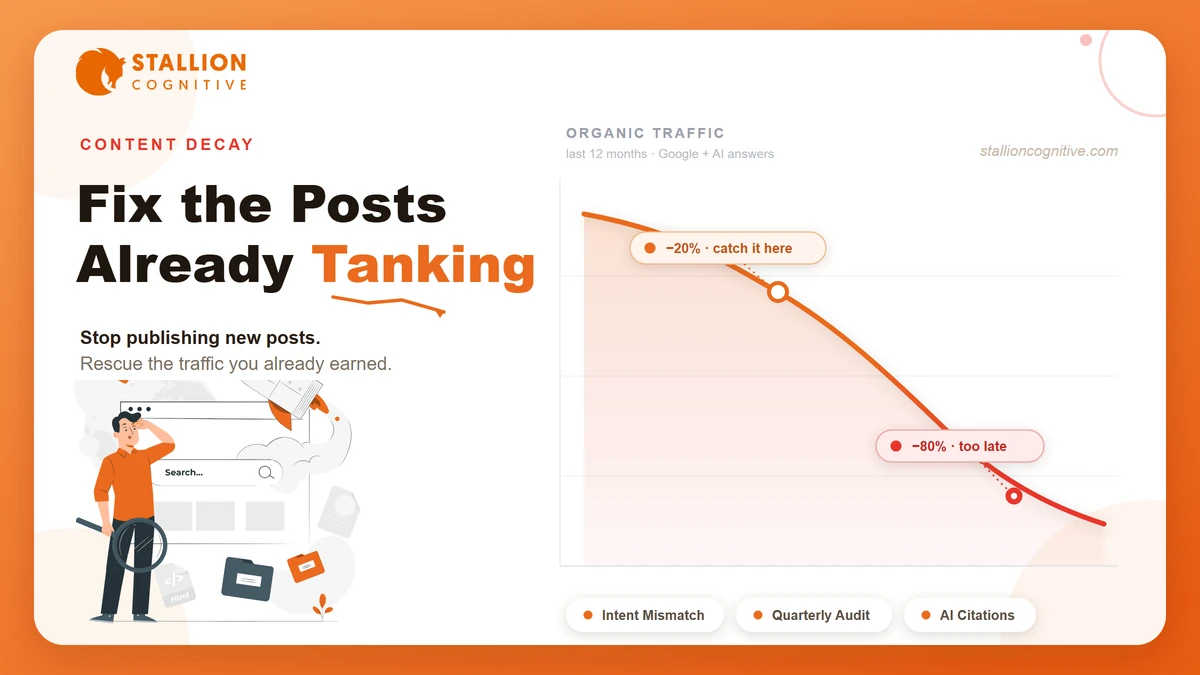
Most teams catch decay at the 80% mark, when a page that once drove 5,000 visits a month barely clears 1,000. Content decay is the gradual loss of a page's organic traffic and rankings over time. It rarely shows up as a cliff. It leaks, 4% one month, 7% the next, until a full year of growth has quietly vanished.
Every article follows roughly the same arc, and most teams invest in the first half and ignore the second.
- Early traction: The page gets indexed and picks up its first clicks and links.
- Growth and peak: Rankings climb to their high point and traffic flows in steadily, month after month.
- The plateau: Traffic looks flat on the surface while positions slip underneath.
- Decline: Fresher, better-linked competitors push the page down, and the clicks fall off a shelf you never saw coming.
Why decay slips by unnoticed
A sudden drop after an algorithm update is loud. You see it, you panic, you investigate within the hour.
Decay works the opposite way. The page keeps ranking, keeps converting a little, and the monthly dip stays small enough to wave off every time you glance at the dashboard.
Decay now runs on two tracks
There's a second layer that barely existed a few years ago. A page can hold its Google position and still disappear from ChatGPT answers and Google AI Overviews, which is increasingly where buying decisions begin.
A page can rot on one track while looking perfectly healthy on the other.
Before you can fix any of it, you need to know why a given page slipped.
What Causes Content to Decay?
Decay almost never has one cause. Usually it's a few forces stacking up at once: a sharper competitor, a drift in what searchers actually want, and a page nobody has touched in a year. Add your own posts cannibalizing each other and you have the full picture. Four culprits, rarely acting alone.
| Cause | The tell |
|---|---|
| Age and freshness | Traffic slides with no SERP shake-up, and the page hasn't been touched in 12+ months |
| Competitor improvement | A newer URL keeps climbing past you for your main keyword |
| Intent shift | The dominant SERP format changed (guides replaced by forum threads, for example) |
| Cannibalization | Two of your own URLs keep swapping positions for the same term |
Age and freshness work against you
Google runs freshness systems that reward recently updated pages for queries with a built-in appetite for new information, anything shaped like "best X" or "how to Y." Google's own documentation calls this query "deserves freshness”. A page untouched for two years sits at a structural disadvantage against a maintained competitor, even when your version is deeper and more useful.
AI engines push this harder. Ahrefs found that URLs cited by AI assistants are 25.7% fresher on average than standard organic results. Stale content slips in Google and gets skipped entirely by the engines writing AI answers.
A competitor simply did it better
The most common cause is also the hardest to see. Someone targets your keyword with a stronger, better-linked piece, and across a year they displace you one position at a time. Fair warning: this is the cause you'll spot last, because no single day looks bad enough to investigate.
Search intent shifted under you
Sometimes the keyword stays identical while its meaning moves. The classic case is "LLM," which meant a law degree until large language models took over the results page. If your article answers the old version of a query, it loses relevance without you editing a single word.
You're competing with yourself
Publish two posts aimed at the same keyword and they split authority instead of pooling it. Google rotates between them, neither ranks as well as one strong page would, and the older one usually decays while you're busy celebrating volume.
Keyword cannibalization is self-inflicted decay.
Knowing the cause is useless until you can spot the slide early, so detection comes first.
How to Detect Content Decay Before It Turns Critical
Detection is a monthly habit rather than a fire drill. Pull every page that has lost 20% or more of its traffic year over year, limit the list to content at least six months old, and sort by the biggest losers. Newer pages are still finding their footing, so they don't count yet.
Pull your declining pages
Whatever tracker you run, the workflow is identical. In Ahrefs, Semrush, or another rank tracker, follow the same four steps.
- Open the Top Pages report for your domain.
- Set the traffic filter to declining and the date window to 12 months.
- Sort by negative traffic change so the worst offenders surface first.
- Add a keyword-difficulty filter so you skip pages held back by a link gap instead of true decay.
Read the Search Console signals
Here's the deal: Google Search Console tells you exactly what kind of trouble you're in. Compare the last three months against the same stretch a year ago, then read impressions and clicks together.
- Impressions and CTR both down: Classic decay. You're losing visibility and the clicks that rode on it.
- Impressions down, CTR up: You've slipped positions, yet the people who still find you stay engaged, so the page is often recoverable.
- Impressions flat, CTR down: You're still ranking while something new ate your clicks, usually an AI Overview or a competitor's rich result.
Tell decay apart from a SERP problem
That last pattern isn't decay at all. It's a SERP-feature problem, and rewriting the copy won't touch it.
The wider context helps here. U.S. organic search traffic fell about 2.5% year over year heading into 2025, with mid-sized sites taking the worst of it as AI Overviews spread. Some of what looks like your decay is the ground shifting under everyone.
A list of slipping pages is only useful once you decide what each one actually needs.
Update, Consolidate, Redirect, or Prune? Choosing the Right Move
Not every decaying page deserves a rescue. Some need a refresh, some should be merged into a stronger sibling, a few should be redirected for their backlinks, and the dead weight should be cut. Match the action to the situation or you'll burn a week refreshing a page that should have been consolidated.
| The situation | The move |
|---|---|
| Keyword still relevant, content just outdated | Update and refresh |
| Two pages chasing one keyword, one clearly stronger | Consolidate the weaker into the stronger |
| Keyword off-strategy but the page holds backlinks | Redirect to a relevant page |
| Low traffic, few links, little business value | Prune with a noindex or a delete |
| Topic still competitive but the page was weak from day one | Rewrite from scratch |
Two rules save people from the most common mistakes. When you consolidate, always 301 redirect the weaker URL into the survivor so the link equity moves with the content. And when you prune, remember that a noindex is reversible while a delete is forever.
Most pages on your list will land on "update," so that's the workflow worth getting right.
How to Fix a Decaying Page Without Faking the Date
A real refresh changes the content rather than the timestamp. Run the page against what currently ranks, find the topics those pages cover that yours skips, replace every stale stat, and re-match the format searchers expect now. Bumping the date on a page you didn't actually improve can push it down further.
Close the topic gap first
Before editing a sentence, compare your page against the current top results and list what they answer that you don't. Those gaps are where searcher intent lives today. Fill them with real substance instead of padding word count to chase a content score.
Refresh stale data and examples
Outdated statistics are the loudest signal that nobody has maintained a page.
Swap every number you can re-source, update the screenshots, and replace examples that have aged out. The payoff runs deeper than it looks, because fresher pages get cited more by AI engines and read as more trustworthy to humans at the same time.
Re-match the current intent
Check the live results page for your keyword and see which format won. If guides got replaced by forum threads, or a listicle became a how-to, a light edit won't cut it. A page built for last year's intent needs a structural rewrite rather than a polish.
Strengthen on-page signals and links
Word of caution: Google rewrites a chunk of your metadata anyway, so write it well but don't agonize. Search Engine Land found Google changed roughly 76% of title tags in early 2025, though a strong original still wins when it tests better. Then tighten the three signals that move recovery along.
- Title and meta: Rewrite both; the version that performs best in testing is the one Google keeps.
- Internal links: Point fresh internal links from your strongest pages at the refreshed URL.
- Broken links: Fix dead outbound links, since they read as neglect to crawlers and readers alike.
Fixing pages one at a time works, but the real win is catching decay long before it reaches your rescue list.
How to Stop Content Decay Before It Starts
You can't kill decay, so aim to catch it at 20% instead of 80%. The teams that stay ahead run the same audit every quarter, refresh their money pages on a calendar, and link related articles into clusters so authority pools instead of splintering. Prevention costs a fraction of a rescue.
- Quarterly: Pull the declining-pages report, flag everything down 20% or more year over year, and triage it on the spot.
- Annually: Give every money page a scheduled review, even the healthy ones.
- Before publishing: Check that no existing page already owns the keyword.
Run a quarterly decay audit
Every quarter, pull the declining-pages report and flag anything down more than 20% year over year. Triage immediately. High-value pages go into a refresh sprint, and everything else waits in a backlog. Wiring this into a standing content audit means it happens whether or not you remember.
Refresh your money pages on a schedule
Your highest-traffic, highest-revenue pages get a calendar reminder once a year, decline or not. A new stat, a fresh screenshot, one expanded section, that small touch keeps them current. A modest annual update is far cheaper than rescuing a page that already cratered.
Build clusters and kill cannibalization
Interconnect related posts so authority spreads across the topic instead of being chopped up by competing URLs. Before you publish anything new, check whether an existing page already targets that keyword. If it does, differentiate it hard or merge the two.
Catch decay this early and it stops being a threat, becoming a routine line on your content calendar.
Your Back Catalog Is the Cheapest Traffic You'll Win
Every page you've already published is a recovery waiting to happen. The competitor who publishes constantly but never looks back is leaking traffic on a delay, and that gap is yours to take.
Decay is predictable, the fixes are known, and the pages slipping today are usually the easiest wins on your whole site.
Want a second set of eyes on which pages to rescue first? That's the kind of work our SEO team does every day.
Frequently Asked Questions
How long does a refreshed page take to recover?
Most pages that get a real refresh start moving within two to six weeks, and a well-executed update can win back a large share of lost rankings inside 30 to 45 days. Thin edits move slower or not at all. Recovery tracks how substantial your changes truly were.
How is content decay different from an algorithm hit?
More than most teams expect, the two look nothing alike on a graph. An algorithm hit is a sudden cliff tied to a known update date. Decay is a slow grade you only notice in hindsight, with no single drop to point at.
Which decaying pages should I fix first?
The risk of working alphabetically is pouring effort into pages nobody searches for anymore. Rank your list by business relevance, historical traffic peak, and how winnable the keyword still is. Pages that score high on all three earn your first sprint.
Do I need paid tools to spot content decay?
Ahrefs and Semrush make it faster, but Google Search Console alone catches most of it for free. Compare three months against the same period last year, watch impressions against CTR, and your worst decay surfaces without a subscription.
Can refreshing content ever make rankings worse?
None of your edits are risk-free. Bumping the publish date without real improvement can trigger a further slide, and stripping out content that was quietly ranking can cost you positions. Compare before and after, and keep what was already working.