
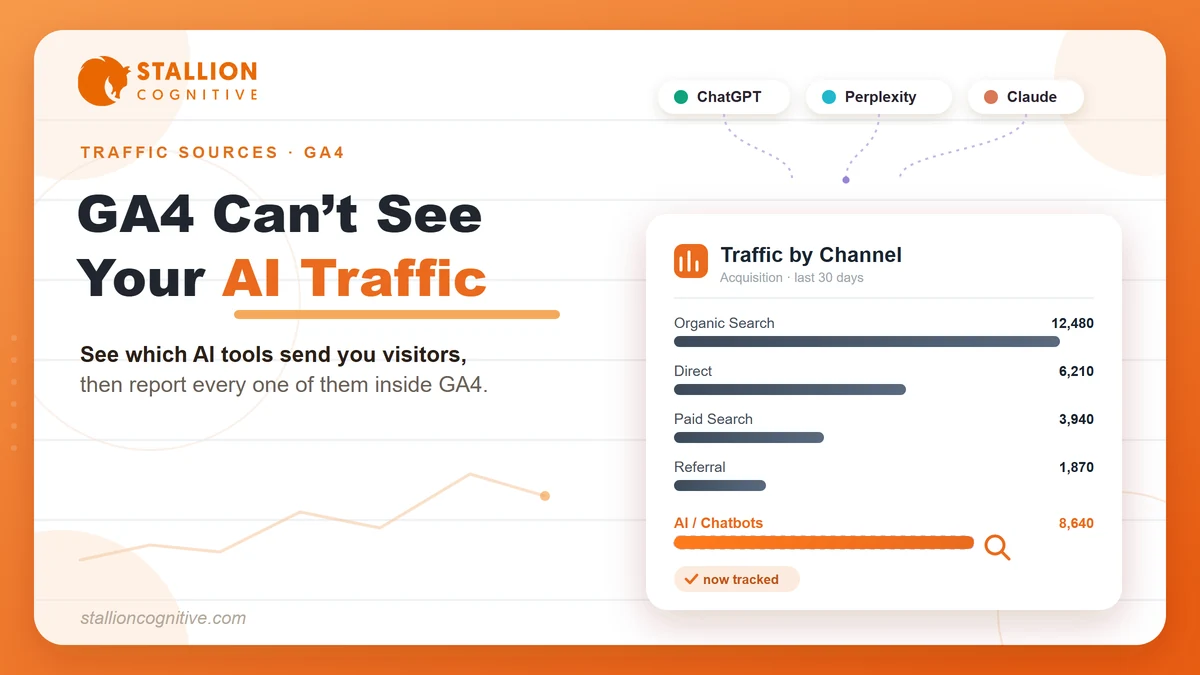
Someone clicked through to your site from ChatGPT last week. So did three people from Perplexity and one from Gemini. You probably never noticed because GA4 buried all five visits inside the same "Referral" bucket as your Pinterest traffic and that one random forum link from 2024.
That is the problem every marketer running AI traffic in GA4 faces right now. AI chatbots have become a real discovery channel, sending visitors who arrive with context, with intent, and with a specific reason to be on your page. But your analytics treat those visits the same way they treat a stray link from a blog comment.
In this guide, you will learn exactly how GA4 categorizes AI traffic today, how to use the brand-new native AI Assistant channel Google shipped in May 2026, and how to build custom reports that separate AI chatbot traffic from everything else.
What Is AI Traffic in Google Analytics 4?
AI traffic refers to website visits originating from AI chatbot platforms like ChatGPT, Google Gemini, Claude, Perplexity, and Microsoft Copilot. GA4 has historically lumped these visits under the generic Referral channel alongside every other third-party link click.
Here is how a typical AI referral session gets created:
- A user asks a chatbot a question
- The chatbot's response includes a link to your website
- The user clicks that link
- The chatbot platform sends a referrer header to your site
- GA4 reads the referrer, records the source (e.g., chatgpt.com), assigns "referral" as the medium, and drops the visit into the Referral channel group
That categorization made sense when AI chatbots sent a handful of visits per month. It stopped making sense around mid-2025, when agencies started noticing AI referral traffic climbing steadily across client accounts. Semrush's research on tracking ChatGPT traffic confirmed the trend: AI referral sessions were growing faster than any other non-paid channel across their dataset.
Research-heavy B2B sites and service businesses saw the sharpest increases.
Where AI Traffic Shows Up by Default
Open your GA4 Traffic Acquisition report right now. Switch the primary dimension to "Session source/medium." Scroll past google/organic and direct/(none).
If your site receives any AI Overviews in search or chatbot referrals, you will find entries like these scattered among dozens of other referral sources:
- chatgpt.com / referral
- gemini.google.com / referral
- perplexity.ai / referral
- claude.ai / referral
Here's the deal: finding those entries manually every time you check your reports is a scavenger hunt. The fix requires either using GA4's new native channel or building your own. The next two sections walk through both.
How Does GA4's New AI Assistant Channel Actually Work?
On May 13, 2026, Google added a dedicated AI Assistant channel to GA4's Default Channel Group that automatically recognizes traffic from ChatGPT, Gemini, and Claude based on the referrer header - zero configuration required from property owners.
Marketers had been requesting this for over a year. Google delivered it quietly. A short note on the Google Analytics support page confirmed the change. No blog post. No webinar. Just a rollout that fundamentally changes how AI-driven visits appear in reports.
The Three Dimensions That Change Automatically
When GA4 detects a referrer matching a supported AI chatbot, three traffic dimensions update at once:
| Dimension | Old Value | New Value (May 2026) |
|---|---|---|
| Medium | referral | ai-assistant |
| Default Channel Group | Referral | AI Assistant |
| Campaign | (referral) | (ai-assistant) |
No configuration needed. The classification happens at the processing layer and applies to every GA4 property automatically.
What the Native Channel Covers and What It Misses
Now: this native channel does two things well and misses one critical area.
What it does well:
- Eliminates manual regex setup if you only care about ChatGPT, Gemini, and Claude
- Gives teams a quick, zero-effort read on AI traffic volume in standard reports
What it misses entirely:
- Perplexity - the fastest-growing AI research tool among B2B audiences, and one of the most reliable for passing referrer data on both desktop and mobile
- DeepSeek - gaining significant traction since early 2026
- Microsoft Copilot - embedded in millions of enterprise workflows but frequently overlooked in analytics setups
- Meta AI, Grok, Mistral, and 20+ other platforms that are collectively sending more referral traffic each quarter
The native channel also does not apply retroactively. Historical data stays categorized exactly as it was when GA4 originally processed it. You will only see the AI Assistant channel populate going forward.
If your audience uses Perplexity heavily - and many research-oriented B2B audiences do - you are still missing data. That is where custom channel groups come in.
How to Set Up a Custom Channel Group for AI Traffic
A custom channel group in GA4 lets you define your own traffic categorization rules using regex, catching every AI platform that sends a referrer header regardless of whether Google's native channel recognizes it.
You might be wondering: if GA4 already has a native AI Assistant channel, why bother with a custom one?
Because the native channel covers three platforms. We have tracked referral traffic from more than 30 distinct AI sources across client accounts in the past six months. The gap between three and thirty matters when you are trying to measure a channel accurately.
Two key advantages of the custom approach:
- You control which platforms get included
- You can update the regex quarterly as new AI tools launch
Step 1 - Create the Channel Group
Path: Admin > Data Display > Channel Groups > Create new channel group
Name it something clear like "Custom Channel Group - AI Included."
GA4 allows a maximum of two custom channel groups, so pick strategically if you already have one in use.
Step 2 - Add the AI Traffic Channel With Regex
Inside your new channel group, click "Add new channel." Configure it like this:
- Channel name: Artificial Intelligence
- Condition: Source matches regex
Paste this regex pattern:
| chatgpt\.com|chat\.openai\.com|gemini\.google\.com|deepseek\.com|perplexity(?:\.ai)?|claude\.ai|copilot\.microsoft\.com|character\.ai|(?:\w+\.)?meta\.ai|grok\.x\.com|grok\.com|(?:\w+\.)?mistral\.ai|phind\.com|you\.com|poe\.com|openrouter\.ai|huggingface\.co|coze\.com |
Here's the thing: using the full name "Artificial Intelligence" instead of "AI" makes filtering easier in reports later. GA4's filter field matches partial strings, and "AI" can collide with other values.
We update this regex list for clients every quarter, and you should too.
Step 3 - Reorder the Channel Above Referral
Channel ordering is where most people trip up.
GA4 evaluates channel conditions top to bottom. If Referral sits above your Artificial Intelligence channel, chatbot traffic matches Referral first and never reaches your custom channel.
The fix:
- Click "Reorder" inside your channel group settings
- Drag the Artificial Intelligence channel above the Referral channel
- Save the group
From this point forward, your Traffic Acquisition report shows "Artificial Intelligence" as a separate channel whenever you switch the dimension to "Session custom channel group."
Which AI Platforms Send Trackable Referral Traffic to Your Site?
The trackability of AI referral traffic depends entirely on whether the platform passes a referrer header when a user clicks a link. And this varies dramatically between desktop browsers, mobile apps, and in-app webviews.
We have seen this inconsistency across dozens of client accounts. The pattern holds:
| AI Platform | Desktop Browser | Mobile App | GA4 Source Value |
|---|---|---|---|
| ChatGPT (web) | Reliable | Often stripped | chatgpt.com |
| ChatGPT (iOS/Android) | N/A | Usually stripped | Shows as Direct |
| Perplexity AI | Reliable | Usually passes | perplexity.ai |
| Google Gemini | Reliable | Mixed | gemini.google.com |
| Claude (web) | Inconsistent | Usually stripped | claude.ai |
| Microsoft Copilot | Reliable | Mixed | copilot.microsoft.com |
| DeepSeek | Reliable | Usually passes | deepseek.com |
| Meta AI | Mixed | Usually stripped | meta.ai |
Word of caution: every "Usually stripped" entry in that table means those visits land in your Direct traffic bucket. No way to recover them. No custom channel group or native GA4 feature fixes that.
Key takeaways from this table:
- Desktop web sessions from most AI platforms track reliably
- Mobile app sessions are where the data disappears - this is the primary source of measurement loss across every account we have audited
- Perplexity and DeepSeek are the most trackable across both desktop and mobile
- ChatGPT's mobile app is the biggest single source of dark AI traffic, and given ChatGPT's user base, that gap is significant
If your audience primarily uses AI chatbots through mobile apps, plan your analysis with that measurement gap in mind.
How to Build a Dedicated AI Traffic Report in GA4
A dedicated AI traffic report gives you a permanent, filterable view of all AI-driven sessions without manually applying regex filters every time you open GA4. Two approaches, depending on how often you need the data.
The Quick Filter Method
Best for one-time checks. Open the Traffic Acquisition report, click the filter icon, and set:
- Filter: Session source matches regex
- Value:
chatgpt\.com|gemini\.google\.com|perplexity\.ai|claude\.ai|copilot\.microsoft\.com|deepseek\.com - GA4 caps filter values at 250 characters, so this shortened version covers the six largest AI traffic sources.
The filter disappears when you leave the report.
The Custom Report Method That Sticks
For a report you can revisit daily, open the Traffic Acquisition report and click "Customize report" in the top-right corner. You need Editor or Admin permissions.
Setup steps:
- Add filter: Session custom channel group exactly matches Artificial Intelligence
- Set default dimension: Session source - move it to the top of the dimension list
- Save as new report and name it "AI Traffic"
- Add to sidebar: Go to Library > Life Cycle collection > drag your new report into the Acquisition section
Your AI Traffic report now lives permanently in the sidebar. Every team member with property access can see it.
Want to know the best part?
You can click "Open this report as an exploration" in the top-right corner. Each element recreates as its own tab, giving you secondary dimensions, date comparisons, and cohort analyses that standard reports cannot handle.
Why AI Visitors Behave Differently Than Organic Search Traffic
AI-referred visitors arrive with more context and narrower intent than typical organic search users because the chatbot has already processed their question and filtered your page as a relevant answer. The decision to click was more deliberate.
Compare the two journeys:
| | Organic Search Visitor | AI Chatbot Visitor |
|---|---|---|
| Discovery | Types a query, scans 10 blue links | Asks a specific question to AI |
| Selection | Picks the best title tag | AI selects your page as relevant |
| Context on arrival | Minimal - title tag + snippet | High - read the AI's answer first |
| Intent clarity | Broad - still exploring | Narrow - wants specific depth |
| Bounce likelihood | Higher - may not match expectation | Lower - already validated the topic |
We have seen this pattern across AEO and GEO strategies we run for clients. AI-source visitors consistently:
- Spend noticeably more time on page - often 40 to 60 percent longer than organic search visitors on the same URL
- View more pages per session
- Reach conversion points at higher rates, particularly on service pages and gated content
Here's why this matters: if you measure AI traffic only by volume, you are undervaluing the channel.
A hundred sessions from ChatGPT with a 6 percent conversion rate outperforms a thousand organic sessions converting at 1.5 percent. The metric that matters is downstream impact, and that requires looking beyond the acquisition report.
Those visitors also expect a different on-page experience, and AI is starting to shape how we design for it. We dig into that in our guide to the future of UI/UX design.
5 Metrics That Show Whether AI Traffic Actually Matters for Your Business
Tracking AI traffic volume is step one. These five metrics in GA4 reveal whether the channel is generating business outcomes or just inflating your session count.
1. Engaged sessions per AI source
Not all AI platforms send equally qualified traffic. Inside your AI Traffic report, compare engaged session rates across chatgpt.com, perplexity.ai, and gemini.google.com.
We have seen Perplexity consistently send higher-engagement traffic for B2B service pages. ChatGPT volume runs higher but with slightly lower engagement on average.
2. Conversion rate by custom channel group
Path: Advertising > Conversion paths > switch dimension to Session custom channel group
Compare your Artificial Intelligence channel's conversion rate against Organic Search, Direct, and Referral. If you have set up key events (form submissions, demo requests), this comparison tells you exactly where AI traffic ranks in your conversion hierarchy.
3. Landing page performance for AI sessions
Which pages are AI chatbots sending people to? Find out with a Free Form Exploration:
- Add Session source as a dimension with AI regex filter
- Add Landing page as a second dimension
- Sort by sessions and review which URLs receive the most AI referrals - these are your most citation-worthy pages
The pages receiving AI traffic are the ones AI systems consider most citation-worthy. That insight directly informs your generative engine optimization strategy.
4. New vs returning user ratio
AI chatbot traffic skews heavily toward new users - most AI referrals are first-touch discovery moments.
Watch for a shift. A rising percentage of returning users from AI sources signals your content is being cited repeatedly for the same topic. That is a strong authority signal.
5. Session duration compared to organic search
Build a comparison table in Explorations:
- Tab 1: Session source filtered for AI sources
- Tab 2: Session source filtered for google/organic
- Compare: Average session duration between the two
AI visitors who stay longer than organic visitors are finding exactly what the chatbot promised them.
What GA4 Still Gets Wrong About AI Traffic
GA4 captures referrer-based AI traffic accurately when the referrer header exists. The problem: between 20 and 40 percent of actual AI-originated visits arrive without a referrer and get misclassified as Direct traffic.
No platform has solved this. The reason is structural.
The Dark Traffic Problem
When someone uses the ChatGPT iOS app, taps a link, and the system opens the page in an in-app browser, the referrer header often gets stripped by the operating system before GA4 ever sees it.
"Dark AI traffic" is the term gaining traction for these invisible visits. GA4 records them as Direct with a session source of (direct)/(none).
No regex filter, no custom channel group, and no native GA4 feature can recover a referrer that was never sent.
What you can do is estimate:
- Pull your Direct traffic trend line for the past 12 months
- Look for inflection points that correlate with known increases in AI chatbot adoption
- Cross-reference with your own AI marketing tools investment timeline
- A rising Direct curve that cannot be explained by branded search growth or email campaigns likely includes a growing AI dark traffic component
Fair warning: these are estimates. Treat them as directional intelligence rather than numbers you put in a client report.
The AI Overviews Blind Spot
When Google shows an AI-generated answer at the top of search results and includes a link to your page, that click arrives as google/organic. GA4 does not separate AI Overview clicks from standard organic clicks.
Google Search Console offers some visibility into AI Overview impressions through its search appearance filters, but the GA4 side remains opaque.
For teams running a local SEO audit, factoring in these measurement limitations matters. Your actual AI-driven traffic is almost certainly higher than what GA4 reports.
Start Measuring Before the Channel Gets Too Big to Ignore
AI chatbot traffic is still in single-digit percentages for most sites. That number has been climbing month over month since mid-2025, and the trajectory is steepening.
The marketers who set up tracking now will have 12 months of trend data when their leadership team asks, "How much business are we getting from AI?"
Your two options today:
- Quick baseline: Use the native AI Assistant channel. Zero effort. Covers ChatGPT, Gemini, and Claude.
- Full coverage: Build a custom channel group with quarterly regex updates. Covers 30+ platforms. Takes 15 minutes.
Either way, the setup takes less time than reading this guide did.
Need help building an analytics framework that captures AI traffic alongside your broader digital strategy? Reach out to our team and we will map it out with you.
Frequently Asked Questions
Does GA4 track AI traffic automatically now?
Since May 2026, partially. GA4's native AI Assistant channel catches ChatGPT, Gemini, and Claude visits through referrer headers. But Perplexity, DeepSeek, Copilot, and mobile app traffic still need manual setup through custom channel groups for accurate tracking.
Can I see historical AI traffic data before the May 2026 update?
The native channel only applies going forward from activation. For historical data, create a GA4 Exploration with a retroactive regex filter on Session source matching chatgpt.com, perplexity.ai, and similar patterns. The raw referrer data was always collected.
What percentage of website traffic comes from AI chatbots in 2026?
Most sites we work with see between one and five percent of total sessions from AI sources, with research-heavy B2B sites trending toward the upper end. The actual figure is likely higher once you account for dark traffic from mobile apps stripping referrer data.
Why does my ChatGPT traffic show up as Direct in GA4?
The ChatGPT mobile app opens links in an in-app browser that frequently strips the referrer header before GA4 processes the hit. Desktop browser sessions from chat.openai.com and chatgpt.com pass referrers reliably. Mobile sessions are where the attribution breaks down.
Should I replace my custom channel group now that GA4 has a native AI channel?
Keep both running in parallel for at least two quarters. The native channel covers three platforms. A well-maintained custom channel group with quarterly regex updates catches over thirty AI sources. Compare the two channel counts in your reports to measure exactly what the native channel misses.