
Check your analytics and the numbers look healthy. A few hundred visits a month, most of them from Google. Then you open your inbox, and it's quiet again.
Sound familiar? You are not short on visitors. You are losing them somewhere between the click and the contact form, and that is a very different problem to solve.
It is the question we hear most from business owners. Why isn't my website getting leads when the traffic looks fine? In the audits we run for service firms, the answer is almost never a shortage of visitors. It is a leak, and a leak has a location.
So before you spend another dollar sending more people to a page that already loses them, let's find where yours is draining. Below, we walk you through the four usual culprits, how to tell which one is yours, and what to fix first.
Why does your website get traffic but no leads?
Because getting traffic and getting leads are two different jobs, and a site can be good at the first while quietly failing the second. Your page can pull people in and still give them no reason, or no easy way, to reach out.
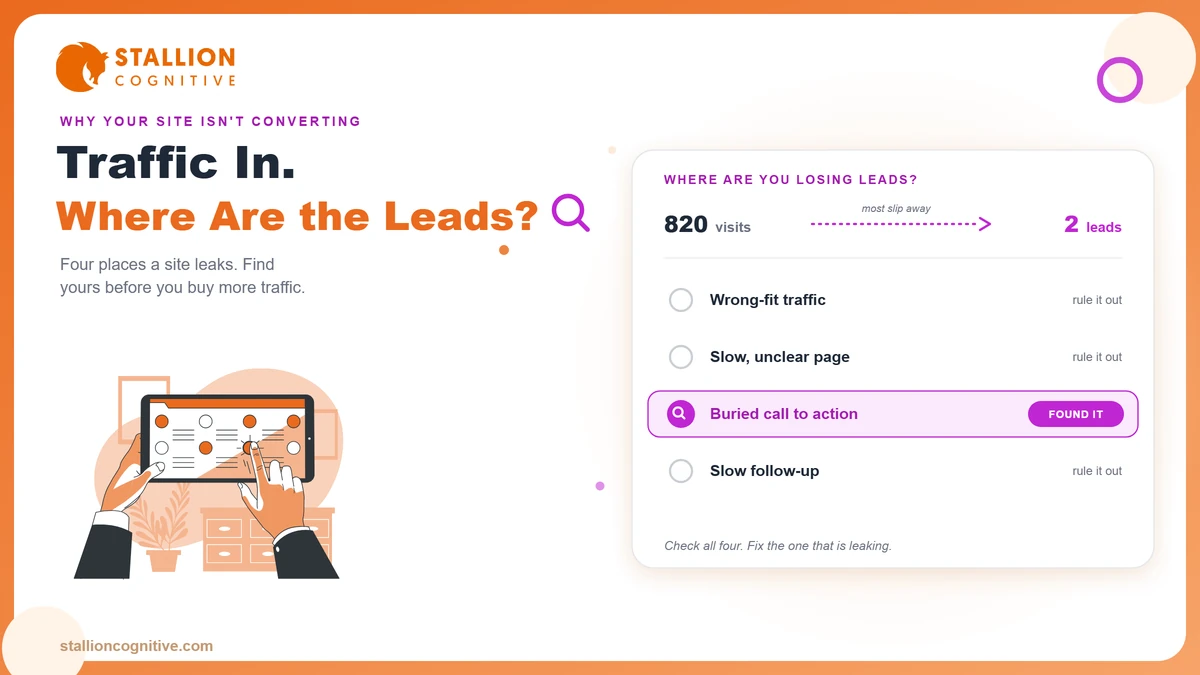
In practice, the leak almost always sits in one of four places.
- The traffic is the wrong kind.
- The page does not make sense fast enough.
- The next step is too hard to take.
- The lead slips away after the form.
Guess which one is yours and you can burn months fixing the wrong thing. We have watched owners rebuild a whole homepage when the real leak was a form nobody could finish. So the first move is a diagnosis, well before any redesign.
Traffic tells you people arrived. It never tells you why they left.
How do you find which leak is losing your leads?
Start with the data you already have instead of a hunch. You can narrow the leak to one of the four in about ten minutes inside Google Analytics and Search Console. Here's how to read it.
Is it a traffic problem or a conversion problem?
Everything hangs on this one fork. Pull up your top pages by traffic and look at two things. How long people stay, and whether any of them reach your form. If visitors land and leave within seconds, you are looking at a traffic or clarity problem. If they read, scroll, and still don't act, the leak is conversion or trust.
Answer that first, because the two need opposite fixes. One sends you to your keywords. The other sends you to your page.
Where exactly do people drop off?
Once you know the broad category, get specific. Match what you are seeing to the likely leak.
| What you're seeing | The likely leak | Where to look |
|---|---|---|
| Plenty of visits, seconds on page, high bounce | Wrong-intent traffic or a slow, confusing page | Sections 2 and 3 |
| People read, spend real time, then leave | A weak call to action or a trust gap | Sections 4 and 5 |
| Form views, but almost no submissions | Friction in the form itself | Section 4 |
| Submissions come in, but nothing turns into a client | The leak is after the form | Section 6 |
Which row sounds like your site? That row is where you start, and the four sections below take each one in turn.
A page can do everything right and still leak if the traffic was wrong to begin with.
Is your website traffic the wrong kind?
It might be. If the people arriving found you while researching a topic, they will read what they came for and leave, no matter how sharp your page is. The fix there lives in your keywords rather than your page.
Buyer-intent keywords vs research keywords
The thing that decides it is intent. Someone searching "web designer for accountants" wants to hire. Someone searching "what is a good bounce rate" wants to learn. Both can land on your site. Only one will ever contact you.
Most owners underestimate this, because buyers rarely act on the first visit anyway. Gartner found that B2B buyers spend only 17% of their time meeting with suppliers across a whole purchase, and far more of it reading quietly on their own. A first visit that ends without contact is often just homework rather than a rejection.
Not sure which kind you are pulling in? Open Search Console and read your top queries.
- If they read like questions, you have built an audience.
- If they read like purchases, you have the start of a pipeline.
One fills your reports. The other fills your calendar.
Does your page make sense in five seconds?
A visitor decides whether to stay in about five seconds, so if your page cannot answer what you do, who you help, and why you beat the other tab in that window, they leave before they ever see your offer. Two things usually break in that window. The first is your message. The second is your speed.
Run the five-second headline test
Read your own headline cold, as a stranger would. Does it say "Innovative solutions for growing businesses," or does it say "Websites that book more calls for financial advisors"? The first could describe anyone. The second tells the right person they are in the right place. If your headline could sit on a competitor's site without changing a word, it is costing you leads.
A high-converting business website spends that first screen on clarity instead of clutter, and gives the visitor one obvious thing to understand.
Does it load fast on a phone?
Speed is the other half, and it is easy to miss on your own fast office wifi. More than half of all web visits now come from mobile devices, so a slow phone load quietly loses people before a single word registers. Tight page speed is what buys you the five seconds in the first place. Google's Core Web Vitals put a good load at 2.5 seconds or less, judged at the 75th percentile of real visits rather than a lab test. Open your own site on your phone, on mobile data, and count the seconds. If you get impatient, so does everyone else.
Are you making it too hard to take the next step?
Often, yes. Even a visitor who is sold needs an obvious, low-effort next step, and most sites bury it or gate it behind a form nobody wants to finish. Picture someone who has read your whole page and decided you might be the one. Then the form asks for their phone number, budget, and company size before they have typed a word. Most of them close the tab.
We saw this with a CPA firm that had roughly 900 visits a month and two enquiries. The leak was a fifteen-field form asking for income on the very first screen. We cut it to three fields across two steps, and the enquiries climbed without a single extra visitor.
Fix the call to action first
Your call to action is the cheapest thing to fix and often the biggest leak. A few changes cover most of it.
- One clear action per page: Decide the single thing you want a visitor to do, then ask for it more than once.
- The button where the decision happens: Put it right after the part that convinces them, and again near the footer.
- Words that promise a next step: Say "Book a call" instead of "Submit," so the person knows exactly what happens next.
Then cut the form down
The form is where earned leads go to die. Ask for the minimum now and the rest later, the way good multi-step forms do it. And give people a second route, because some will type a question into a lead-capture chatbot who would never fill a form at all.
Every extra field is a door someone walks out of.
Do visitors trust you enough to reach out?
Maybe not yet. People do not hand their details to a stranger, and for a high-ticket service, where one project is worth thousands, the trust bar sits higher still. A careful buyer wants proof before they even say hello.
The trust signals that matter for high-ticket buyers
Proof is what turns a visitor who likes you into a lead who contacts you. Not all proof is equal, though, so put your effort where it moves a cautious buyer.
| Trust signal | Why it moves a high-ticket buyer |
|---|---|
| Case studies with real numbers | Shows you have done this for someone like them |
| Reviews and recognizable client logos | Lowers the felt risk of picking you |
| Real faces and a named team | Reassures them they are hiring real people rather than a faceless template |
| Clear process and honest pricing | Removes the fear of an awkward high-pressure call |
Ask yourself one thing. If a stranger landed on your service page today, what proof would they find that you can actually do the job? For a regulated firm the effect runs deeper, which is why lifting a financial planner website conversion rate starts with credibility long before it touches design.
Are you losing leads after the form?
The last leak is the one almost nobody checks. Sometimes the site works, the leads are real, and you lose them after they arrive. When that happens, nothing on the page needs fixing at all.
Answer within the hour
Speed after the form counts for more than most owners believe. A well-known study reported by Harvard Business Review found that firms answering a new lead within an hour were far likelier to reach a real decision-maker than those who waited a day. Leads cool fast. A form that sits unread until the next morning has already lost most of its value, so treat every submission like the clock is running, because it is.
The leads you cannot see
There is a quieter version of this leak, and it fools smart people. Some owners get calls, replies, and direct messages they never count, so they decide the website is dead and start over on a site that was working the whole time. Your analytics only ever show what you set them up to track. Before you conclude the page is broken, make sure you are actually counting every channel it feeds.
The fastest firm usually wins the client. Fix your follow-up before you touch the page.
What should you fix first?
Work in the order the money moves. Recover the leads you already get, then earn more, which means starting at the bottom of the funnel where the fixes pay back fastest.
- Follow-up and tracking: Recovering leads that leak after the form is money back this week.
- The call to action and form: Small changes here lift every visitor who comes after.
- Clarity and trust: Rewrite the first screen and add real proof.
- Traffic and intent: Chase more visitors only once the page converts the ones you have.
Most owners run this upside down. They buy traffic first, then wonder why a leaky page wastes it. Financial advisors and accountants also carry a higher trust bar and compliance in every field, so lead generation for financial planners follows a stricter version of this same order.
Conclusion
Your website is the cheapest salesperson you have, but only when it converts the traffic you already paid for. So stop treating "no leads" as a reason to buy more visitors. Find the leak, fix the order that loses money first, and the same numbers in your analytics start turning into booked calls.
Still not sure which of the four leaks is yours? Book a website audit and we will trace your site from the first click to the contact form, then show you the exact point it breaks.
Frequently Asked Questions
What is a good conversion rate for a business website?
There is no universal number worth chasing. Track your own trend and the quality of your traffic.
How long before a new website should start producing leads?
Give it a few months. A new page has to get indexed, climb the rankings, and earn enough trust for people to act, and none of that happens in a week. If it is new and quiet, that is normal. Judge it after a full quarter.
Will redesigning my website fix my lead problem?
Only if the redesign fixes the real leak. A prettier site with the same buried button and slow load will lose the same leads. Diagnose the cause first, then redesign around it.
Is live chat better than a contact form for capturing leads?
Both catch different people. Some will type into a chat but never fill a form. Offer both and let the visitor choose.
Why do I get form fills but the leads are low quality?
Usually the traffic or the form is pulling in the wrong crowd. Vague offers and no qualifying questions invite browsers and bargain hunters. Add a qualifying field and sharpen who the page speaks to, and the quality tends to climb.