
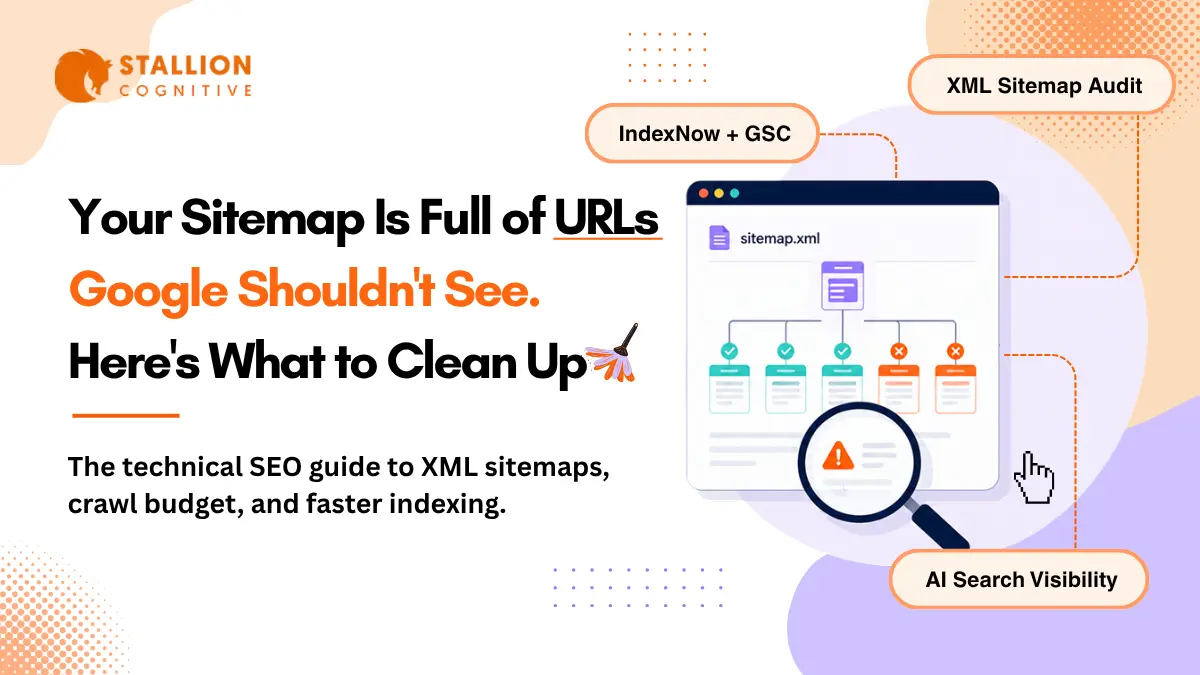
Your sitemap is probably full of URLs that have no business being there. You must have forgotten old URL redirects nobody cleaned up. Those No-index pages the CMS added on its own. You have to filter URLs with three stacked parameters that got auto-generated without anyone approving them.
Most site owners do not even realize it because they have not opened the file since submitting it to Search Console years ago. Google's crawl budget documentation makes the cost clear, it says too many low-value URLs eating up crawl resources can cause Googlebot to pull back from exploring the rest of the site. Sitemap cleanup is often one of the quickest technical wins.
What Does an XML Sitemap Do for SEO and Crawl Budget?
An XML sitemap tells search engines which URLs on a site are worth crawling and indexing. That sounds like a purely technical function, and it is, but the SEO impact is direct and measurable. Pages that are not indexed can not rank. Pages that take weeks to get indexed miss their window of search demand. And when thin or duplicate pages get indexed because the sitemap pointed Googlebot toward them, they dilute the overall quality signals Google uses to evaluate the entire domain.
How Google Decides Your Crawl Budget
Two variables control crawl attention:
- Crawl capacity limit governs how aggressively Googlebot can hit the server before causing performance issues. Shared hosting gets a lower ceiling than dedicated infrastructure.
- Crawl demand reflects how badly Google wants the content, based on page popularity, freshness, uniqueness, and overall site quality.
A tight sitemap reinforces crawl demand by confirming that every listed URL deserves attention. A bloated file packed with redirects and parameter duplicates weakens that signal, pushing the pages that actually drive organic traffic further back in the crawl queue.
When Do You Actually Need a Sitemap Strategy?
Sites with a few hundred pages rarely bump into crawl budget limits. The problems start around 10,000+ URLs, or whenever fresh content takes noticeably longer to appear in search results. Watch the "Discovered, currently not indexed" bucket in Search Console. If that number grows month over month, crawl budget pressure is likely hurting SEO performance, and the sitemap is the first file worth auditing.
Which URLs Belong in Your XML Sitemap URL List?
Every URL in the sitemap should be a page you genuinely want ranking in Google. Apply that filter ruthlessly.
URLs to Keep in Your Sitemap
- Pages returning a clean 200 status code
- Self-canonicalized URLs (the exact version you want ranking)
- Blog posts, product pages, service pages, landing pages with unique content
URLs to Remove From Your Sitemap Today
- 301 and 302 redirects (Googlebot follows redirect chains on its own)
- Pages carrying noindex meta tags or X-Robots-Tag headers
- URLs blocked in robots.txt
- Paginated archives with no unique content
- Faceted navigation URLs with stacked filter parameters
- Session ID or UTM tracking parameter URLs
At scale, unnecessary URLs can dilute crawl efficiency and create SEO problems. Redirected URLs add unnecessary crawl steps. Noindex pages burn a request on content Google will drop anyway. Faceted URLs risk getting thin, near-duplicate pages into the index, which dilutes the domain's quality signals and can hurt rankings across the entire site.
Finding Sitemap Bloat in Google Search Console
Open Google Search Console and compare submitted URLs against indexed URLs. A large gap between submitted and indexed URLs may indicate issues. That gap is the starting point for cleanup and one of the fastest technical SEO wins available on most sites.
How the Lastmod Tag in XML Sitemaps Influences Recrawl Scheduling
Google flat-out ignores <priority> and <changefreq>. Their own sitemaps documentation confirms it.
What Actually Happens With Lastmod Values
Google does read <lastmod>, but how the crawler responds depends on whether your timestamps have been accurate over time. A site with a track record of updating lastmod only after genuine content revisions earns faster recrawls because Google trusts the signal. A misconfigured CMS that stamps today's date on every page after any save (draft, comment, widget change) destroys that trust within a few crawl cycles. Rebuilding credibility after that takes months.
Three Best Practices for Lastmod
- Update only after meaningful content changes like revised sections, updated statistics, or restructured headings. Comment approvals and CSS tweaks don't qualify.
- Use W3C Datetime format: Minimum: YYYY-MM-DD. More precise: YYYY-MM-DDTHH:MM:SS+TZD.
- Let the CMS automate it: Yoast SEO and Rank Math both sync lastmod with actual WordPress content saves, and that kind of automation is part of what makes a well-configured technical stack compound in SEO value over time.
Why You Need a Sitemap Index File for Large Sites
Google limits each sitemap to 50,000 URLs or 50MB uncompressed. Splitting becomes mandatory past those limits, but doing it earlier by content type pays off through better diagnostics.
How to Create a Sitemap Index by Content Type
A sitemap index is a parent XML file referencing multiple child sitemaps:
| Sitemap File | Contents | SEO Diagnostic Benefit |
| sitemap-posts.xml | Blog articles | Track blog indexing rates independently |
| sitemap-pages.xml | Static and service pages | Isolate crawl issues on core revenue pages |
| sitemap-products.xml | Product listings | Monitor product indexing by season |
| sitemap-categories.xml | Taxonomy archives | Catch thin content slipping into the index |
Why Segmentation Helps Even on WordPress Sites
Inside Search Console, segmented sitemaps let you check indexing health per content type. When 93% of blog posts are indexed but product pages sit at 54%, you know exactly where rankings are being held back. Agencies managing template pages for franchise brands rely on this segmentation to maintain per-location indexing baselines across dozens of sites.
HTML Sitemap vs XML Sitemap and Dynamic vs Static Files
An HTML sitemap is a user-facing page listing links to important sections of a site, primarily useful for navigation and distributing internal link equity. An XML sitemap is a machine-readable file built specifically for search engine crawlers. Both serve SEO, but in different ways:
| Factor | HTML Sitemap | XML Sitemap |
| Audience | Human visitors | Search engine bots |
| SEO function | Internal link distribution | Crawl guidance and indexing speed |
| Format | Standard HTML page | Structured XML file |
| Location | Usually in site footer | /sitemap.xml or /sitemap_index.xml |
For crawl budget optimization, the XML sitemap is what matters. HTML sitemaps help with site architecture and internal linking, but they don't communicate directly with Googlebot's crawl scheduling systems.
Why Active Sites Should Use XML Sitemaps Dynamically
Static sitemaps work for sites under 50 pages with rare updates. Anything beyond that should use dynamic generation. On WordPress, Yoast SEO and Rank Math refresh the sitemap automatically on every publish, update, or delete. Custom sites on Next.js, Laravel, or Django need a server-side script querying the database for current indexable URLs and outputting cached XML.
Static sitemaps on an actively publishing site guarantee one thing: silent errors that accumulate for months. Missing new pages, lingering redirects, stale URLs from deleted content. Dynamic generation eliminates that entire risk category.
How to Submit Your Sitemaps to Google Search Console and Verify Crawl Health
- Verify site ownership in GSC
- Open "Sitemaps" in the left menu
- Enter the sitemap URL (usually /sitemap_index.xml )
- Click Submit
- Check back after a few days for fetched date, discovered count, and indexed count
Track the indexed count over time. If discovered grows while indexed stays flat, the sitemap needs cleanup because unindexed pages can't contribute to organic rankings.
Making Your Sitemap URL Discoverable by Every Crawler
Add one line to robots.txt:
Sitemap: https://yourdomain.com/sitemap_index.xml
Every bot that reads robots.txt, including AI platform crawlers without Search Console access, finds the sitemap through this directive automatically.
Why You Should Also Submit to Bing
Bing's index powers DuckDuckGo, Yahoo, and parts of Microsoft Copilot and ChatGPT search. Skipping Bing Webmaster Tools means content stays invisible across a growing chunk of the search ecosystem. The submission process mirrors Google's and takes about two minutes.
Keep in mind across both platforms: sitemap submission is a suggestion. Crawl decisions still depend on internal linking, backlink profile, and content quality.
How IndexNow Complements XML Sitemaps
XML sitemaps sit passively waiting for bots to fetch them. IndexNow flips that model by letting sites ping search engines the moment content changes, getting fresh pages into the index faster.
Current IndexNow Support
- Google tested it since late 2021 but hasn't adopted it
- Bing, Yandex, Naver, and Seznam all actively participate
- WordPress users enable it through Rank Math, Yoast, or Microsoft's official plugin
Running Both for Full Coverage
- Google: XML sitemaps through Search Console
- Bing and AI search surfaces: IndexNow pings on every publish event
- Universal fallback: sitemap in robots.txt
Ten minutes of setup covers every major search engine's preferred discovery method.
XML Sitemap Best Practices for AI Search Visibility
ChatGPT, Perplexity, Google AI Overviews, and Microsoft Copilot pull answers from pages already in traditional search indexes. A page that isn't indexed can't be cited by any AI system, which makes sitemap health a factor in AI visibility too.
Three Adjustments Worth Making
- Give high-value content its own sitemap segment with accurate lastmod dates so data-rich guides get recrawl priority, improving both ranking freshness and AI citation potential
- Keep timestamps honest because AI platforms favor recently updated content, and faster recrawls mean fresher versions in the indexes these systems draw from
- Build pages with clean H2/H3 heading structures since LLM retrieval systems extract content more reliably from well-organized pages, something that ties directly into broader AEO and GEO strategies
Common XML Sitemap Mistakes Worth Fixing Today
| Mistake | SEO Impact | Fix |
| Noindex URLs in sitemap | Wastes crawl budget entirely | Remove all noindex pages |
| Fake lastmod dates everywhere | Google ignores your freshness signals | Update only after real edits |
| One monolithic sitemap | Can't diagnose content-type indexing gaps | Segment under a sitemap index |
| No sitemap in robots.txt | AI and smaller crawlers can't find it | Add Sitemap: directive |
| Non-canonical URLs listed | Duplicate content dilutes ranking signals | Keep only self-canonical versions |
| No audit since setup | Errors compound silently for months | Monthly audit via Screaming Frog or Semrush Site Audit |
Monthly Checklist to Keep Your Sitemap Up-to-Date
- Every URL returns a 200 status code
- No 301/302 redirects in the file
- No noindex pages included
- All URLs self-canonicalized
- Lastmod timestamps match actual content changes
- Each file under 50MB and 50,000 URLs
- Sitemap referenced in robots.txt
- Submitted to GSC and Bing Webmaster Tools
- Submitted and indexed counts are close
- Every important page has at least one contextual internal link from a relevant page on the site
What Would a Sitemap Audit Reveal About Your Site?
Most site owners haven't touched their sitemap since the day they submitted it. Redirects pile up. Deleted pages linger. Fresh content goes unnoticed by crawlers for longer than it should because the file keeps sending Googlebot toward dead ends instead of pages that drive organic traffic.
A focused cleanup takes a couple of hours and the indexing improvements usually show within one crawl cycle. If you're curious what your sitemap looks like under the hood, Stallion Cognitive works with brands on technical SEO foundations including crawl budget optimization, sitemap architecture, and AI search readiness. What would a thorough audit uncover about your site's crawl health?
FAQs
Can URLs from multiple subdomains go in one XML sitemap?
Each sitemap can only include URLs from the subdomain where the file is hosted. Pages on blog.example.com need a separate sitemap from www.example.com, each verified as its own Search Console property.
What does Google do when it finds errors in a submitted sitemap?
Google processes valid entries and skips broken ones. Errors get flagged in the Search Console Sitemaps report. A few won't cause damage, but months of unfixed issues make Google check the file less frequently.
Does removing a URL from the sitemap deindex it?
No, the sitemap has zero influence over removal from Google's index. For temporary suppression use the URL Removal tool in Search Console. For permanent deindexing add a noindex tag on the page.
Can orphan pages get discovered through the sitemap alone?
Google can find them that way, but treats sitemap entries as hints rather than crawl directives. Internal linking significantly improves crawlability and ranking potential.
Should outdated blog posts stay in the sitemap?
If the page returns a 200 and still has value, keep it. Planning a refresh? Leave the URL, update the content, let the new lastmod handle the recrawl signal. Only remove after applying noindex or 410 status.