
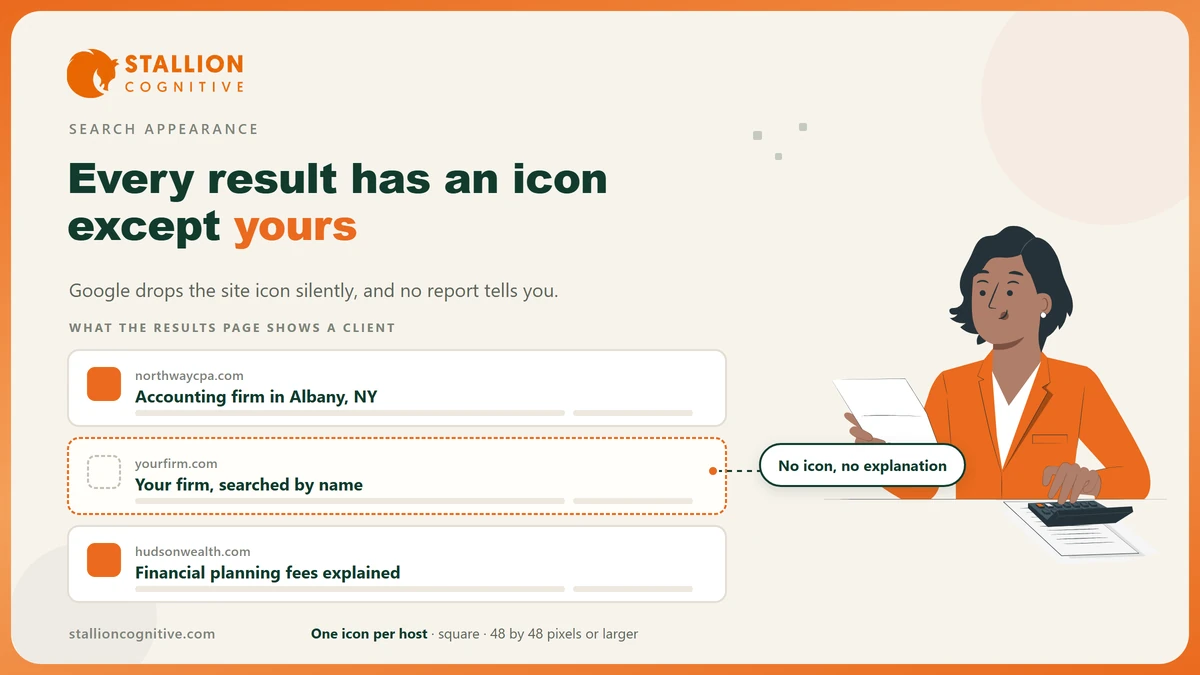
Google draws a small icon beside your result, and it will leave the space blank sooner than guess.
A favicon not showing in Google search traces back to one of four faults, and only one of them is the image itself. The other three live in your code, your crawl history and Google's own display rules.
Google named every favicon file format it accepts on 28 August 2026. The list ends a question web teams had answered from folklore.
Work through the four in order and yours is in there.
Why Google leaves the icon space blank
Google will not show an icon it cannot fetch, cannot trust, or cannot pin to a stable address. There is no backup image and no guess. When one of those three fails, the slot beside your result stays empty and nothing in Search Console reports it.
Four faults account for almost all of them.
- Has the address moved? Google states that a favicon may not appear if "the favicon URL changes frequently", and a theme update that renames the file counts as a move.
- Is the crawler blocked? Googlebot and Googlebot-Image both need to reach the file. A firewall rule or a stray disallow line will stop it without breaking anything a visitor sees.
- Is the link line missing? No link tag in the head means no icon, whatever sits in your root folder.
- Does the image break a rule? One icon per host, square, and clearly your brand. A cropped headshot fails the last part.
Only the fourth is a design question, and it is the rarest of the four.
Search Console has no favicon report, so the fault has to be found by ruling each one out. Section 6 gives the order that finds it fastest.
What Google accepts as a favicon file
Google published the full format list on 28 August 2026, in a doc update the Search Central changelog records as clarifying supported file formats. Until then the accepted answer was folklore, and half the web still ships a legacy icon file for a browser that stopped needing it.
What Google asks for fits in five lines.
| Requirement | What Google states |
|---|---|
| File formats | BMP, GIF, ICO, PNG, JPEG, PPM and TIFF |
| Minimum size | 8 by 8 pixels |
| Recommended size | At least 48 by 48 pixels |
| Shape | A square 1 to 1 aspect ratio |
| Count | One favicon per hostname |
Build to the size Google asks for, which is 48 pixels. Its favicon documentation puts the floor at 8 by 8 and the advice at 48 by 48, because the icon gets resized for several surfaces and an 8 pixel source has nothing left to give.
PNG is the sensible default for a firm. It sits on the accepted list, every build tool makes one, and it holds an alpha channel so the icon reads cleanly on a light or dark row.
A logo with three words in it will not survive the trip down to 16 pixels. Cut the wordmark and keep the monogram or the symbol.
Where the icon has to be declared in your code
The file has to be named in the head of the page, and Google reads three link types.
- Add a link tag in the head of your home page with the rel value set to icon.
- Point its href at the icon file, on the same host as the site.
- Give it a type attribute matching the file you shipped.
- Leave the address alone once it is live, because Google asks for a stable one.
The three values Google reads are listed below in the form you type them.
| Value to enter | What it is for |
|---|---|
| icon | The standard declaration, and the one to use |
| shortcut icon | A historical spelling Google still reads |
| apple-touch-icon | The iOS home screen icon, also accepted |
The standard behind this is public. The WHATWG HTML living standard defines the icon link type, and Mozilla's reference on the rel attribute lists the same three values with what each browser does.
WordPress firms have a shortcut. Setting the Site Icon under Appearance writes the markup for you, which clears the most common fault in one step.
Google reads the head of the page. A file sitting in your root folder tells it nothing.
Watch for a second icon arriving from a plugin or a page builder, since two competing link tags on one host is exactly the case the one-per-host rule was written for.
How long does Google take to pick up a new favicon?
Longer than anyone expects, and the range is open ended by Google's own account. It says crawling "can take anywhere from several days to several weeks, depending on how often our systems determine content needs to be refreshed", which puts the answer outside your control.
The only lever you hold is the URL Inspection tool, and the rest of this list is about not making the wait longer.
- Can you speed it up? Request indexing on your home page through the URL Inspection tool, which Google names as the way to hurry things along.
- Keep the file where it is while you wait, because a second change starts the clock again.
- Do not test by swapping images every few days. That is the habit Google's stability advice is written against, and it is self inflicted.
A month of patience beats a week of edits. Firms that rename the file three times in a fortnight are the ones still looking at a blank space in the spring.
Google is also blunt that meeting every rule earns no promise. Its doc states that a favicon "isn't guaranteed to appear in Google Search results, even if all guidelines are met", so treat display as likely and never as owed.
Does a missing icon actually cost a professional firm anything?
It costs you on a page where your firm is one line among ten. The icon is the only piece of your brand a searcher sees before they read a word, and on a phone it sits right beside your name.
Search results are still where the choice gets made. Pew Research Center reported in 2025 that Google users who met an AI summary were less likely to click through to a website than users who did not, which means the blue links left on the page carry more weight per view than they used to.
When fewer people click, every mark on the row that earns a click counts for more.
For an accountant or an adviser there is a second cost. Does a blank space read as a small firm? A prospect who already has your name is scanning for it, and the row above yours carries a mark while yours carries a gap.
None of that moves a ranking. It shapes which result gets picked, and that job belongs to your website design as much as to your copy.
The check that finds your fault in ten minutes
Work down the table in order and stop at the first row that fails.
| Check | How to run it | What a failure means |
|---|---|---|
| Is a link element present? | View source on your home page and search for rel with the value icon | The declaration is missing, so nothing else can work |
| Does the file load on its own? | Paste the icon URL straight into a browser tab | The file is missing or the path is wrong |
| Can Googlebot fetch it? | Run the icon URL through URL Inspection in Search Console | Something is blocking the crawler, usually a firewall rule |
| Is it square and large enough? | Open the file and read its dimensions | Resize to 48 by 48 pixels or larger, at a 1 to 1 ratio |
| Has the address changed recently? | Check your deployment history for the past two months | Stop changing it and wait out a full crawl cycle |
| Is there more than one? | Search the source for every icon declaration | Remove the extras and leave one per hostname |
Most firms fail on the third or fifth row, and both fixes are free.
The second row catches the case people find hardest to believe, where the icon shows perfectly in the browser tab and still fails for Google, because a browser will hold an icon it fetched months ago from an address that no longer serves anything.
If the whole site is missing from results and the icon is only the symptom you spotted first, the problem is larger and the ground is covered in website missing from Google.
Where that leaves your result
A favicon is a twenty minute job that sits unfinished on a surprising number of professional sites, and the cost is paid every time somebody searches your firm by name. Google now prints every rule that governs it, so there is nothing left to guess at.
- Ship a square PNG at 48 pixels or larger: It covers every surface Google resizes for.
- Name it in the head and leave the address alone: Google asks for a stable one and means it.
- Give it a month before you touch anything: Recrawling runs on Google's schedule.
The same page carries other things Google draws from your markup, which is why local business markup and a Google knowledge panel are worth checking in the same sitting, and a blank icon is often one of several website audit signs a site has been left alone too long. If you would rather have the whole search appearance looked at properly, that is what our website design service covers.
Frequently Asked Questions
Our icon shows in the browser tab but not on Google. Why?
Browsers cache aggressively and Google does not. The tab may be drawing an icon fetched months ago from an address that has since changed, while Google is reading today's markup and finding nothing there.
Can we use the same icon on our client portal subdomain?
The rule is one favicon per hostname, and a subdomain is a separate hostname. Copy the same image across, declare it separately in the head of each, and both will be treated on their own merits.
Does an SVG work?
Browsers accept it and Google's published list does not include it. Ship a PNG for search and keep the vector version for the tab if your build already produces both.
Will a favicon change hurt our rankings?
Nothing about the icon feeds ranking. The only risk is display, since a changed address restarts the crawl cycle and leaves the slot empty in the meantime.
Our logo is a wordmark. What do we use?
Take the initial, the monogram or the symbol and drop the words. Three words rendered at 16 pixels turn into grey texture that identifies nobody.