
Your agency sends over a year-on-year chart and it reads fine. Then someone on your team opens the account to check one line of it, builds a report of their own, and half the year is missing.
Nothing broke. Google Analytics data retention is a setting in your property, someone accepted whatever it came with years ago, and it quietly sets how far back you are allowed to dig.
Changing it takes about forty seconds. What it costs you to leave alone depends on which reports your firm opens, and that part is worth ten minutes today rather than a scramble in eighteen months.
How Long Does Google Analytics Keep Your Data?
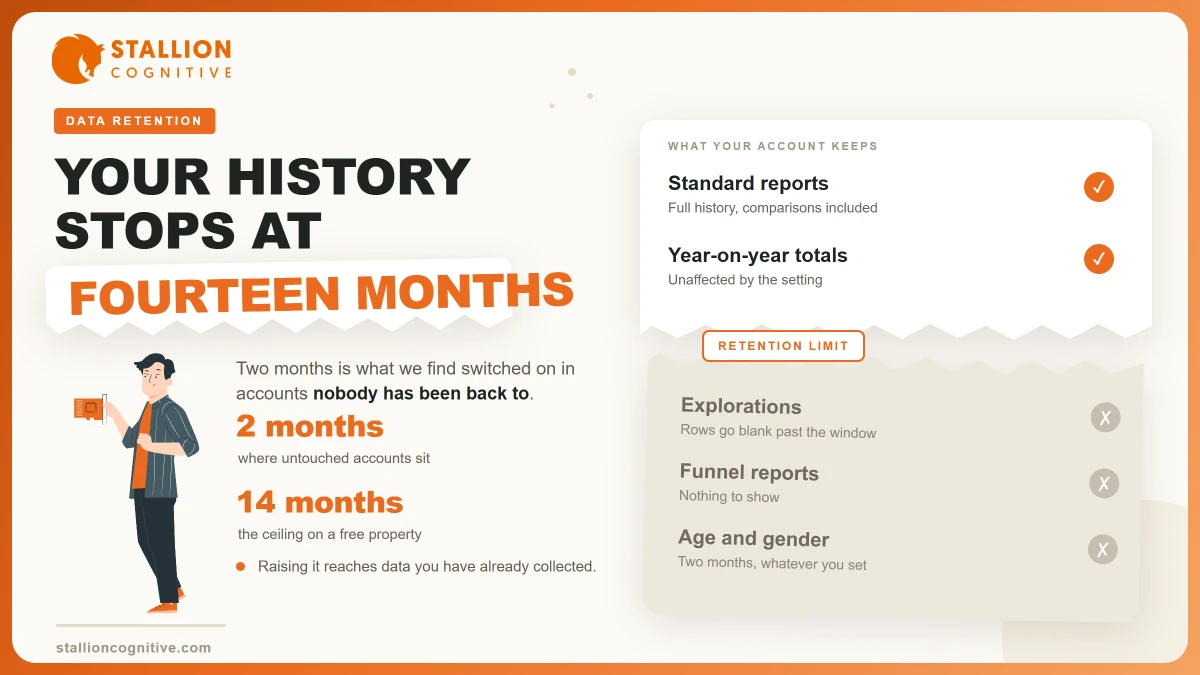
Fourteen months, or two if nobody has touched it. Google's data retention page offers those two choices for user-level data, and notes that the same period "also applies to key events data", which is where your enquiries and form fills sit.
Other event data has more room, though only if you pay for it.
| What the setting covers | Free property | Analytics 360 |
|---|---|---|
| User-level data | 2 or 14 months | 2 or 14 months |
| Key events data | Same as user-level | Same as user-level |
| All other event data | 2 or 14 months | 2, 14, 26, 38 or 50 months |
| Age gender and interest | 2 months, fixed | 2 months, fixed |
Fourteen months is the ceiling for nearly every firm reading this. GA4 data retention ships with a shorter option too, and two months is what we find switched on in most accounts nobody has been back to, because someone clicked through the setup screen at speed and it has sat there ever since.
There is a floor you cannot argue with either. Google notes that "large and XL properties are limited to 2 months", so a very busy site loses the choice.
Which Reports Break, and Which Ones Do Not?
The part that gets written up backwards is which reports the limit touches. Google's wording is exact. The setting "does not affect standard aggregated reports (including primary and secondary dimensions) in your Google Analytics property, even if you create comparisons in the reports", and it "only affects explorations and funnel reports".
So your monthly numbers do not vanish after two months.
| What you open | Hit by the limit? | What you get past the window |
|---|---|---|
| Standard reports like traffic acquisition or pages | No | Full history, comparisons included |
| Comparisons inside a standard report | No | Works as normal |
| Explorations, including free-form and path | Yes | Rows go blank or drop out |
| Funnel reports | Yes | Nothing to show |
That split explains what we hear when a firm calls about missing data. The screenshots in the monthly report still work, because they come from standard reports.
The gap opens the moment someone asks a real question. Which pages did our enquirers look at first? What did the people who filled the form do before they filled it? Both of those need an exploration, and an exploration is where the wall stands.
Your agency may never hit it. You will, on the day you try to check their work yourself.
What Happens When You Change the Setting?
Better news than most write-ups suggest. Google states that "when you increase the retention period it is applied to data that you have already collected", so raising two months to fourteen reaches backwards as well as forwards. Anything Google has not swept yet comes back into range.
Deletion runs on a timetable. Data "is deleted automatically on a monthly basis" once it reaches the end of the period, and if you shorten the window, "any affected data is deleted during the next monthly process".
Direction of travel is the whole story.
- Raising the limit is safe, free and partly backdated.
- Lowering the limit starts a clock, and the next monthly sweep takes everything older than your new window.
- Swept is gone. No setting, support ticket or export brings back a month Google has deleted.
How long does Google Analytics store data you collected before anyone touched the setting? As much of it as survives that monthly sweep. Which is why the fix is worth doing this week rather than next quarter.
Where the Setting Lives and What to Choose
You will find it in Admin, under data collection and modification, on the data retention screen. The page holds two dropdowns and one toggle.
- Set event data retention to 14 months. No cost, no trade-off, and it is the longest a free property allows.
- Set user data retention to 14 months for the same reason.
- Leave reset on new activity alone unless someone can say why you want it. Google describes it as resetting "the retention period of the user identifier with each new event from that user", which keeps repeat visitors in the data for longer.
Who should make the change
Whoever holds admin on the property, and that should be someone at your firm. Google Analytics data retention settings are a property-level control, so an agency with admin can move them without telling you.
Three access questions are worth answering in the same sitting.
- Who holds admin today? Name the people, rather than the companies they work for.
- Does anyone at your firm hold it? If the answer is no, fix that before you touch the dropdowns.
- Who leaves when the contract ends? An agency that walks off with the only admin login takes the setting with it.
What You Cannot Keep Whatever You Choose
Some limits sit above your setting, and no dropdown reaches them.
- Age, gender and interest data. Google says the two-month period "is always applied" to it "regardless of your settings", so demographic history is never yours to keep.
- Google signals data. The maximum is "26 months, regardless of your settings", and a shorter retention setting pulls it down further.
- Large properties. Cross Google's volume limits and the setting drops to two months on its own, with an email to property admins telling them it happened.
None of those bite a firm doing a few thousand sessions a month. They matter on a busy content site.
Worth keeping separate from all of this is what the tool was never going to show you in the first place. Retention sets how long the data lives, and it does nothing about how much of that data was real, which is a question about bot traffic rather than storage. It also puts no names to your visitors, whatever the sales email for visitor identification tools implies.
How to Keep a Longer Record Anyway
Two routes past fourteen months, and both are free at your size.
The plain one is a habit. Export the four reports you use, once a month, on a day that already has a recurring meeting attached to it. A dull dated spreadsheet beats a blank exploration in two years, and it needs no setup.
The proper one is BigQuery Export, which sends raw event data out into storage you control. Google says you can export "to the BigQuery sandbox free of charge", with sandbox limits, and that standard properties get "a BigQuery Export limit of 1 million events for Daily (batch) exports". BigQuery's pricing page puts the first 10 GiB free each month on storage, with the first terabyte of queries free as well. A firm at a few thousand sessions a month will not come close to either ceiling.
- The monthly export costs nothing and needs a person who remembers.
- BigQuery costs nothing at your volume and needs one setup session with whoever runs the site.
- Search Console keeps its own record on its own clock, which is one more reason to read Search Console alongside GA4 rather than instead of it.
Pick the route you will keep up. An export nobody runs is worth less than the fourteen months you had, and tracing where your leads come from needs a long run of history to say anything useful.
What to Do Before Your Next Annual Review
The whole list takes under an hour.
- Open the retention screen and read it. Two months is the likeliest answer, and knowing is the point.
- Raise both dropdowns to 14 months. Whatever has not been swept comes back into range.
- Write the number into your privacy policy. Google's Analytics terms require you to disclose that you use the tool and how it collects and handles data, and how long you hold it belongs in the same paragraph.
- Export anything you need beyond the window. Board packs, annual reviews and before-and-after redesign numbers all reach past fourteen months.
- Check who else holds admin. A departing agency can lower the setting on its way out, and you would not find out for a month.
If your review compares this year against last, a fourteen-month window is already tight and a two-month one makes the comparison impossible. Anybody judging whether the website is working needs more than a fortnight of history to judge it with, and the raw material for next year's answer is being deleted while you read this.
Where This Leaves Your Reporting
The tool keeps what you tell it to keep, and it never asked you loudly. Two months of user data is enough for a monthly report and nowhere near enough for a decision about a redesign, a retainer or a channel.
So the useful version of all this is short.
- Fourteen months on both dropdowns, today, by whoever holds admin.
- A monthly export for the questions that reach past the window.
- Your own admin login, so the setting survives a change of agency.
We audit the numbers behind websites for financial and professional firms most weeks, and the retention setting is wrong in more of them than any other single control. Talk to our analytics team if you would rather someone checked yours before the next review.
Frequently Asked Questions
Is Search Console affected by the same limit?
The two tools keep separate records. Search Console holds its own search history on its own clock, so a short window in one of them does not shorten what you can pull out of the other.
Does deleting a property remove the data straight away?
Deletion sends the property to a trash can for a grace period before anything is final, and retention is a separate mechanism that keeps running monthly on live properties. Check the trash before you assume something has gone for good.
Who on the team should own this setting?
Whoever holds admin, and it should be someone at your firm rather than the agency. Agencies change. Admin rights that walk out cause more trouble than a short window ever will.
Does the fourteen month option cost anything?
Nothing at all. Both fourteen-month settings sit on the free tier, and only the longer windows of 26, 38 and 50 months are held back for paying Analytics 360 properties.
Will a longer window slow the reports down?
Report speed tracks the volume you send and the date range you ask for rather than the retention you picked. At a few thousand sessions a month you will see no difference either way.