
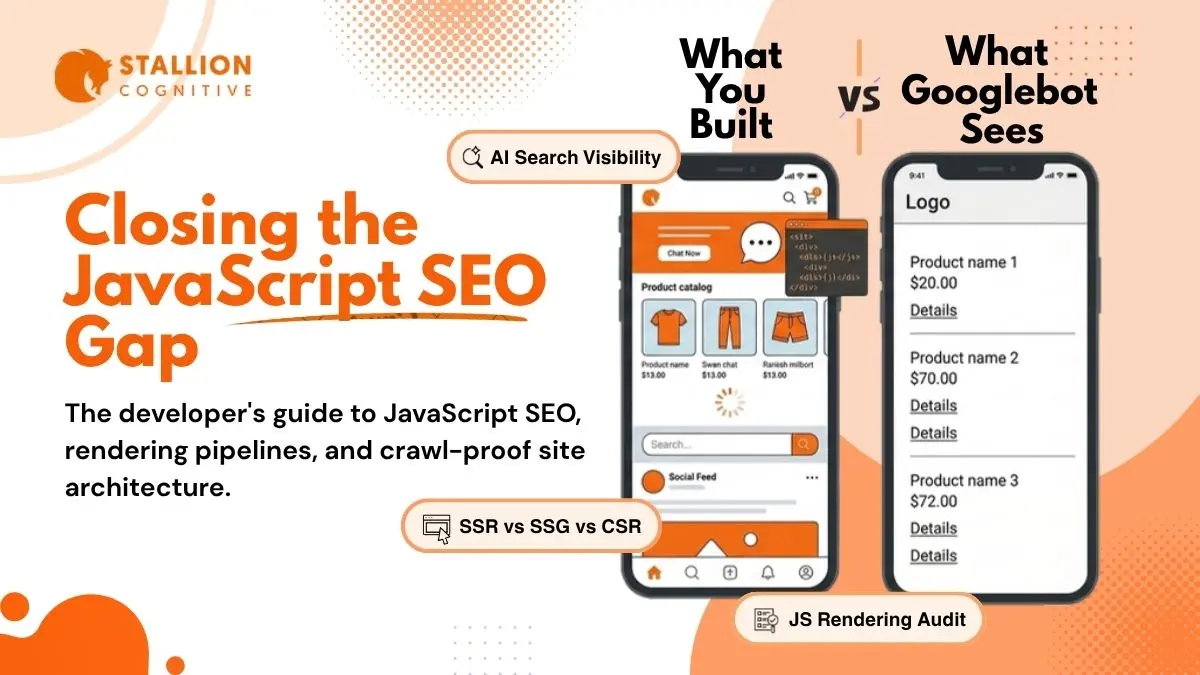
JavaScript powers nearly every modern website. Animations, interactive forms, dynamic content loading, single-page applications. It all runs on JS. But there's a gap between what your visitors see in their browser and what search engines actually read from your source code.
That gap is the entire problem JavaScript SEO exists to solve.
Most search engines and all AI-powered answer engines can only process the raw HTML your server sends back. They don't run your JavaScript. They don't wait for React to mount components or for API calls to return data. Whatever isn't in that initial HTML response might as well not exist.
For financial services firms and businesses that depend on organic search for leads, that's not a theoretical risk. It's a visibility problem with real revenue impact.
What Is JavaScript SEO and Why Should You Care?
JavaScript SEO is the process of ensuring that search engines can properly crawl, render, and index content on websites built with JavaScript frameworks like React, Angular, Vue, and Next.js.
On a traditional HTML website, all the content sits right in the source code. Googlebot fetches the page, reads the HTML, and indexes everything. Simple.
JavaScript-heavy sites work differently. The server often sends a minimal HTML shell, and JavaScript builds the actual page content in the browser. Product descriptions, blog text, navigation links, FAQ sections. All of it can load after JavaScript executes.
That approach creates two problems that didn't exist five years ago.
Problem one: Google can render JavaScript, but it queues pages for rendering instead of processing them instantly. Your content waits in line.
Problem two: AI crawlers don't render JavaScript at all. GPTBot, ClaudeBot, PerplexityBot. None of them execute JS. With Google's AI Overviews now appearing in nearly half of all searches and platforms like Perplexity becoming legitimate traffic sources, the shift toward AI-driven search makes JavaScript SEO more critical than it's ever been.
How Does Google Crawl and Render JavaScript Pages?
Google's JavaScript SEO documentation, updated March 2026, describes a two-phase process. Understanding both phases explains why JavaScript-dependent content gets indexed slower than plain HTML.
Phase One: The HTML Fetch
The HTML fetch: Googlebot requests your URL and downloads the raw HTML. It scans for links, meta tags, canonical URLs, and any content already present in the markup.
For standard HTML pages, this single fetch is enough. Everything Googlebot needs is in the response. Indexing happens quickly.
Phase Two: The Rendering Queue
Pages relying on JavaScript enter a second phase. Google's Web Rendering Service (WRS) queues them for processing. WRS runs on evergreen Chromium, supporting modern ES6+ syntax, async/await, Fetch API calls, and current framework patterns.
Once resources are freed up, WRS executes the JavaScript and builds the fully rendered DOM. That rendered version then goes to the indexing pipeline.
The delay between these two phases is where JavaScript SEO problems live.
Google's Martin Splitt has stated the median rendering time sits around five seconds. But medians hide outliers. Research from Onely found Googlebot took about 52 hours to follow a JavaScript-injected link versus 25 hours for an HTML link. For newer sites with low crawl priority, those delays stretch even longer.
Your competitor's static HTML page gets indexed the same afternoon. Your JavaScript-rendered page waits in line for days.
Why Can't AI Crawlers See Your JavaScript Content?
Google is now the only major crawler that renders JavaScript at all. Every AI-powered search system works differently, and the difference matters a lot for JavaScript SEO best practices in 2026.
GPTBot, ClaudeBot, and PerplexityBot download the initial HTML response and move on. No rendering. No JavaScript execution. No second pass.
The scale of AI crawler traffic makes this impossible to ignore. Vercel's network data shows GPTBot generating 569 million requests in a single month, with ClaudeBot adding another 370 million. An analysis of over 500 million GPTBot fetches found zero evidence of JavaScript execution.
Here's what that means in practice for a business running a React or Vue-based website:
- Pricing pages that load through API calls: invisible to AI search
- Service descriptions built by JavaScript components: AI crawlers see empty markup
- FAQ sections rendered client-side: missing from AI answer engines entirely
- Comparison tables populated through fetch() calls: gone
A single-page application serving <div id="root"></div> in its HTML gives these crawlers nothing. Your website's content and service pages need to be accessible without JavaScript execution, or you're cutting yourself off from a growing slice of search traffic.
What Are the Most Common JavaScript SEO Problems?
JavaScript crawling issues tend to cluster around the same mistakes. We see these patterns repeat across audits regardless of framework, industry, or site size.
Blocked JavaScript Resources
If robots.txt blocks CSS or JS files that Googlebot needs for rendering, the page breaks silently. No error in Search Console. No warning. Just a partially rendered page that Google can't fully process.
We still find robots.txt rules from years ago that disallow entire /js/ or /assets/ directories. A quick crawl with the right SEO tools catches these in minutes.
Internal Links Missing From Initial HTML
Navigation links, footer links, and contextual links that load through JavaScript are invisible during Google's first crawl pass. Googlebot only discovers them after rendering, which pushes them into the delayed queue.
AI crawlers never see them at all.
Every link your site depends on for internal authority distribution needs to exist as a proper <a href> tag in the source HTML. Hamburger menus built through JavaScript, "load more" buttons, infinite scroll. All of these hide links from crawlers.
Content Behind Client-Side API Calls
Single-page apps love fetching content from APIs after page load. Product catalogs from REST endpoints. Blog indexes from headless CMS calls. Reviews loading asynchronously.
All invisible until JavaScript runs. For every crawler except Google, that means invisible forever.
Canonical Tag Conflicts After Rendering
Google's documentation warns that JavaScript-modified canonical URLs can confuse indexing. Roughly 2 to 3 percent of rendered pages show a different canonical in the raw HTML versus the rendered DOM.
When those don't match, Google guesses which one you intended. Sites running outdated website architecture are especially vulnerable because legacy code often modifies meta tags during rendering in unpredictable ways.
Which Rendering Strategy Fits Your Site Best?
Your rendering choice determines what every crawler actually receives on the first request. SSR and SSG hand Googlebot and AI systems a complete, readable page from the first hit. CSR sends an empty shell that Google has to queue for processing and AI crawlers can't read at all. Dynamic Rendering is a deprecated workaround with more maintenance cost than it's worth.
| Rendering Method | Googlebot Queue Risk | AI Crawler Visibility | JS Dependency | Best For |
| Server-Side (SSR) | None | Full | None | Marketing, e-commerce, financial services |
| Static (SSG) | None | Full | None | Blogs, docs, landing pages |
| Client-Side (CSR) | High | None | Complete | Dashboards, authenticated apps only |
| Dynamic (Deprecated) | Medium | Partial | Mixed | Legacy workaround, not a long-term fix |
Server-Side Rendering (SSR)
SSR builds complete HTML on the server before it sends anything to the browser. Googlebot and AI crawlers read the full page on the first request, with no rendering queue and no waiting for JavaScript to execute. Next.js, Nuxt, and Angular Universal all support it natively. The trade-off is server load, every request triggers a full render cycle, for sites where load speed directly affects rankings, that time-to-first-byte needs watching on high-traffic sites.
Static Site Generation (SSG)
SSG pre-builds every page at deploy time and serves plain HTML from a CDN. There's no per-request server computation, which is why these pages load fastest and give every crawler an immediate, complete response without touching a JavaScript engine. Incremental Static Regeneration in Next.js solves the rebuild problem for large catalogs by regenerating individual pages on demand rather than rebuilding everything on every deployment.
Client-Side Rendering (CSR)
CSR sends a near-empty HTML shell and builds the page in the browser through JavaScript. Google places CSR pages in the deferred render queue, sometimes for days. AI crawlers skip the queue entirely and see nothing. Unless a page is behind authentication and never needs to rank, CSR is the wrong default for any public-facing URL.
Dynamic Rendering
Dynamic Rendering serves pre-rendered HTML snapshots to bots while real users get the JavaScript-built experience. Google has called this a deprecated workaround. The overhead of maintaining two parallel versions of every page compounds as the site scales. Use it as a bridge if a full migration isn't immediate, but SSR or SSG is the right destination.
For a deeper look at how CSR specifically damages organic traffic, the eight most costly patterns, hybrid per-route rendering, and migration paths that don't require a full rebuild, our guide on client-side rendering SEO problems covers it in full.
How to Run a JavaScript SEO Audit This Week
You don't need to overhaul your tech stack to find JavaScript indexing problems. A focused audit catches the biggest issues in a single afternoon.
Step 1: Compare source HTML to rendered HTML
Open Google Search Console, use URL Inspection on your five highest-traffic pages. Compare the raw HTML tab to the rendered tab. Content appearing only in the rendered version is content at risk.
Step 2: Run dual crawls in Screaming Frog
Toggle between HTML-only and JavaScript-rendered crawl modes on the same URLs. Compare page titles, H1 tags, canonical URLs, internal links, and word counts. Every difference points to a JavaScript dependency.
Step 3: Audit robots.txt
Look for Disallow rules blocking .js or .css files. Check for blocked API endpoints your pages depend on. One overzealous rule can break rendering site-wide.
Step 4: View source on key pages
Not "inspect element," but actual view source. Every navigation link, footer link, and contextual link should appear as a proper <a href> tag. If links appear only after JavaScript runs, crawlers miss them on the first pass. A mobile-friendly site that hides its navigation behind JS isn't just bad for crawlers. It's bad for everyone.
Step 5: Simulate a non-rendering bot
Run curl against your URL and check the output. If main content is missing from that response, every AI crawler sees the same empty page. Merkle's Fetch & Render gives you a visual comparison if you want something more detailed.
Making Your JavaScript Website Visible to Every Crawler
JavaScript SEO isn't a niche concern buried in technical documentation. It's the difference between your content reaching every search engine and AI platform, or being invisible to half of them.
The sites that consistently rank well and stand out in search results in 2026 follow the same pattern: real content in the initial HTML, server-first rendering for anything that needs indexing, and regular audits to catch rendering gaps before they become traffic losses.
The gap between "Google will probably render it" and "every crawler sees it instantly" is the gap between ranking well and losing audience to competitors who made their content accessible from the first request.
Wondering whether your JavaScript setup is costing you traffic? Talk to the team at Stallion Cognitive about a technical SEO audit and find out where the gaps are.
Frequently Asked Questions
Does using a JavaScript framework hurt your Google rankings?
Google doesn't penalize React, Angular, Vue, or any JavaScript framework. The ranking impact comes from practical delays, not algorithmic punishment. If the rendering queue holds your content back or the rendered output doesn't match expectations, pages get indexed later and rank lower because they weren't processed fast enough. The framework itself isn't the problem. How content reaches crawlers is.
Can lazy loading images on JavaScript-heavy pages cause SEO problems?
Browser-native lazy loading with the loading="lazy" attribute works fine with Googlebot and doesn't hurt image indexing. JavaScript-based lazy loading libraries are riskier because they sometimes depend on scroll events that Googlebot doesn't trigger, which can prevent images from appearing in the rendered DOM. Use native lazy loading for anything you want indexed in Google Images or cited by AI systems.
How do single-page applications handle pagination for search engines?
SPAs that load paginated content through JavaScript without updating the URL create a single-URL problem where hundreds of items live behind one address. Each page of results needs its own crawlable URL generated through history.pushState, with rel="next" and rel="prev" hints. Each paginated URL should also return its content in the initial HTML response so crawlers can process it without rendering.
Should you submit a separate XML sitemap for JavaScript-rendered pages?
An XML sitemap helps Google discover URLs faster, but it doesn't fix rendering issues. Google still queues each JavaScript page for WRS processing regardless of how it found the URL. A sitemap is a discovery shortcut, not a rendering solution. Combine sitemap submission with server-side rendering for the fastest path to complete indexing.
What happens to structured data injected by JavaScript after page load?
Google processes JSON-LD structured data from the rendered HTML, so JavaScript-injected schema markup does get picked up after WRS runs. The risk is timing: if rendering fails or gets delayed, your structured data temporarily vanishes. Placing JSON-LD in the initial server response guarantees search engines and AI crawlers see it on the first request without waiting for JavaScript execution.