
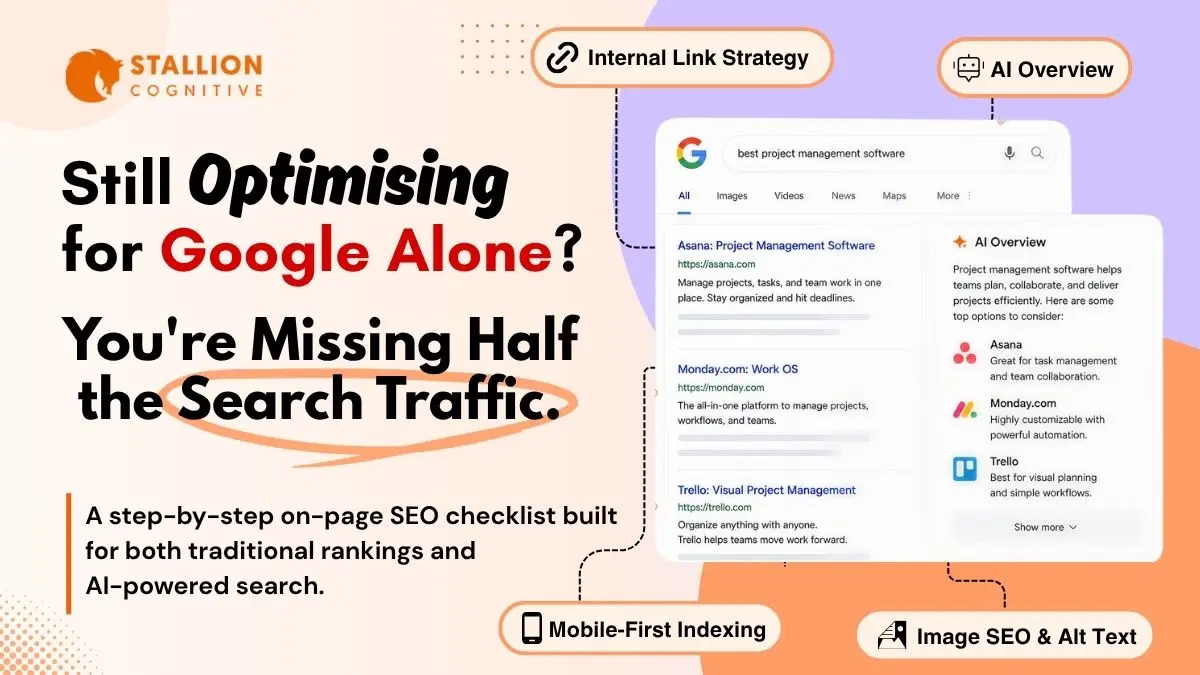
Two years back, on-page SEO was a one-audience job. You wrote for Google. If a human read the page too, that was a bonus. Today, the page has two readers. Google. And the AI tool that may quote a sentence from your page inside an answer to someone who never clicks through to your site.
The good news? Most of the work still rhymes. A well-built page with a real headline, real structure, and real answers performs in both lanes. The bad news lives on the pages built for keyword density in 2020 and never rebuilt. Rankings slip. AI Overviews skip them. Traffic quietly halves over six months and nobody flags it until quarterly reporting catches up.
Here are 12 steps. Run them before you publish. Then run them again, quarterly, on the pages driving your revenue. Step 1 is where most teams already lose ground.
Why on-page SEO now serves two audiences
On-page SEO in 2026 has two jobs. Tell Google what the page is about, and give AI search systems clean, extractable answers they can quote inside generated responses. Fundamentals didn't change. The format your content has to take did.
AI Overviews, ChatGPT search, and Perplexity all read pages a bit like a careful editor would. They scan headings. They look for direct answers. They pull short passages. They check whether the page has a credible source behind it.
The shift in plain terms:
- Traditional SEO rewards relevance, links, depth
- AI search rewards clarity, structure, citation-ready phrasing
- A 2026 page wins by doing both, because both still send traffic
Want the wider picture? Our GEO and AEO breakdown covers how the lanes connect and where they pull apart.
Step 1: Start with search intent before keyword lists
Match your page to what the searcher actually wants. Intent is the reason behind the query, and Google ranks the result that best satisfies it. Pages that target a keyword but fight the SERP's intent rarely rank, even with strong backlinks pointing in.
Four intents cover almost every query:
- Informational: they want to learn ("what is schema markup")
- Navigational: going to a specific brand ("ahrefs site explorer")
- Commercial: comparing options before buying ("best CRM for accountants under $50 a month with QuickBooks integration")
- Transactional: ready to act ("hire seo agency toronto")
Here's how to check intent in 90 seconds. Open an incognito tab. Search your target keyword. If 8 of the top 10 results are blog posts and you're trying to rank a product page, the intent is informational and your format is wrong. Rebuild, or chase a different keyword.
Intent shapes keyword choice too. A single-location flower shop chasing "wedding flowers" goes up against The Bouquet Co. and FTD. The same shop ranking for "wedding florist boulder colorado" pulls real buyers in their actual catchment. Narrower keyword. Matched buyer. Higher conversion.
Our GEO guide for local services maps how to layer primary, secondary, and supporting terms across content.
Step 2: Write title tags and meta descriptions that earn the click
Your title tag and meta description decide whether a top-five ranking becomes a click. Title tags remain one of the strongest on-page signals Google uses, per Google's documentation. Meta descriptions don't directly affect rankings. They shape click-through rate, and they shape how AI tools summarize your page when they cite it.
Write them for humans first. SEO second. A title that reads like a keyword string gets clicked less than a title written like a real headline by a real editor.
Title tag rules worth shipping:
- Primary keyword near the start, never the end
- Under 60 characters or Google truncates it
- One modifier where it fits: the year, "guide," "checklist," "for accountants"
- Match the SERP's tone. Corporate titles flop on casual queries.
- Brand name once at the end, if at all. Three out of five title tags we audit waste characters on the brand.
Meta descriptions earn the click. Under 105 characters. Primary keyword in there once without forcing it. End with a reason to click. Microsoft's AI search guidance confirms meta descriptions feed Bing's AI experiences when it picks which page to summarize.
One detail teams miss: your title tag and H1 should be close cousins, never twins. Title lives in the SERP. H1 lives on the page. You get room to write a sharper H1 because you don't fight the 60-character ceiling.
Step 3: Use one H1 and a clean heading hierarchy
Every page needs exactly one H1, and that H1 should describe the page the way a sharp reader would describe it back to you. Microsoft's AI guidance calls out the H1 directly as a signal Bing uses to interpret page purpose. One H1. Descriptive. Primary keyword inside it.
H2s and H3s carry the rest. They're your page's spine. If a reader skims only your headings, they should still walk away with the gist.
Heading rules that hold up in 2026:
- One H1 per page, with the primary keyword in it
- H2s mark major sections. H3s break them down further.
- Each H2 should promise something the section then delivers. "Step 4: Setting Up Schema" is a label. "Step 4: How to Set Up FAQ Schema in 10 Minutes Without Touching Code" is a promise.
- Don't skip levels. Going H1 to H3 confuses parsers, both human and AI.
Why this hits harder in 2026: AI tools read your heading structure to decide which passage to extract. A vague H2 gives them nothing to anchor a citation to. A specific, question-style H2 gives them a prompt match.
If your CMS renders content client-side, you may have hidden heading issues neither crawlers nor AI tools ever see. Our breakdown of client-side rendering SEO problems covers what to check.
Step 4: Lock in a short, descriptive URL slug
A URL slug should be short, hyphen-separated, and built around your primary keyword. Google's URL guidance is plain: simple, descriptive words help search engines and humans understand the page. AI tools read URLs too, especially when picking which result to cite.
What good slugs look like in practice:
- /on-page-seo-checklist/ beats /on-page-seo-checklist-2026/
- /local-seo-accountants/ beats /seo-for-accountants-final/
- /contact/ beats /contact-us-page-v3/
Quick rules:
- Lowercase only. Hyphens between words.
- Drop dates. They age the URL artificially.
- No special characters. No "and," "the," or "a."
- Change a slug? Set up a 301 redirect the same day.
Already renamed a slug without redirects? Stop reading and fix that first. Our 301 redirects guide walks the full process, including how to chase down link equity you may already be leaking.
Step 5: Open every section with a direct answer
The first sentence under every H2 should answer the question the H2 raises. No throat-clearing. No "in this section we'll explore." A clean answer in 40 to 60 words. This single shift separates pages that get cited inside AI Overviews from pages the AI silently skips.
Here's the mechanic. An AI tool reads a user's question, breaks it into smaller subtopics, then scans pages for clean passages matching each subtopic. When your section opens with a direct answer, you've handed the tool the passage. When it opens with background, the tool moves on to a competitor who got to the point faster.
| What gets cited | What gets skipped |
|---|---|
| First sentence answers the heading | First sentence sets up context |
| Self-contained paragraphs | Paragraphs leaning on the one above |
| Plain language before the technical term | Jargon before it's explained |
| One question per paragraph | Three ideas crammed into one |
Word of caution. Don't cut depth. After the direct answer, layer in the nuance, the screenshot, the worked example. The answer just has to lead so the page works for both the human scanning and the AI tool extracting.
Step 6: Cover the topic in full without padding it
A page that ranks in 2026 covers the topic completely. Address the main question and the related sub-questions on the same page. That doesn't mean writing 3,400 words when 1,600 do the job. Length signals nothing on its own. Coverage does.
Two quick ways to find the sub-topics that matter:
- Look at the H2 and H3 headings on the top five ranking pages. Note what three or more cover.
- Pull the "People Also Ask" questions Google shows for your keyword.
If three out of five competitors cover a sub-topic and you don't, you have a gap. Fill it. If two of them spend 600 words on something with thin search volume, skip it. You're not trying to match competitors. You're trying to serve the searcher better.
Ahrefs popularized "information gain," the idea that your page should add something the others don't. A fresh data point. A worked example. Your own observation from doing this work. Pages that earn citations and links almost always include at least one thing nobody else thought to add.
What we see in audits: pages that win on coverage aren't the longest. They answer the same questions more cleanly, then add one extra thing.
Step 7: Show experience and expertise on the page
Google's E-E-A-T framework (Experience, Expertise, Authoritativeness, Trustworthiness) shapes which pages get surfaced for queries where credibility matters. Financial advice. Health. Legal. Anything affecting real money. AI systems lean on the same signals when picking which source to quote.
You can't write your way into E-E-A-T. You can only show it.
- Show the author: Real name. Real photo. Credentials. A bio that mentions actual experience, not "marketing professional."
- Show how you know: "We've audited 200+ accounting websites" beats "studies show."
- Show your work: Screenshots of real dashboards. Client examples (with permission). Numbers that didn't come from a stock report.
- Show your sources: Link to original studies, Google's own docs, named industry experts. Skip the recycled summary articles.
Here's the thing. This is not a one-time fix. Every page you publish should pass the "would I trust this if I'd never heard of the site" test. If the answer is no, the page is not ready.
Step 8: How should you structure internal links in 2026?
Internal links pass authority between pages, help Google see your topic clusters, and let AI systems map which pages on your site go deep on which subjects. Sites with strong internal linking layers consistently outrank otherwise-similar sites without one. Same content. Different link mesh. Different rankings.
Three rules cover most of what you need:
- Use descriptive anchor text that matches the linked page (under five words).
- Link from old to new: When you publish a new page, find three older posts that already mention the topic. Add a link from each. We've seen this single move pull 20 to 50 extra visits per week to a new page within the first month, without any external link building.
- Distribute authority on purpose: Map the mesh quarterly in Screaming Frog.
A practical range: 4 to 8 internal links for a 1,500-word article. 8 to 12 for pillar pieces. More than that starts looking forced.
Anchor text matters for AI search too. Tools reading your site use the words inside links as a signal for what the target page covers. Generic anchors waste that signal. Our internal linking strategy deep dive lays out the full system.
Step 9: Optimize images for search, speed, and accessibility
Images do three jobs on a page. They engage readers, signal context to search engines, and affect how fast the page loads. Get all three right and you improve rankings, AI visibility, and the user experience at the same time.
Quick checklist for every image:
- Save at the actual display size, never double
- Compress before uploading (TinyPNG, Squoosh, or ShortPixel)
- Use a descriptive file name with hyphens. IMG_4521.jpg becomes on-page-seo-heading-hierarchy.jpg. Future-you saves time on every audit.
- Write alt text that describes what's actually in the image (skip the keyword stuffing)
- Lazy-load anything below the fold
WebP and AVIF formats deliver the same visual quality at roughly 25 to 50% of the file size of JPG or PNG. Most modern CMS platforms handle the conversion once you toggle it on. WordPress users can use Smush or ShortPixel.
Why this matters more on mobile: our mobile-first indexing guide explains how Google ranks your site from the mobile version, where image weight hurts you faster than on desktop.
Step 10: Add schema markup where it actually helps
Schema markup is structured data added to your page's HTML that tells search engines what type of content the page contains. Article, FAQ, Product, LocalBusiness, HowTo, Review, BreadcrumbList, each one with its own format. Pages with the right schema can earn rich results, which take more SERP real estate and pull more clicks.
Schema worth shipping in 2026:
- Article schema on every blog post
- FAQPage schema when you have a real FAQ section (not a fake one bolted on for the schema)
- LocalBusiness schema on contact and location pages
- Product schema on ecommerce pages, with current price and availability
- Review schema on testimonial and product review pages
- BreadcrumbList on every page deeper than one level
Schema isn't a direct ranking factor. It won't save a thin page. What it does: give search systems clearer context, and that context flows into both classic rankings and AI citation decisions. The Merkle Schema Markup Generator handles most types in a few minutes. Yoast and RankMath cover the common ones automatically on WordPress.
Step 11: Pass Core Web Vitals on mobile first
Core Web Vitals measure how your page feels to a real user. Synthetic speed tests miss what users actually experience. Google defines three metrics you need to pass:
- LCP (Largest Contentful Paint): under 2.5 seconds. The speed of your biggest visible element loading.
- INP (Interaction to Next Paint): under 200 milliseconds. How fast your page responds when a real user clicks, taps, or presses a key. This is the metric Google rolled in to replace FID.
- CLS (Cumulative Layout Shift): under 0.1.
Mobile is where these checks decide your rank. Google indexes the mobile version first. Desktop is a courtesy. A page passing on desktop but failing on mobile gets ranked from the mobile failure.
Quick wins:
- Compress images and lazy-load anything below the fold
- Minify JavaScript and CSS, and split the bundles that don't need to load on first paint
- Set explicit dimensions on images and embeds so layout doesn't jump
- Use a CDN
- Strip unused plugins and third-party scripts that drag your TBT into the red
We audited a financial advisor's site last quarter that sat at 4.3-second LCP on mobile. Stripping two unused chat widgets and converting hero images to WebP dropped it to 1.8 seconds in a single afternoon. Their organic clicks jumped 23% over the next six weeks.
Step 12: Make your content citable by AI systems
A citable page lets an AI tool read it, extract a passage, and quote that passage inside an answer without losing meaning. Here's where the on-page SEO of 2025 and the on-page SEO of 2026 split apart. Pages built as long argumentative essays do badly. Pages built as a series of well-structured, self-contained answers do well.
What we see in audits of pages that consistently get cited:
- Short, complete answers at the top of each section
- Specific numbers from named sources
- Modular paragraphs that work when pulled out of context
- A clear definition of any technical term the first time it shows up
Here's the kicker. Everything that makes a page citable also makes it more useful for a human reader and more rankable in classic search. The work stacks. Our AI Overviews breakdown goes deeper on how AI is reshaping visibility.
How often should you run this checklist?
On-page SEO is never a one-time pass. Search systems shift. AI tools evolve. Your competitors keep publishing. Your pages drift if nobody checks them.
A reasonable cadence:
- Every new page: full 12 steps before it goes live
- Quarterly: deep audit of your top 20 pages by traffic and conversions, including a competitor SERP check on at least three of them
- Yearly: every page on the site, lighter pass for dead links and outdated stats
- After a Google update or major AI announcement: review and adjust within two weeks
Put it on the calendar. Teams running this consistently outrank the ones treating SEO as a launch task.
Ready to fix what's actually holding your site back?
On-page SEO in 2026 isn't harder than it used to be. The skipped steps just show up faster. The pages that win read clean to a human and parse clean to an AI tool, and that overlap is where this checklist lives. If your rankings have been slipping and you're not sure which step is the bottleneck, want a full on-page audit and a fix list that actually moves traffic? Start a project with us and we'll show you where to focus first.
FAQs
How long do on-page SEO changes take to affect rankings?
Two to twelve weeks for most pages, depending on crawl frequency and keyword competition. Small fixes (title tags, internal links) move fast. Full content rewrites take longer. Pages with strong existing authority shift sooner than newer pages still building link equity.
Do you need separate on-page SEO for AI search versus Google?
Around 80% of the work overlaps. Both reward clear structure, direct answers, and credible sources. The one real addition for AI search: every section has to work as a standalone answer that can be pulled out of context. Nail that and you cover both lanes.
Which on-page SEO factor matters most in 2026?
Search intent. A page matching what the searcher actually wants outranks technically cleaner pages that miss the intent. After intent, clear heading hierarchy and direct answers under each H2 carry the most weight for both Google and AI tools.
Can on-page SEO alone rank a brand-new website?
Rarely on competitive terms. New sites usually need internal linking depth, technical hygiene, and at least some backlinks before they compete. For low-competition or long-tail keywords, a well-optimized new page can land on page one in weeks without backlinks built yet.
Where does schema markup fit into on-page SEO?
Schema sits beside the rest of the on-page work, never on top of it. Bolting FAQPage schema onto a thin page won't lift it. Adding it to a well-structured page can earn rich results and shape how AI tools interpret what the page covers. Schema amplifies. It doesn't rescue.