
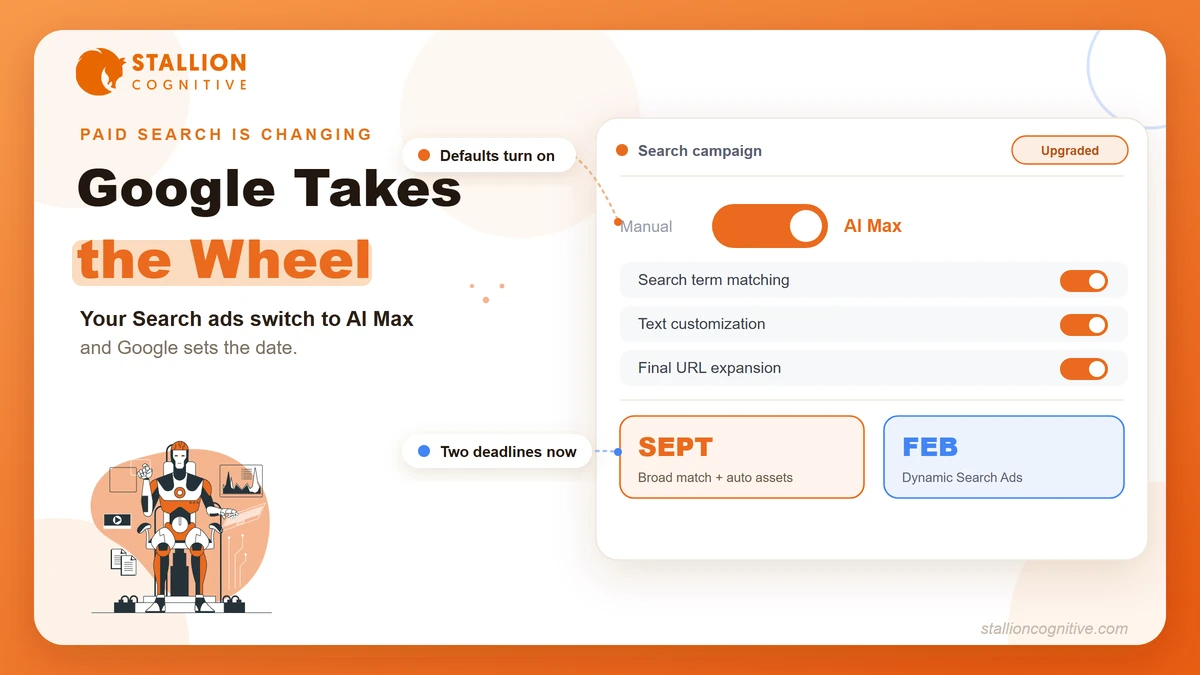
If you run Google Search campaigns, a big change is already on the calendar. It arrives whether you opt in or not.
Starting this September, Google begins moving older campaigns onto a setting called AI Max. Once it lands, the system starts making calls you used to make yourself.
For some accounts, that means a little more reach and a few more conversions. For others, it means budget leaking into searches that were never worth bidding on. What decides your side? How ready your account is on the day the switch flips.
So this guide covers what Google Ads AI Max changes, the two deadlines that now apply, and the control you keep against the control you give up. You also get the short list of moves that keep you in charge. By the end, you'll know whether to opt in early or wait.
What is Google Ads AI Max?
AI Max is a setting inside a standard Search campaign. Turn it on, and Google's AI takes over three jobs you used to control. It decides which searches you show for, what your ad copy says, and which page each click reaches.
Think of it as an automation layer on top of the campaigns you already run, rather than a brand-new campaign type.
That layer changes how your budget gets spent. Your ads stop matching only your keywords and start chasing the intent behind a search. So they show for queries you never added. On a tight account, that surfaces real demand. On a loose one, it spreads spend fast.
The three features AI Max turns on
AI Max brings three features, and each one shifts a decision from you to Google.
Search term matching widens your reach, so your ads show for related queries beyond your keyword list. Text customization lets Google rewrite parts of your headlines and descriptions for each search. Final URL expansion is the one that surprises people. It can send a click to a different page than the one you chose, whenever Google reads another page as a better fit.
The features stack by campaign type. The more automated your setup already is, the more AI Max switches on by default. That point comes back at the deadlines, because it decides how much changes for you on day one.
| Feature | What it changes | On by default for |
|---|---|---|
| Search term matching | Shows your ads for related queries beyond your keywords | Broad match, auto assets, Dynamic Search Ads |
| Text customization | Rewrites headlines and descriptions to fit each search | Auto assets, Dynamic Search Ads |
| Final URL expansion | Sends the click to the page Google judges best | Dynamic Search Ads |
How AI Max differs from Performance Max
People mix these two up constantly, so let's clear it up before you plan. AI Max stays inside your Search campaigns. It keeps your search terms report and most of your controls. Performance Max works differently. It spreads your budget across YouTube, Gmail, Maps, and Display, with far less to see.
| Dimension | AI Max | Performance Max |
|---|---|---|
| What it is | A setting on a Search campaign | A standalone campaign type |
| Where ads run | Google Search | Search, YouTube, Gmail, Maps, Display, Discover |
| Reporting | Full search terms report | Mostly aggregated, limited detail |
| Keyword control | You keep keywords and negatives | Largely automated |
| Best when you want | Reach plus oversight | Full-funnel automation |
That difference shapes your decision. AI Max keeps you in the Search environment you know. Performance Max asks you to trust automation across channels you can barely watch. For most Search advertisers, AI Max is the smaller leap.
Why Google is switching it on automatically
Why is Google making this the default? More automation serves both sides. The AI can lift results for advertisers who never optimized by hand. And a system that controls matching and creative gives Google more room to spend efficiently.
It also fits a bigger shift in how search works. The same machine-led ranking behind how AI Overviews are changing search is reshaping paid search through AI Max. The wider move toward generative engine optimization points the same way. Search is becoming something Google's models assemble, rather than something you arrange by hand. AI Max is that shift reaching your ad account.
When does the AI Max upgrade actually happen?
Two dates apply, and knowing yours is the most useful thing in this guide. Broad match and automatically created assets move to AI Max in September 2026. Dynamic Search Ads were set for the same month, then Google pushed them to February 2027.
That detail trips up most coverage. Most articles went out before the date moved, so they still report one September cutoff for everything.
| Campaign setting | Auto-upgrade date | Default AI Max features turned on |
|---|---|---|
| Campaign-level broad match | September 2026 | Search term matching |
| Automatically created assets | September 2026 | Search term matching, text customization |
| Dynamic Search Ads | February 2027 | Search term matching, text customization, final URL expansion |
The reprieve covers Dynamic Search Ads alone, so it helps less than it looks. If your account leans on broad match or auto-created assets, September is still your line. That is the case for a lot of campaigns running today.
How to tell which deadline applies to your account
Not sure where your campaigns fall? You can settle it in two minutes. Open an active Search campaign. Check whether broad match is set at the campaign level, then look at your asset and ad types. Dynamic Search Ads and auto-created assets are both labeled clearly in the interface. Whichever you find is your date, and your date sets your timeline.
What you can no longer do after the cutoff
Once your deadline passes, the old way of building campaigns closes. Google has confirmed you cannot create new Dynamic Search Ads through the interface, Google Ads Editor, or the API. So if you want to keep a legacy setup for testing, build it now, while the window is open.
What does AI Max actually do for your results?
On the right account, AI Max widens your reach and lifts conversions. Google reports about 7% more conversions or conversion value from the full feature set, measured against search term matching alone. The gain comes from catching converting searches your keyword list would miss.
Read that number with care, though. It came from Google's own accounts, and it assumes the basics are already solid. On an account with clean tracking and pages that convert, the wider reach finds real demand. On a weaker one, it mostly finds new ways to spend.
Which one sounds like your account? That question runs through the next two sections.
What control do you hand over to Google?
AI Max moves three calls from you to Google. It picks which searches trigger your ads, which version of your copy shows, and which page each click reaches. You still hold the levers that protect spend, so the shift stops short of a full handover.
| What you keep | What Google decides |
|---|---|
| Your budget and bid strategy | Which related searches trigger your ads |
| Your negative keyword lists | Which headlines and descriptions show |
| Your full search terms report | Which landing page each click reaches |
The riskiest of the three is the landing page. Final URL expansion only helps when every page Google might pick is worth landing on. One weak page beside your strong ones can drag a whole campaign down. So a quick pass through an on-page SEO checklist before the switch pays off. And when a page is too thin to fix, the option to build a page with AI often beats patching it.
The budget drift to watch for
A real example makes the risk clear. Say a plumbing company bids on emergency-repair keywords. Under wider matching, its ads can start showing for DIY how-to searches and for people hunting plumbing courses. None of those will ever call for a paid callout.
The clicks still register as activity, so the account looks healthy at a glance. Meanwhile, the cost of every genuine lead creeps up, because the budget now spreads across searches that were never going to convert. The drift hides in plain sight, since the dashboard stays busy. That is why the safeguards below are worth setting up before your date.
How do you prepare your account before the switch?
The accounts that do well after the upgrade share a few habits. You can build all of them now. Preparation comes down to four moves, and they build on each other, so do them in order.
Get your conversion tracking right first
Everything AI Max does runs on the conversion signals you feed it. Weak or broken tracking teaches it the wrong lesson from day one. So before anything else, confirm your tags fire on every key action. Make sure you can track the traffic in GA4 each campaign sends. A model that learns from bad data spends confidently in the wrong direction.
Tighten your negative keyword lists
With tracking solid, your negatives become the guardrails for wider matching. A thin negative list lets AI Max wander into the irrelevant searches we just saw. Build your negatives out at both the campaign and account level. It is the most direct way to hold the drift down.
Audit every landing page a click could reach
Final URL expansion can route a click to any indexed page. So your whole site starts to affect ad performance, well beyond the one page you picked. Walk your key pages the way a visitor would. Fix the ones that load slowly or answer poorly. Keep in mind that how AI is reshaping web design has raised the bar for what a landing page must do.
Opt in manually and set your own controls
The most protective move is to opt in yourself, ahead of your deadline. Do it while the stakes are low enough to test safely. Going in manually lets you switch off final URL expansion for pages that must stay fixed. You can review the rewritten copy before it runs. Best of all, you learn the controls on your terms, before the automatic switch changes how your budget behaves.
Should you opt in early or wait for the forced upgrade?
If your account is in good shape, opt in early. It lets you steer the change instead of reacting to it. If it isn't, the automatic upgrade will expose every gap at once. Google itself recommends switching now to keep full control, which tells you where the defaults lean. The right call depends on which of three pictures fits your account.
If your account is well-built
You have clean tracking, tight negatives, and pages that convert. Opt in early. Watch the search terms report closely for the first couple of weeks, and trim what doesn't fit. You will be shaping the system while it learns, instead of cleaning up later.
If your account has gaps
Most accounts live here, with real strengths and a few soft spots. Fix your tracking and negatives first. Then opt in ahead of your deadline rather than after. The AI starts learning from a cleaner base than the one it would have inherited on its own.
If your account is thin
Your targeting is loose, your tracking is patchy, and one decent page sits among weaker ones. Treat the deadline as a forcing function. Tighten the basics now. An automatic switch on a shaky account will spend real money testing searches you would never have picked, and that is tuition for lessons you could skip.
The wider trend argues for moving sooner. Gartner expects automation and AI agents to reshape search and paid media in the coming years. The same engines weighing the difference between GEO, AEO, and SEO now decide which ads to show. Hand-built control was always going to shrink. Your choice is whether you shape the handover or let it happen to you.
How will you know if AI Max is helping or hurting?
Two signals tell you. The first is the searches your ads show for. The second is what that traffic does after it lands.
The search terms report is your early warning. It reveals the new queries wider matching pulls in. Review it weekly, and you can add negatives before a bad pattern eats real budget.
Conversions are the other half. Rising clicks mean nothing if the cost per real lead climbs with them. Healthy accounts judge AI Max on leads and revenue rather than on traffic volume. If it earns its keep, you will see more conversions at a steady cost. If it doesn't, the search terms report usually shows you where the money leaks.
Your AI Max prep checklist
Run through this before your deadline, then again once AI Max is live. Each line maps to a way the system can either work for you or quietly drain spend.
- Conversion tracking is confirmed and firing on every key action.
- Negative keyword lists are built out at the campaign and account level.
- Every landing page a click could reach is worth landing on.
- Final URL expansion is switched off for pages that must stay fixed.
- You have opted in manually, so the controls reflect your choices rather than the defaults.
- You know your date, whether it falls in September for broad match and auto assets or February 2027 for Dynamic Search Ads.
- The search terms report has a standing slot on your weekly review.
Work through it once and most of it sticks. Every fix also strengthens the account underneath. So the same list that readies you for AI Max leaves your campaigns healthier, whatever Google changes next.
Prepare now, decide on purpose
The advertisers who come out ahead won't be the ones reacting in September. They will be the ones who used the deadline as a prompt. They cleaned up their tracking, tightened their targeting, and decided for themselves how much to hand to Google's AI. Then they let AI Max run on an account that was ready for it.
You still have a window to make that choice on purpose. So sit with one question before the date lands. If Google will make these calls for your budget either way, would you rather it work from the account you built or from its own defaults?
Want a second set of eyes before the switch? Talk to the Stallion Cognitive team, and we'll map what changes for your account and where your budget is most exposed.
Frequently Asked Questions
Will my campaign keep its history and learning after the upgrade?
Your campaign keeps its history, settings, and machine learning, since AI Max layers onto the same campaign rather than replacing it. Your conversion data and bid strategy carry through the switch, so nothing you've built gets reset.
Does AI Max apply to Shopping campaigns, or only Search?
For now the automatic upgrade covers Search campaigns on legacy settings. Google has started extending AI Max toward Shopping and other formats, though the two deadlines in this guide apply to Search first.
Can I reverse AI Max if it underperforms?
You can adjust or switch off individual features like final URL expansion from your campaign settings if results slip. Check the search terms report first, since the fix is often a tighter negative list rather than a full reversal.
Is AI Max rolling out outside the United States?
Rollout reaches eligible Search campaigns worldwide rather than one country. The deadlines follow campaign setup rather than region, so accounts everywhere should plan around the same two dates.
Do I need a large budget for AI Max to work well?
Smaller budgets can work when your tracking is clean and your negatives are tight, since those guardrails stop wider matching from wasting spend. Thin budgets feel the drift fastest, so the prep steps count for even more when money is limited.