
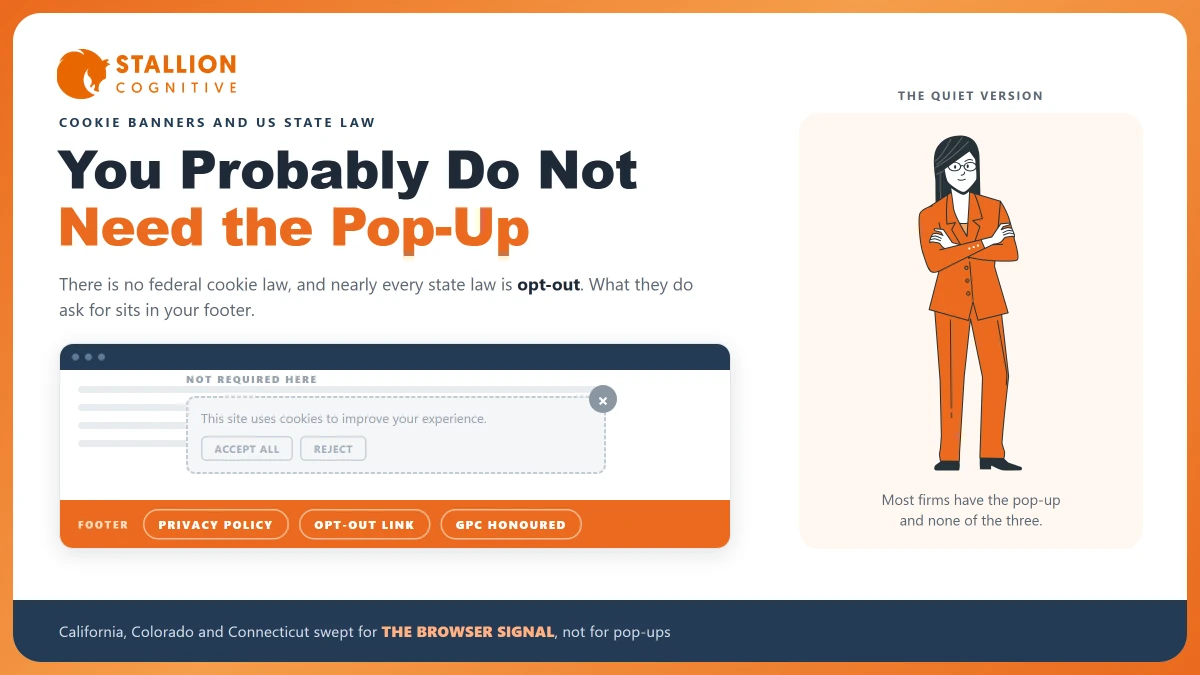
Someone added a cookie pop-up to your site. Maybe a plugin suggested it, maybe your web developer copied it from the last build, maybe a client asked why you did not have one.
Now each reader has to click a box before they can read.
Before you leave it there, it is worth knowing that almost every page answering this question is published by a company that sells cookie banners. That does not make them wrong. It does mean the answer is worth checking against the agencies themselves.
They ask for something quite different.
Does US Law Actually Require a Cookie Banner?
There is no federal US law that requires one. Nothing in federal law says a site must stop a reader to ask about cookies before it loads.
About twenty states now have broad privacy laws.
Almost all of them are opt-out laws, and that is the part that changes the answer.
The difference between the two models is the whole article:
- Opt-in, the European model: you may not set most tracking until the reader agrees. A blocking banner is the usual way to get that agreement.
- Opt-out, the US state model: you may collect and use data by default, and you have to tell people clearly and give them a working way to say stop.
A pop-up is one way to satisfy an opt-in law. It is a poor fit for an opt-out law, because nothing in the opt-out model requires permission up front.
For a firm serving US clients, the banner is usually optional. What the law does demand is quieter, cheaper, and easier to get wrong.
What Do the State Laws Ask For Instead?
They ask for notice and a way out. Build against California. It is the strictest, and the other states borrowed heavily from it.
The California Attorney General's CCPA guidance states that businesses selling personal information are subject to the requirement to provide "a clear and conspicuous 'Do Not Sell or Share My Personal Information' link." That link belongs on the website and in the privacy policy.
The word doing the work there is "selling". It is far broader than it sounds, because sharing data with an ad platform for targeted advertising counts as a sale under these laws. So a firm running a retargeting pixel is often in scope, while a firm running plain analytics may not be.
What a covered US site is generally expected to carry:
| What it is | What it does | Where it goes |
|---|---|---|
| Privacy policy | Names what you collect and who gets it | Footer, linked site-wide |
| Opt-out link | Lets a visitor stop the sale or sharing | Footer or header, site-wide |
| Notice at collection | Tells people at the point you collect | The same footer line usually covers it |
| Honoured browser signal | Acts on an automatic opt-out | Server or tag configuration |
None of those four is a pop-up, and three of them are simply links in your footer.
The Signal You Have to Honour, and the Sweep That Tested It
The fourth item is the one firms miss. It is also the one the agencies started checking.
Some browsers send an automatic opt-out with each request. It is called the Global Privacy Control. The California Attorney General's guidance says a visitor "can also submit an opt-out request via a user-enabled global privacy control, like the GPC," and that businesses "must honor" it as "a valid consumer request to stop the sale or sharing of personal information."
The reader clicks nothing on your site, because their browser has told you first.
On 9 September 2025 the California Privacy Protection Agency announced a joint sweep with Colorado and Connecticut into "potential noncompliance with the Global Privacy Control." The agencies said they were:
contacting businesses that may not be processing consumer requests to opt out of the sale of their personal information submitted via the GPC as required by law.
Read that next to a cookie banner and the mismatch is obvious:
- A banner asks a question the reader may have answered already in their browser settings.
- A banner that ignores GPC collects a click that means nothing while the real signal goes unread.
- Three states coordinated on the signal, and none of them ran a sweep on whether sites had pop-ups.
Has anyone at your firm checked whether your site responds to that signal? Most owners have never been asked, and the true answer is almost always no.
When Does a US Firm Actually Need One?
There are real cases, and they are narrower than the plugin market suggests.
You need a genuine consent banner when visitors from the EU or the UK land on your site in numbers that matter. That is an opt-in regime, and the rules follow the reader rather than your office.
You also need one when you run advertising tags that build audiences from European visitors, because the platforms require it of you. Google's consent mode guidance tells site owners to "give users the option to deny or grant consent for every type of storage used by the tags on a website."
The same page carries the sentence that settles most of this:
Since current privacy laws are region-specific, configure a default state to apply to particular regions instead of to all visitors.
Google is describing a regional default. A firm whose clients sit in three US states, showing an EU-style banner to everyone, has not followed that.
It has gone wrong in the direction that costs the most.
Where does your traffic come from? Check before anyone builds anything, and if you cannot answer, that is a finding in itself. Our piece on where your leads come from covers how to read it.
What Does a Banner Do to Your Analytics?
It removes data, and more of it than firms expect. Each reader who ignores the box, closes it, or clicks reject becomes a gap in your reporting.
For a small firm that gap is costly, because you had little data to begin with. A practice getting 700 sessions a month cannot afford to lose a third of them to a box no one asked it to install.
The effects show up in the reports:
- Sessions fall on the day the banner goes live, and it reads like a traffic drop rather than a measurement change.
- Attribution breaks first. Referrer and campaign data goes first, so the channel report stops being usable.
- Comparisons stop working. Any period spanning the install compares two different setups.
Firms often install a banner they did not need, then decide their marketing stopped working. If your numbers moved and nobody can say why, Google Analytics has several ways of showing less than you expect, and consent is only one of them. Bot filtering is another, covered in how much traffic is bots.
What to Put on the Site Instead
Build the quiet version. It costs less, it meets the laws that apply to a US firm, and it leaves your data whole.
| Step | What to do |
|---|---|
| 1 | Publish a privacy policy naming your tools, Google Analytics included, and what each one collects |
| 2 | Add a footer link labelled as your state requires, on every page |
| 3 | Configure your site to act on the Global Privacy Control signal |
| 4 | Set consent defaults by region, so EU visitors get the banner and US visitors do not |
| 5 | Remove any advertising or retargeting tag nobody is using |
Step five does more than the other four for a typical professional firm. Most sites carry tags from an old campaign, an agency that left, or a plugin added once.
Each one widens what you have to disclose.
Then write down what you did and when. A dated note beats a memory when someone asks a year later.
What Changes for a Regulated Firm
The privacy rules are the same. What changes is that your compliance file is expected to match your website, and at most firms nobody has checked whether it does.
The mismatches that turn up again and again:
- The policy names no tools: Google's own Analytics terms require you to disclose Analytics by name, and a policy saying "analytics software" falls short of that.
- The retention setting was never chosen: It has a default somebody accepted years ago, and data retention quietly decides how far back your reports can go.
None of this is legal advice. Privacy counsel reads your real client base and your real tags, and the answer shifts with the states your clients sit in. Firms already working under an adviser marketing rule should fold this into the same review, which we covered in the adviser compliance guide.
The Version That Costs You Nothing
Most firms reading this have a banner they did not need, no opt-out link, and a browser signal nobody has ever tested. That combination is the wrong way round in every direction.
What a US-focused firm should have:
- A privacy policy naming the tools by name.
- An opt-out link in the footer, worded as the state requires.
- The browser signal honoured, since that is what regulators swept for.
- Consent defaults set by region, following Google's own instruction.
- No blocking pop-up unless European visitors really do arrive.
Open your own site and look at the footer. If there is a pop-up but no opt-out link, you are paying for the data loss without getting the protection. Our SEO work reads the tag setup alongside the pages, because measurement you cannot trust makes every other decision worse.
Frequently Asked Questions
Does a cookie banner slow the site down?
Most load a script before the page renders, so yes, and you feel it most on a phone. A site already struggling on speed will feel it, and the effect lands hardest on the visitors with the weakest connections.
What if the site only has a contact form?
A form you use to reply to an enquiry is ordinary business use rather than a sale of data. Say what you collect and why in the privacy policy. The picture changes the moment an ad tag sits on that page.
Do embedded maps and fonts count?
They can, because an embed loads from another company's servers and passes along the visitor's address. List the embeds you use in the policy, and drop any that no longer earn their place on the page.
Does the banner need a reject button?
Where you show one under an opt-in regime, refusing has to be as easy as accepting, and an accept-only box fails that test. If you are showing a banner without a reject option, it is doing none of the work you think.
Who is responsible if an agency installed the tag?
The business whose site it is. Agencies come and go and the duty stays put, so ask for a written list of every tag on your site.