
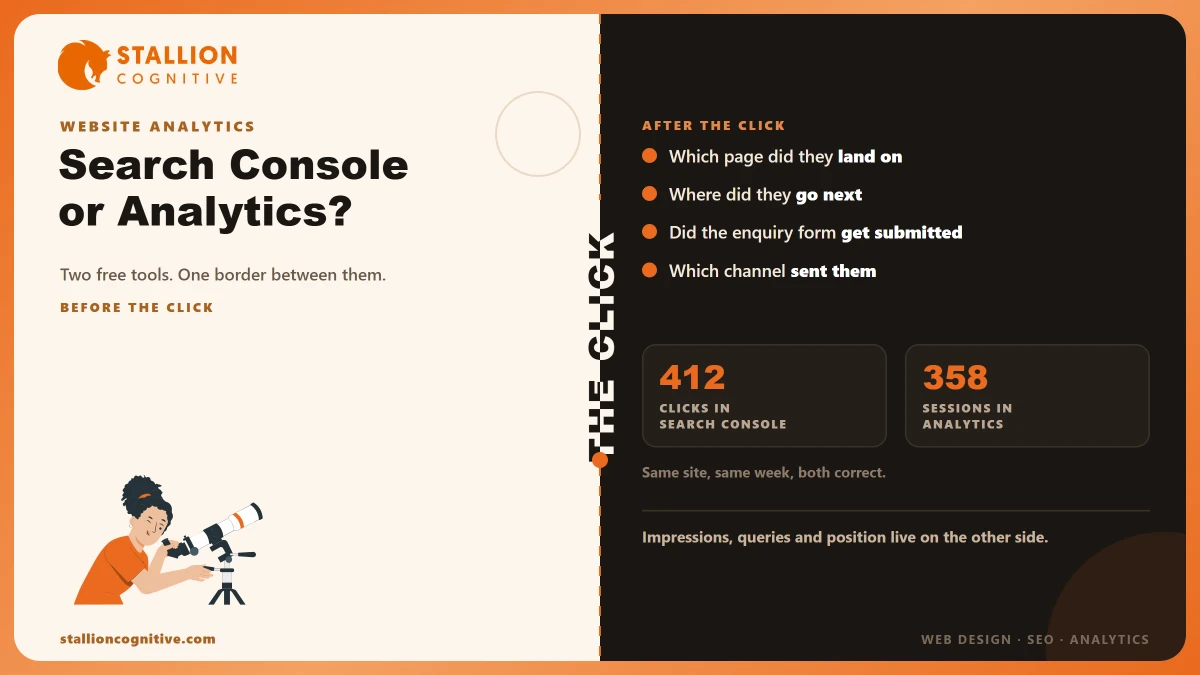
Two logins, two dashboards, two different numbers for the same week. Search Console says 412 clicks from Google. Analytics says 358 organic sessions. Somebody at the meeting asks which one is right, and the honest answer is that both are, because they are not counting the same event.
They are also built for different questions.
One tells you how you appeared in Google before anybody arrived. The other tells you what happened once they did. Most firms have both switched on, open neither, and end up guessing at the part of the funnel each tool was going to explain.
So the useful question is not which tool is better. It is which one to open for the question in front of you.
What Does Each Tool Actually Measure?
Google draws the line at the click. Its own Search Console and Analytics guidance puts Search Console on the search side, covering "how your website is performing in Google Search results", and Analytics on the site side, covering "visitors' interactions with your website".
The click is the border between them.
- Before the click, Search Console owns it: How often you appeared, for which search terms, at roughly what position, and how often somebody chose you.
- After the click, Analytics owns it: Which page they landed on, where they went next, how long they stayed, and whether they submitted anything.
- Neither crosses over: Search Console cannot see your enquiry form, and Analytics cannot see the search you never got a click from.
That last point is the one worth sitting with. A firm invisible in search has a Search Console problem, and its Analytics account will look calm and almost empty while that happens. Which side of that line is your problem sitting on?
Both tools are free, and neither replaces the other.
Why Won't Your Two Reports Match?
Because a click and a session are different events. Google defines a click as "a person clicks on a link in a Google Search result leading to your website", and a session as "a period of time during which a user interacts with your website or app", so the two are counting different moments on purpose.
One person can produce one click and three sessions in an afternoon. Another clicks, changes their mind before the page loads, and produces a click with no session.
| Cause | What Google says | Effect on your report |
|---|---|---|
| Different definitions | A click happens in the search result, a session happens on your site | One visitor can be several sessions, or a click with no session |
| Which URL gets credit | Search Console reports only on the Google Search canonical URL; Analytics reports on any URL that includes the tracking code | Analytics lists more addresses than Search Console does |
| Segments | Search Console data is incompatible with Analytics segments | Applying a segment returns zero for the Search Console figures |
| Coverage | Search Console covers Google and nothing else | Bing and AI referrals show in Analytics but never in Search Console |
| Blocked tags | Analytics needs its tag to run in the browser | An ad blocker removes the session, and the click still counted |
Google's own line on all of this is blunt. It says that "even the most similar metrics… don't match exactly" and that "the general trends and patterns should be similar", which is a polite way of telling you to read the direction and ignore the gap.
The Row That Explains Most Complaints
Canonical URLs cause more confused meetings than the rest of the table combined. Search Console files every click under the one address Google treats as the real version of a page. Analytics files it under whichever address actually loaded and ran the tag, which on most sites means several variants of the same page.
So a page reachable at four addresses appears once in Search Console and four times in Analytics, and your two lists of top pages stop lining up. Nothing is broken. You are looking at the same traffic sorted under different labels.
Worth checking before you blame either tool, and it takes about two minutes.
Which Tool Answers Which Question?
Take the question to the tool that owns that side of the click. The table below is the whole article in one screen, and it is the thing to keep.
| Your question | The tool | Where to look | What it will not tell you |
|---|---|---|---|
| Did anyone find us on Google last month? | Search Console | Performance report | Whether they did anything after arriving |
| Which search terms brought us in? | Search Console | Performance, queries tab | How many became enquiries |
| Are our pages actually indexed? | Search Console | Page indexing report | Anything at all about behaviour |
| Which page do people land on first? | Analytics | Landing pages report | The search term that sent them |
| Did the enquiry form get submitted? | Analytics | Events, if somebody configured it | Whether Google sent them at all |
| How long did they stay, and where next? | Analytics | Engagement reports | Whether you appeared in search at all |
| Why did last month drop? | Both | Impressions first, then sessions | Which single change caused it |
| Clicks arrive but no enquiries. Why? | Both | Clicks against conversions | Where on the page they gave up |
Two of those rows need both tools, and they are the two questions owners ask most. A drop is a sequence rather than a single number, so read impressions first, then clicks, then sessions, and stop at whichever one moved.
Impressions fell means fewer people saw you at all.
Impressions held and clicks fell means you were seen and skipped, which is a title and description problem rather than a ranking one. Clicks held and sessions fell means the two tools disagree for one of the reasons in the previous table, and the traffic is probably fine. When yours last dropped, did anybody check impressions before rewriting the page?
What Search Console Shows That Analytics Cannot
Everything that happens while nobody is visiting. Analytics starts counting when a page loads, so the entire period where Google is deciding whether to show you is invisible to it.
- Impressions: How often you appeared without being clicked, which is the earliest warning you get.
- Queries: The actual words people typed. Analytics has never had these for organic search.
- Average position: Roughly where you sat, which is the number that moves first.
- Indexing status: Whether Google has the page at all, and why it refused one.
- Manual actions and security issues: Nothing else tells you, and both are urgent.
The indexing report is the one firms discover too late. A page Google never indexed shows zero of everything in Analytics, which looks the same as a page nobody wanted, so the cause gets missed for months. That distinction is the whole subject of what to do when your site is not showing up on Google.
There is one real limit. Search Console covers Google alone, so Bing and the AI assistants are absent from it. Statista put Google at 91.25% of global search referrals in June 2026, which makes that limit narrower than it sounds for most firms.
What Analytics Shows That Search Console Cannot
Anything that happens on the page. Which is most of what your website is for, and none of it reaches Search Console.
- Landing pages by traffic source: Which page absorbed the visit, and where the visit came from.
- Events: Form submissions, calls tapped, downloads, if somebody set them up.
- Paths through the site: What they read second, and where they stopped.
- All your other channels together: Referral, email, social and direct in one place.
- Devices: Whether the mobile experience is quietly costing you.
Events are where inherited accounts fall down. A default install counts page views and stops there, so the account looks healthy while measuring nothing that pays you. Has anybody confirmed your enquiry form registers as an event?
Analytics also cannot name anybody. Owners reach for it hoping to see which firm was reading the pricing page, and it is built to prevent exactly that, which is why the tools that claim to do it need who visited your website explained separately. Sorting out which channel actually produced a phone call is a different job again, and we went through it in where your leads come from.
Using Both Without Double-Counting
Link the accounts, then read them in a fixed order. Linking pulls a limited set of Search Console data onto the Analytics screens, and Google's Search Console reports in Analytics help page is explicit that the imported figures do not behave like native ones, since applying a segment leaves them at zero.
Never add a Search Console click to an Analytics session. They describe the same visit from opposite sides, so adding them counts one person twice.
- Start with impressions: If they moved, the cause is upstream and the site is not the problem.
- Then clicks: A gap between impressions and clicks is a listing problem.
- Then sessions: A gap between clicks and sessions is usually a counting quirk.
- Then events: A gap between sessions and enquiries is a page problem.
- Stop at the first real gap: Fixing anything below it is wasted work.
That order also filters out a kind of false alarm, because some share of your sessions were never human at all and the click figure is cleaner than the session figure for that reason. We covered how much of it to expect in bot traffic.
Which One Should You Set Up First?
Search Console, and by a wide margin. It takes one verification step, it needs no consent banner, and it answers the question a firm owner actually asks out loud, which is whether Google is showing them to anybody.
Analytics needs more from you. A privacy policy naming it, a decision about retention, an event configured before the enquiry form means anything, and somebody willing to open it. All of that is worth doing, and none of it is week one.
- Week one: Verify Search Console, submit the sitemap, read the indexing report once.
- Week two: Install Google Analytics, update the privacy policy, set the retention deliberately.
- Week three: Configure form submissions as an event and test one yourself.
- Then monthly: Fifteen minutes, in the order set out above.
A firm that does only week one is in a better position than a firm with both accounts and no events configured. Which of the two are you actually opening at the moment?
Judging whether the site is doing its job needs the pair of them read together, and we set out the six numbers that decide it in whether your website is working.
Where This Leaves You
Search Console for the search, Analytics for the site, the click as the border between them. When the two disagree, the gap is nearly always about wording rather than a fault, and the canonical-URL row explains most of it.
The habits below keep this simple.
- Take the question to the right tool: Half the confusion is asking Analytics something only Search Console knows.
- Read in order, upstream first: Impressions, clicks, sessions, events. Stop at the first real gap.
- Compare trends, never totals: Google says the numbers will not match, so treat any single reading as approximate.
Say both accounts exist, nobody has opened either since setup, and you cannot tell whether the site is invisible or simply not convincing. That is a short piece of work with a clear answer at the end, and we audit these two accounts together for financial and professional firms most months. Have both accounts reviewed and you will at least know which side of the click your problem sits on.
Frequently Asked Questions
How much history does Search Console hold?
A rolling window of roughly sixteen months, which makes a year-on-year comparison workable and a three-year one impossible. Export anything you want to keep beyond that, because the oldest month drops off as each new one arrives.
Does linking the two accounts change either one's numbers?
Nothing changes in either account. Linking copies a slice of Search Console data onto the Analytics screens, and both tools carry on measuring as before. The imported figures keep Search Console's rules.
Why are some search terms missing from the query list?
Google withholds rare queries to protect the people who typed them, so the listed terms will always add up to less than your total clicks. Treat the shortfall as normal rather than as a reporting fault, and do not try to reconcile it.
Who should hold the logins?
A partner or director, on a firm-owned Google account, with any agency added as a user rather than an owner. Ownership needs to outlast both staff changes and supplier changes, and Search Console verification can be lost with an account.
Should the partner report come from one or both?
Pull two figures from Search Console and two from Analytics, on the same dates every month. Clicks and average position from one, sessions and enquiries from the other. That beats a dashboard nobody trusts.