
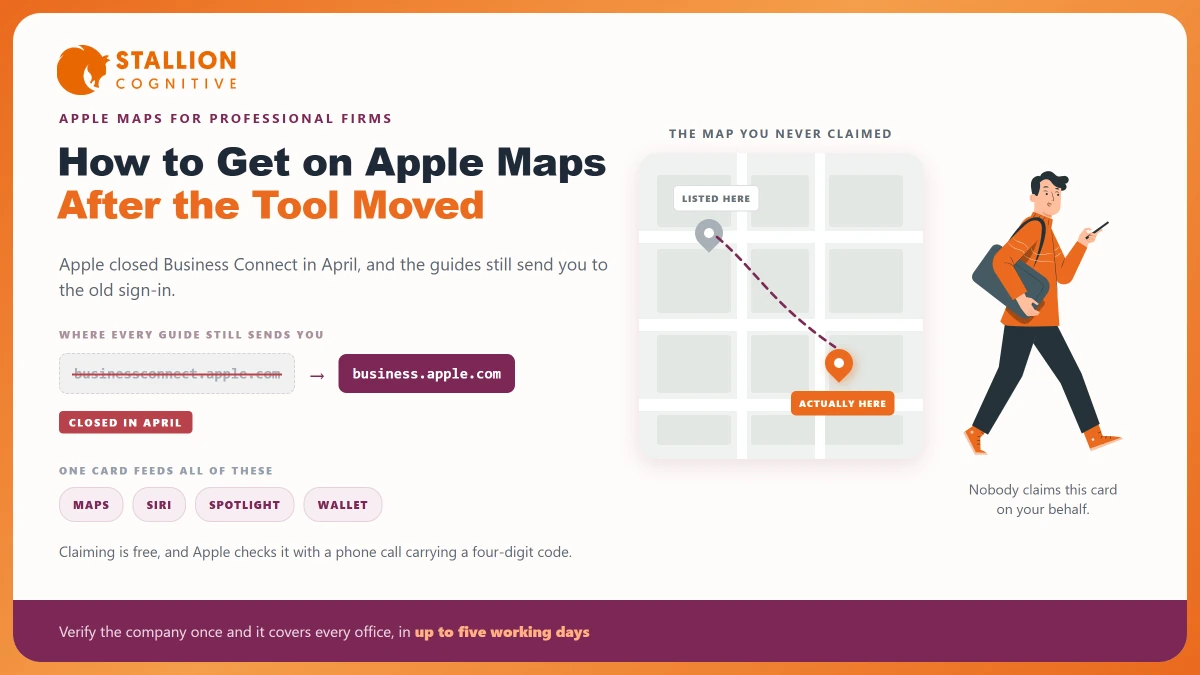
Type your firm's name into an iPhone. The map that opens is Apple's and not Google's, and it is drawing on a record nobody at your firm has ever touched.
Most firms have never claimed that record, for a reason that makes sense. Apple has never sold this the way Google sells Business Profiles, and the tool sat behind a name most owners had never heard.
In April 2026 Apple changed the name again.
Why Apple Maps Is a Separate Job From Google
Apple and Google keep separate records of your firm. Fixing one does nothing to the other, and no data moves between them.
Apple's own Maps help page puts it plainly, that "if you have a business (large or small), you can use Apple Business to help your customers find it in Apple Maps, Wallet, Siri, and more." That is a separate system with its own sign-in and its own way of checking who you are.
The record is there whether you claim it or not. Apple builds its map from bought-in data and its own survey work, so a firm that never signed in still shows up, with whatever address and phone number that data held.
Which is where it starts to hurt:
- The old suite address: A record built from a directory three offices ago still shows the old floor.
- The wrong phone number: Often a switchboard, a former partner's direct line, or a number the practice dropped.
- The missing category: A record with no category rarely turns up for anything except your own name.
- Nobody watching it: Any user can suggest a change, and an unclaimed record has no owner to check it.
Our post on NAP consistency makes the point in a line worth repeating. Apple is its own record, and it is the one firms forget.
What Happened to Apple Business Connect?
Apple Business Connect no longer exists. Apple announced the change on 24 March 2026 and it took effect the month after.
Apple Business Essentials, Apple Business Manager, and Apple Business Connect will no longer be available once Apple Business launches.
The new one is called Apple Business. Apple's announcement says it "will be available starting Tuesday, April 14, in more than 200 countries and regions", free of charge, and work you had already done came with you, because Apple says the old data, "including claimed locations, place card information, photos, organization information, account details, and more", moved across at launch.
Apple's help guide for the old tool now opens with a banner saying Apple Business Connect is now Apple Business, and that the new platform rolls up what used to sit in three separate tools.
You can see the change without reading any of it. The old web address, businessconnect.apple.com, forwards to business.apple.com.
Almost every guide on this subject still sends you to that old address to sign in to a tool that closed in April. Several of them are dated this year and badged as current. Their first step is now the wrong step.
How Do You Claim Your Listing?
There are two ways in, and the one nobody mentions is faster.
The quick route starts on the phone in your pocket. Search for your firm in Maps, scroll to the foot of its card, and tap Claim This Place. Apple walks you into signing in from there.
The full route starts on the web, at business.apple.com, and it is the one to use when you are setting up for several offices:
- Sign in with an Apple Account and go to Brands, then Locations.
- Select Add, and enter the location name as the firm trades.
- Enter the address. Apple's guide says you can "drag the map (or enter coordinates) if the marked location is over the wrong building".
- Set the display name, category, status, phone number and website.
- Set your hours.
- Choose or create a brand, which is the parent record your offices hang from.
- Send the location off to be checked.
Step three is worth more care than it gets. Serviced offices and shared buildings are where map pins land on the wrong door, and dragging the pin takes about thirty seconds.
Step six pays off later. A firm with two offices builds one brand with two locations under it, so the name, logo and category are kept in one place instead of two.
What Does Verification Actually Involve?
Apple checks by telephone, and the call goes to the number Apple already holds for that office.
You ask for the call from the location screen, Apple rings, and you type in the four-digit code it reads out. It takes about a minute when the number is right.
When the number is wrong, nothing happens at all.
That is where firms get stuck, and it is nearly always one of these:
- A call-tracking number: A marketing number that forwards elsewhere may never put the code in front of the person waiting for it.
- An answering service: A third party taking your calls will take this one too, and will not know what the code is for.
- A dead line: Numbers on old map records outlive the phones they belonged to more often than you would think.
- A main switchboard: In a firm with a receptionist, warn them before you ask for the call.
A second route saves real time for a firm with several offices. Apple lets you verify the whole company once instead of doing each office one by one, and its guide puts that review at up to five working days. One review, and every office you add later is covered.
That is a real difference from Google, which asks you to prove each office and now often does it by video. If you have been through that already, our post on how to verify with Google covers what it demands, and Apple is the lighter of the two.
What Goes on a Place Card
The place card is Apple's version of the profile. It holds less than Google's, and what it does hold is easier to keep right.
| Field | What it does | Worth the effort for a firm |
|---|---|---|
| Name and address | The record everything else hangs from | Yes and it is the reason to claim at all |
| Phone and website | The two taps a prospect actually makes | Yes |
| Category | Decides which searches you are eligible for | Yes and it is the field most often left empty |
| Hours | Shown as open or closed in the moment | Yes |
| Photos | The visual identity on the card | Worth a handful of the office and the team |
| Actions | Buttons sending people to your own site or booking tool | Yes where you take bookings online |
| Showcases | Promotional panels for offers and new items | Rarely since a regulated firm has little to promote this way |
| Location insights | Apple's own view of activity on the card | Read it and expect less detail than Google gives |
The category field is the one to fix first. An unclaimed record often has no category at all, and a card with no category barely shows up for anything except your own name.
That is the search you least need help with.
Showcases are the one part built for shops. A wealth manager or a tax practice has little use for a panel about seasonal items, and there is no cost to leaving it alone.
Where Does a Place Card Show Up?
The card is more than a map entry, which is what makes it worth an hour of somebody's time.
- Apple Maps, on iPhone, iPad, Mac and CarPlay.
- Siri, when somebody asks for a firm or a trade near them.
- Spotlight, the search box people reach by pulling down on the home screen.
- Messages and Wallet, where Apple surfaces business details.
Apple puts the audience for these cards at more than a billion users. That is Apple's own figure, and worth reading as the company's claim about its own reach.
The useful version for a firm is smaller. Every prospect who picks up an iPhone and asks for directions to your office, or asks Siri for an accountant nearby, is reading this card and not your website.
What Is This Worth to a Professional Firm?
Now the honest part, because the guides on this subject oversell it.
Apple has not published ranking factors for Maps. Google publishes three and names distance among them, so work on Google has something written down to aim at. Apple gives you nothing of the sort, and anyone promising to lift your Apple Maps ranking is selling work against rules that have never been made public.
| Google Business Profile | Apple Business | |
|---|---|---|
| Published ranking factors | Relevance, distance and prominence, documented | None published |
| Verification | Per location, often by video | By phone, or once for the whole organisation |
| Reviews | Central to the profile and to ranking | Not part of the place card |
| Performance data | Detailed, held for six months | Location insights, lighter |
| Cost | Free | Free |
So the job here is getting the record right. A correct card puts the right address, the right number and the right category in front of every prospect who opens Maps on an iPhone, and it stops a stranger's suggested edit going in without a check.
That is a smaller prize than ranking in the map pack on Google, and it costs about an hour once. Firms skip it because the return is quiet, and quiet is not the same as absent.
What to Do This Week
Open Maps on your phone and search for your own firm before you do anything else. What you find there is what a prospect finds.
Then work through the short version:
- Check the address, the pin, the phone number and the category on the card as it stands.
- Tap Claim This Place, or sign in at business.apple.com if you are handling several offices.
- Ask for the call, having warned whoever answers that phone.
- Fix the category first, then the hours, then add a few photos.
- Put a note in the diary to look again when the office moves or a partner's line changes.
If your firm has offices in more than one town, verify the company once instead of claiming them one at a time. A local SEO audit usually turns up the same address gaps across every directory at once, and that is the point where fixing Apple stops being its own job and becomes one line on a list.
Where the addresses on your records disagree with each other, that is the thing to solve first. Our team is happy to look at your local records and tell you which ones are working against you.
Frequently Asked Questions
Is there still a way to sign in to Apple Business Connect?
The old address forwards to Apple Business, which took over in April 2026. Claimed locations, photos and account details all moved across on their own, so returning users sign in and find their earlier work waiting in the new platform.
Does claiming a listing with Apple cost anything?
Nothing at all. Apple says the service is free in the US and 200 or more other countries, with no paid tier for claiming an office or keeping its details current.
How long does Apple take to verify a business?
A phone check finishes in about a minute once the call connects. Verifying the whole company instead, which then covers every office, goes to review, and Apple puts that at up to five working days.
Will fixing Apple Maps help my Google rankings?
The two hold separate records and pass nothing between them, so no edit on Apple feeds into how Google ranks you. Matching details everywhere still helps the wider picture.
What if the wrong address is showing on Apple Maps?
Claim the record first, because an owner's edit carries more weight than a stranger's suggestion. Once the check clears you can correct the address and drag the pin onto the right building, and the change reaches Siri and Spotlight with it.