
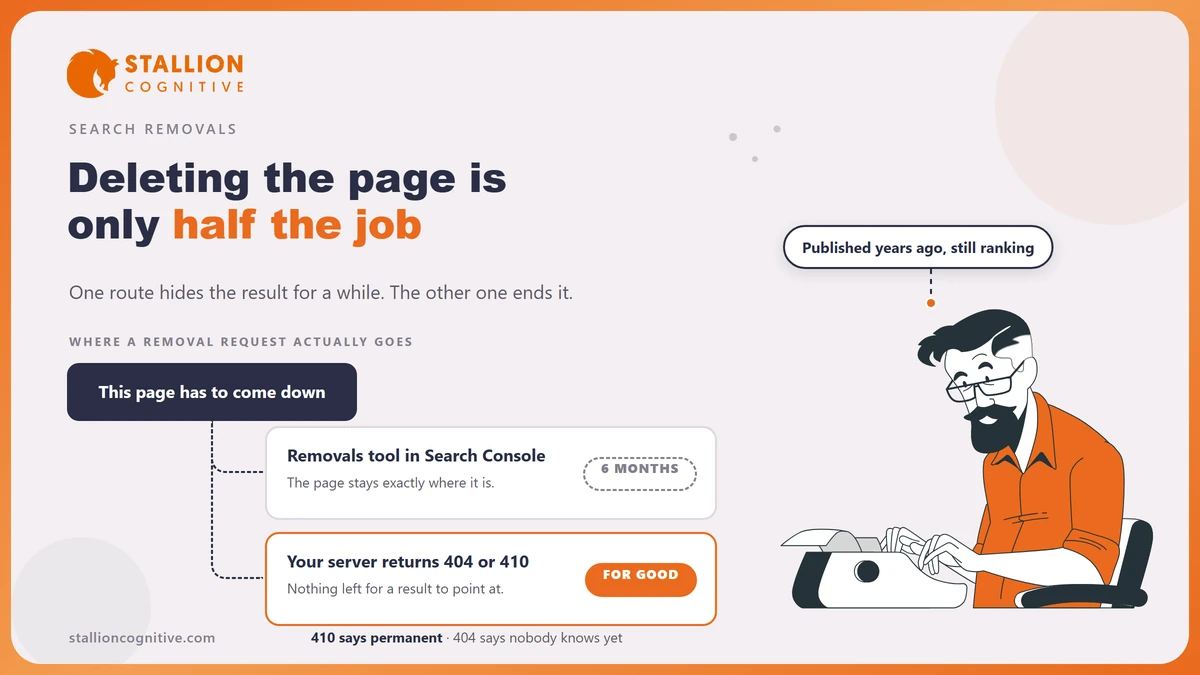
Deleting a page from your website does not delete it from Google.
The pages a firm most wants gone are the ones a client is most likely to find. A departed adviser's bio and a three year old fee schedule both keep answering searches after somebody thought they were handled.
Knowing how to remove a page from Google search means knowing that the fast tool and the permanent fix are two different jobs. One buys six months and the other ends it.
Do the second one and the first stops mattering.
What the Removals tool actually does
It hides a result. Google's own Removals report describes the temporary removal as one that "blocks the URL from Google Search results for about six months", and the word blocks is doing the work in that sentence.
The page stays exactly where it was.
- Does the URL still work? Yes. Anyone holding the link opens the page as normal, because nothing on your server changed.
- Google still crawls it: The tool hides the result and does nothing to the crawler.
- The clock is running: Six months is the stated life of a request, and no renewal makes it permanent.
- Other search engines ignore it: The request is filed inside Search Console and reaches Google alone.
A second action in the same report gets reached for by mistake. Clearing the cached copy wipes the description snippet from the result until the page is indexed again, which is what you want when the page should stay live and one sentence on it should not.
Use the temporary removal when speed is the whole point.
A client's name published in error has to be out of results this afternoon, and the permanent work can follow the same week.
Why does the page come back after six months?
Because nothing was removed. The tool was built as a stopgap and Google says so, stating that a successful request "lasts only about six months" and pointing the reader at the permanent options.
A removal request is a curtain. The page behind it is still there when the curtain drops.
So the result reappears, usually at the worst time, and usually to somebody who assumed the matter was closed a year ago.
- The page comes back on its own schedule once the request runs out.
- Nobody is told when it runs out, and Search Console does not chase you.
- The person who filed it has often left the firm by then.
- Filing a second request restarts the same six months and settles nothing.
Treat the tool as an alarm and never as a fix. It buys the time to do the real work, and the real work is two steps long.
The two steps that make a removal permanent
Change the page, then tell Google. Doing one without the other is what leaves firms with a result they thought was dealt with.
- Decide what the page should become. Deletion, a redirect to a live page, a password wall or a noindex tag are the four honest options.
- Make the change on the site itself, and check it by loading the URL in a private browser window.
- Read the status code your server now returns for that address, because a deleted page that still answers with a normal page is not deleted as far as Google can tell.
- Submit the URL through the URL Inspection tool so the change is seen before the next natural crawl.
- File a temporary removal at the same time if the page is sensitive, so the result goes while step four works through.
- Check the result again in a fortnight, searching the exact page title in quotation marks.
Google's guidance on removing information sets the same condition, saying you must remove or update the content and make sure the server returns either a 404 or a 410 status code, with a password or a noindex tag given as the alternatives.
Step three is the one that gets skipped.
Most content systems will happily serve a friendly page at a deleted address, and that page returns a success code, which reads to a crawler as a page that is still there.
Should the server return a 404 or a 410?
Return a 410 when you are sure, and a 404 when you are not. The two codes carry different meanings and most firms have never picked between them.
Mozilla's reference on the 410 Gone response states that it "indicates that the target resource is no longer available at the origin server and that this condition is likely to be permanent", and adds that a 410 response is cacheable by default. Its note on the other code is just as clear, saying a 404 should be used where server owners do not know whether the condition is temporary or permanent.
| Situation | Code to return | Why |
|---|---|---|
| A service you no longer offer | 410 | It is gone deliberately and it is not coming back |
| An adviser who has left the firm | 410 | The page has no future version |
| A page you deleted by accident | 404 | Leaves the door open while you decide |
| A seminar page you rerun annually | Neither, use a redirect | The intent survives, so send it to the current page |
| A fee page you are rewriting | Neither, leave it live | Removing it loses the ranking you will want back |
The fourth row is the one worth arguing over inside a firm, and it is the ground of 301 redirects.
A redirect keeps whatever weight the old address earned and sends the visitor somewhere useful, which beats a dead end in every case where a live version of the page exists.
When you should not remove the page at all
Removal is the loudest option and it is often the wrong one. Three cases come up again and again in professional firms, and all three have a better answer.
- Is the page out of date and not wrong? A rewrite keeps the address, the links pointing at it and the place it holds, which is the whole argument behind fixing content decay instead of deleting it.
- Is it one of two pages on the same subject? Merging beats deleting, since removal throws away signals you could have kept, and what you have is really two pages competing.
- Does it name somebody who has left? A former partner's profile is often better replaced with a short note than wiped, above all where clients still search the name.
A compliance point sits under all three. Old marketing claims stay yours while they are published, and the FTC's advertising basics hold that claims must be truthful and backed by proof, which does not stop applying because a page is five years old.
Fix the claim before you decide what happens to the page. An accurate page rarely needs removing, and a wrong one needs the claim dealt with whether it stays or goes.
Bio pages carry this more than any other page type.
That is why the standard for team bio pages is worth setting once for the whole firm.
What to do about a page you do not own
Use the outdated content route, and expect it to be strict. The same report takes requests from people who do not own the site, and Google prints the reasons it turns them down.
Which refusal catches everybody out? The one that says the content is still on the page, because it means you filed before the source changed.
- Get the content changed or taken down at the source first, by asking the site owner directly.
- Confirm the live page no longer carries the material, in a private browser window.
- Submit the URL through the outdated content removal request.
- Read the status, since a request is denied where the content is still on the page.
- Repeat only after the source has really changed, because refiling against an unchanged page fails the same way.
Google is checking the live page against your claim, so you are asking it to refresh its index and not to step in on your behalf. A directory listing carrying your old address will not come down until the directory changes it.
Reputation cases follow a separate path, and the route for a fake Google review has nothing to do with this tool.
Where that leaves the page
A result you want gone comes down to one question about the page behind it, and the tool everybody reaches for first does not answer that question. Change what the page is, make the server say so, and the result goes without an expiry date attached.
- Use the temporary removal for speed only: Six months is the whole of what it offers.
- Choose 410 when the page has no future: It says permanent, and 404 says unknown.
- Consider a rewrite or a redirect first: Most pages a firm wants gone are pages that need fixing.
Doing this properly across a whole site is usually part of a wider clean up rather than a one page job, and that is what our SEO service is built around.
Frequently Asked Questions
Will removing pages hurt the rest of the site?
Removing pages that are truly dead is normal housekeeping and carries no penalty. Removing pages that still earn visits costs you those visits, so check the traffic before deciding.
How fast does a temporary removal take effect?
Usually within a day of a successful request, which is why it exists. The permanent work should be under way before you file it.
Does a noindex tag do the same job?
A noindex tag keeps the page live for anyone with the link while asking Google to drop it from results. Choose it when the page must stay reachable and must stop being found.
Someone screenshotted the page before we removed it. What now?
Google's index is the only thing these tools reach. A copy held elsewhere, including an archive site, needs a request to whoever runs that service.
Our old domain still shows the previous website. What do we do?
Point the old domain at the current one with permanent redirects, then inspect a few of the old addresses. Leaving it parked keeps two versions of the firm in circulation.