
An agency sends over a content plan. It asks for topic cluster SEO, one pillar page of about three thousand words, and eight supporting posts around it. There is a diagram in the deck shaped like a wheel.
Then you remember the ninety posts already on your site, written by two agencies before this one.
The model is sound. Almost every article explaining it was written for a website nobody has built yet, and your position runs the other way round. You have the content. What you lack is any agreement about which of those pages is meant to rank.
What Does Topic Cluster SEO Change on a Site With Sixty Pages?
A topic cluster gathers everything you have written about one subject and points it all at a single page you want to rank. The mechanics are settled, and our internal linking strategy breakdown walks through how the links behave. So what does it buy a firm your size?
Less than the deck implies, and for a reason worth knowing.
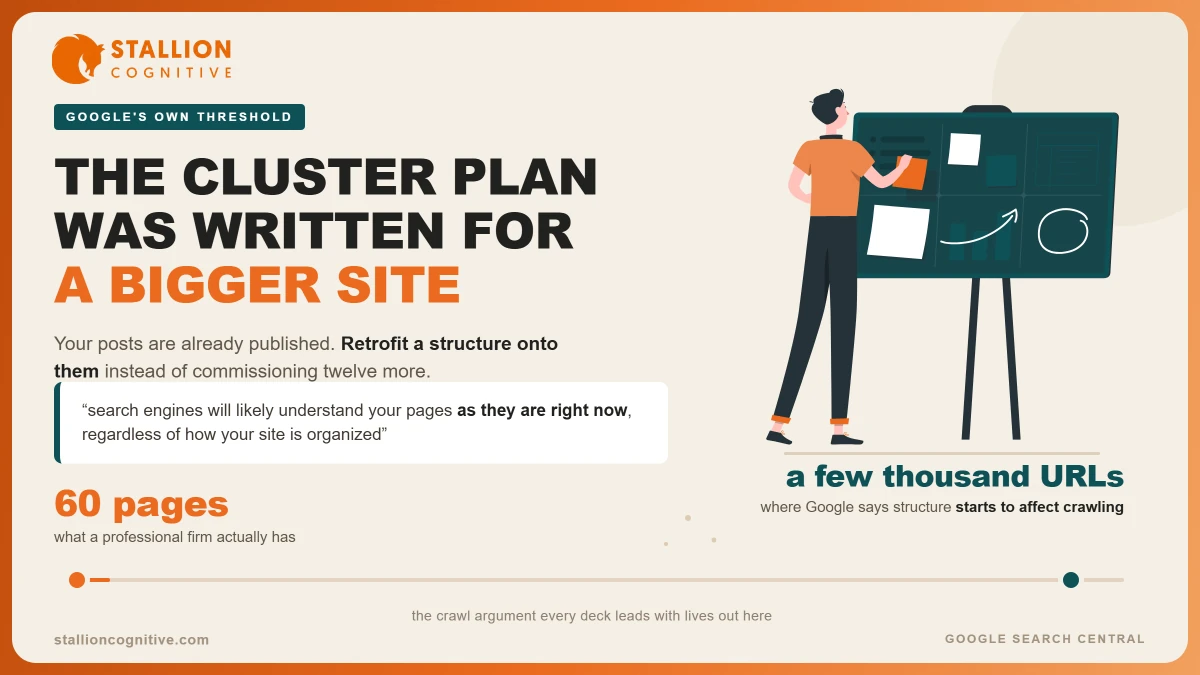
Most cluster advice borrows its reasoning from very large websites. Google's SEO starter guide sets the bar in plain words, saying that "if you have more than a few thousand URLs on your site, how you organize your content may have effects on how Google crawls and indexes your site". The same page then says the thing most decks leave out, which is that "search engines will likely understand your pages as they are right now, regardless of how your site is organized".
Your firm has sixty pages. Perhaps a hundred and twenty after a decade.
- The crawl case does not apply to you: You sit thousands of URLs below the point where Google says structure starts to bite.
- The ranking case still does: When six pages touch retirement planning, links are how you say which one is the main treatment.
- The reader case always did: Someone landing on a supporting post should be able to find the page that sells the work.
That middle signal is internal topical relevance, and it holds at any size, because it rests on how pages relate to each other rather than on how many exist.
| The promise | Where it came from | What a sixty-page firm gets |
|---|---|---|
| Faster crawling and indexing | Sites with tens of thousands of URLs | Almost nothing, by Google's own threshold |
| Authority pooled on one page | Internal links gathering on a hub | Real, and it works at any size |
| Google reads topical depth | Related pages linked to each other | Real, if the pages differ in substance |
| A site a human can follow | Navigation design | Real, and often the biggest win of the four |
The model came out of HubSpot in 2015, where Anum Hussain and Cambria Davies ran the Topics Over Keywords research and found that linking related pages together lifted the rankings and impressions of the pages involved. It was built inside a company publishing at volume. Volume is the assumption under the whole thing, which is why the question of whether blogging helps SEO at your scale deserves an answer before you spend a quarter moving posts around.
Content Silo Structure or Topic Clusters, Which One Fits Your Firm?
The two solve one problem with opposite instincts. A content silo structure keeps subjects apart, putting each in its own section and limiting the links that cross between them. A topic cluster does the reverse, linking freely inside a subject and letting those links carry the meaning.
Silos lean on your URL structure to do the work. Google notes that "using directories (or folders) to group similar topics can help Google learn how often the URLs in individual directories change", which is a remark about crawl timing rather than about ranking, and worth reading closely before anyone proposes rebuilding your URLs to chase it.
Clusters lean on links and anchor text, so you can apply one on a Tuesday afternoon without touching a single address.
Which fits comes down to how your firm actually sells.
- One service in many places: A silo by location tends to win, because each area needs its own contained set of pages and its own local landing pages feeding it.
- Many services in one place: Clusters win, because a client reading about probate may need your tax page next, and a silo would stop you making that link.
- Several services across several offices: Silo the locations, cluster the subjects inside each, and accept that the map takes an afternoon to draw properly.
| Question | Content silo structure | Topic cluster |
|---|---|---|
| How pages are grouped | By folder and section | By subject and meaning |
| What carries the signal | URL hierarchy | Internal links and anchors |
| Linking between groups | Limited on purpose | Welcome wherever it helps |
| Cost to set up | High, URLs and redirects | Low, links and anchor text |
| Fits a firm that | Sells one thing in many towns | Sells many things from one office |
Most professional firms we audit turn out to need the second column and have been sold the first.
Your Pillar Page Already Exists, and It Is Not a Blog Post
Almost every guide tells you to order a new pillar page of two or three thousand words. For a firm that sells services, that advice quietly builds a rival to your own money page.
You already have a page about SEO. You take enquiries from it.
Publish a three thousand word post called The Complete Guide to SEO and your site now holds two pages aiming at one subject, one with a contact form and one without. Google picks between them. It does not always pick the one carrying your phone number.
The page that ought to collect the links is the same page that collects the enquiries. On a services site those two jobs belong together, and most cluster diagrams quietly split them apart.
What Makes a Pillar Page Strategy Hold Up on a Services Site
The test is whether you sell the thing.
- You sell it: The service page is the hub, and every post on that subject links up to it.
- You do not sell it: A post can take the role, which is where topic clusters and pillar pages behave the way the diagrams show.
- You sell it in several towns: The service page stays the hub and the location pages become spokes, rather than each town starting a cluster of its own.
The pillar pages held up as proof nearly all belong to publishers. Ahrefs points at its own Beginner's Guide to SEO, which brings an estimated 2.9K organic visits a month and backlinks from 649 unique domains. Ahrefs sells software and publishes to earn links, so the guide doing that work makes sense. A twelve person advice firm sells advice, and the page that ought to be earning those links is the one that also takes the calls.
Whichever page takes the job, it has to be the strongest treatment of that subject on your site, which is where the on-page SEO checklist earns more than any wheel diagram.
How to Retrofit Clusters Onto Posts You Already Published
Start from what exists rather than from the strategy. Where do you begin? With the list of pages, because they are already indexed and several are better than anyone remembers.
- List every page and the question it answers: Write the question, never the keyword. Two posts with different keywords answering one question are the problem you are hunting.
- Group the questions into subjects: Most firms land on four to eight. More than ten usually means the groups are too narrow to matter.
- Name the hub for each subject: Apply the test above, so anything you sell routes to the service page.
- Point the spokes upward: Every supporting post links to its hub, using the subject itself as the anchor.
- Have the hub link back down: Pick the three or four best supporting posts and link them from the hub, in the body copy where somebody might click.
- Deal with the leftovers: A page that fits nowhere is either sliding into content decay or was written for work you no longer sell, and 301 redirects move its links somewhere useful.
The Hub and Spoke Content Model in Practice
The hub and spoke content model only works when the spokes are joined on. Ahrefs describes orphan pages as "pages with no internal links" and names the two results, that Google "won't be able to find them" and that "No PageRank will be transferred via internal links, as there are none".
Ahrefs suggests three to five links inside the body of each article as a workable start. A retrofit tends to produce that on its own once each post is joined to its hub and to two or three siblings.
Anchor text is where most retrofits fall over.
- Weak: Eleven posts all pointing at a hub with the words read more.
- Strong: The same eleven posts pointing at it with the subject in the anchor.
- Worse than either: No link at all, which is what half of them will have today.
What Goes Wrong When Firms Build Clusters Backwards?
The failures repeat, and they show up faster from outside a business than from inside one.
- Publishing the hub last: Eight supporting posts go live over four months with nothing to link to, so they sit unlinked for a quarter.
- Picking a blog post as the hub when a service page exists: Covered above, and the priciest of the five.
- Splitting one subject across two hubs: The pages divide their support instead of pooling it, and both hubs do worse than one page would.
- Linking everything to everything: A mesh where every page links to every other says nothing about which page is the main one.
- Treating each keyword as its own cluster: Settling how many keywords on every page is what stops a site splitting into fifty subjects nobody searches for.
Google's guidance on helpful content asks two questions that read like an audit of the average firm's blog. The first asks whether your site has "a primary purpose or focus". The second asks whether you are "producing lots of content on many different topics in hopes that some of it might perform well in search results?"
Read that second one next to the invoice for a twelve post content retainer and the conversation usually changes shape.
Where This Leaves Your Content Plan
The next content plan you are shown will almost certainly propose new pages. Ask what happens to the ninety you own, because the gains in a retrofit come from pages Google already knows, and those arrive faster than anything ordered this quarter.
Draw the map before you buy anything.
- Four to eight subjects: Fewer than four is a category, more than ten is a filing system.
- One named hub each: A service page wherever you sell the work.
- A list of which post supports which: The gaps in that list are your real content plan.
If the map turns out to need twelve new posts, at least you will know why.
Which of your service pages could carry a cluster today, and how many of your posts are already pointing somewhere else? We map this for professional firms most weeks, and the answer is rarely the one the last agency gave. Talk to our search team before you sign off another year of posts.
Frequently Asked Questions
How long before a cluster retrofit shows up in search results?
Movement on older pages tends to appear within four to eight weeks, because Google already knows those URLs. Newer pages take longer. The hub usually moves before the spokes do, since it gains the most links in the exercise.
Do we need software to map our clusters?
A spreadsheet handles a site under two hundred pages. Screaming Frog exports every URL and its internal links if you would rather have the list built for you.
Should hub pages appear in our main navigation menu?
Service page hubs belong there already. Blog post hubs rarely justify a menu slot, and forcing one in pushes something a buyer needs out of view. A link from the blog index works.
What do we do with a post that belongs in two subjects?
Give it to whichever hub it answers most directly, then link it from the second without claiming it. Splitting a post between two hubs weakens both signals, and readers cope with one clear home far better than search engines cope with two.
Do clusters affect whether AI assistants cite us?
Nobody outside those companies can say how citations get chosen, so treat confident numbers with suspicion. What holds is that a well linked page is easier for any crawler to reach and to place in context.