
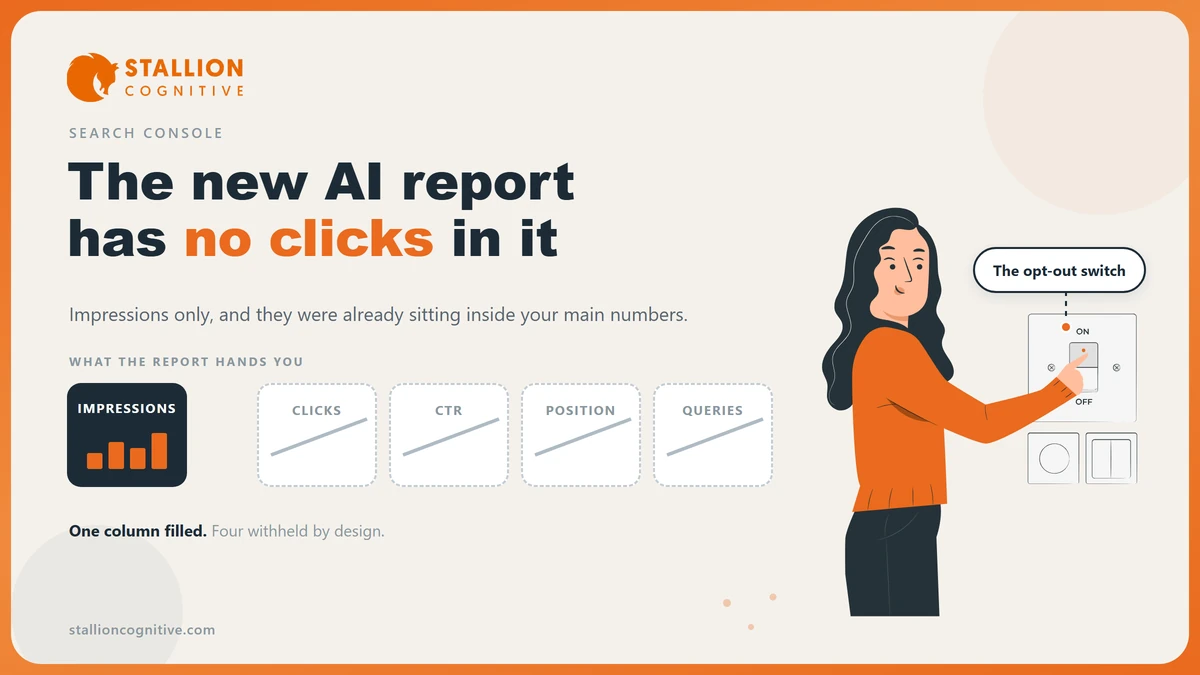
Google now tells you when its AI answers quote your website, and it will not tell you whether anyone clicked.
The Search Console AI report finished rolling out to every site on 31 August, and most firms have not opened it yet.
It counts impressions, meaning how often your pages turned up inside an AI answer. Everything else you would use to judge that number is absent.
It still earns about ten minutes a month, once you know which questions it answers and which one it never will.
Where the AI report sits, and what it counts
The report counts how often a link to your site appeared inside an AI Overview or AI Mode on Google Search.
Google calls it the generative AI performance report. It sits in Search Console next to the performance report you already read.
- Open Search Console and pick the property for your website.
- In the left menu, open Performance.
- Choose the generative AI entry, which sits beside Search results and Discover.
The rollout finished on 31 August 2026, so every property has it now. Data had been building for months before that date. Most firms will find a usable stretch of history waiting the first time they look.
The meaning of an impression is doing a lot of work here. It means a link to your site was shown inside the AI feature, so the count rises when Google displays your page as a source. Nobody has to read it. Nobody has to click it.
Why are there no clicks in the report?
Because a click is the wrong measure for a feature that answers the question on the page. Google built this report around exposure, and left out the metrics that describe what happened next.
What is missing shapes how far you can push it.
- Clicks: No click column exists, so you cannot see how many people came through from an AI answer.
- Click rate: With no clicks there is no rate, and nothing to set against your ordinary listings.
- Average position: AI answers have no ranking slot, so there is no match here for Search Console's average position.
- Queries: No search-term list. That absence stings the most, because you cannot tell what question your page answered.
The click gap describes how people behave in there. Pew Research Center watched the browsing of 900 US adults and found that people who saw an AI summary clicked a result 8% of the time, against 15% for people who saw none. Read Pew's click measurement as the direction of travel. It reads March 2025 browsing, so it is not today's rate.
A report full of impressions and empty of clicks is honest about the trade you are now in. Your page is being read to somebody, and the visit that reading used to earn is going somewhere else.
The impressions were already in your main numbers
Google is explicit that the AI report "includes data from the Web search type in the Performance report (Search results)."
Your AI impressions were sitting inside your ordinary Search Console totals the whole time. They were simply never split out.
| Metric or dimension | Main performance report | Generative AI report |
|---|---|---|
| Impressions | All of Search, AI features included | AI Overviews and AI Mode only |
| Clicks | Yes | No |
| Click-through rate | Yes | No |
| Average position | Yes | No |
| Query list | Yes, sampled | No |
| Pages | Yes | Yes |
| Countries | Yes | Yes |
| Devices | Yes | Yes |
Add the two totals together and you will report a figure roughly double the truth.
Every AI impression gets counted twice.
The AI report is a slice of the main report, never an addition to it.
Which of the two numbers belongs in a client report? Neither on its own. Do the sum the other way instead. Take total impressions, subtract the AI impressions, and the gap shows how much of your reach still comes from normal blue links.
Firms that mistake the slice for growth are the ones who later cannot explain why the traffic never moved. If yours has already slipped, the causes worth ruling out first sit in our breakdown of a sudden traffic drop.
What can four dimensions actually tell you?
Pages, countries, devices and dates. Each answers a narrow question well, and none of them answers the one about money.
- Sort by page and you learn which articles Google treats as a source worth quoting, which is a shorter list than most firms expect.
- Filter by country and a service-area business can check whether the exposure happens where it actually sells.
- Split by device and you get the sharpest read of the four, because an AI answer fills far more of a phone screen than a desktop one.
- Watch the date curve across a quarter and you can tell a real climb apart from a week of Google testing something.
Treat the page list as your citation shortlist. The pages on it already carry what AI systems reward. The pages missing from it are the ones to work on when you go after citations from AI engines.
Two limits apply before you build anything on the export. The report inherits the 1,000-row cap and the date ranges of the main performance report. The newest days are also marked preliminary, so a number can still change after you write it down.
The switch on the same page that turns all of it off
Settings holds a control called Search generative AI. It governs whether your content can appear in these features at all, and it offers three values.
| Value to enter | Effect on AI features | Effect on ordinary Search |
|---|---|---|
| Include content | Default. Your pages can appear in AI Overviews, AI Mode and Discover AI features | None |
| Exclude content | Your links and content stop appearing in those features | None stated by Google |
| Inherit from parent property | Follows whatever the parent property is set to | None |
Google's wording on the exclude option leaves no room for a hopeful reading.
You won't receive any traffic or impressions from these features.
Google also says the Search generative AI control "isn't used as a ranking or inclusion signal affecting other parts of Search." Excluding your site does not demote it in normal results.
Would you rather be absent from an answer your competitor still appears in? Because that is the live version of this choice. Your rival's similar content can still build the same answer, which makes excluding a real decision instead of a safe one.
For a registered adviser the question gets sharper.
- What the rule covers: The SEC's adviser marketing rule defines an advertisement as a communication disseminated by any means by or on behalf of an adviser that promotes its services.
- What you cannot file: Advisers keep copies of the ads they put out, and an AI answer built from your site is neither yours to put out nor yours to keep.
The report hands you no queries and no responses to file. Whether that gap needs fixing is a question for your compliance officer, and it belongs in front of them before anyone in marketing touches the switch.
When the report shows nothing
An empty report usually means one of four things. Only the last one needs work this week.
- Your site has not had enough impressions in AI features for Google to show data.
- Someone has already set the property to exclude content from generative AI features.
- The property has a short history, so the date range holds nothing yet.
- Your pages are simply absent from the answers in your field.
Have you checked the setting yet? Rule out the first three before you accept the fourth, and check the setting first, because it takes one click and it explains an empty report on its own.
Google has also published a known fault in this report. A logging error cut impressions for data between 13 and 17 August 2026, and the missing data has since been restored. An unexplained trough in the middle of August is that fault, and no action follows from it.
The one comparison worth running each month
Impressions on their own tell you almost nothing.
Set the same figure against two others and you learn whether your AI visibility earns anything.
Pull three numbers for the same page over the same dates, and read them in this order.
- AI impressions: How often Google used the page as a source in an answer.
- Total impressions: The full figure from the performance report, which already contains the number above.
- Clicks: The only one of the three that stands for a person arriving on your site.
A page whose AI impressions climb while clicks hold flat is being quoted and bypassed, which is the common case now. A page whose AI impressions climb while clicks fall has been summed up well enough that the visit stopped being needed. Writing more of the same page fixes neither pattern.
Referral data from the AI platforms closes part of the gap, because Google reports exposure inside Search while your analytics reports arrivals. The second half of that setup is in our walkthrough of AI traffic in GA4. The split of labour between the two platforms follows the same rules that govern Analytics and Search Console generally.
Where that leaves your reporting
The report is a good instrument pointed at one question. How visible is this site inside Google's AI answers, and which pages carry that visibility? Anything past that has to come from somewhere else.
- Book ten minutes a month: Read the page list and the device split, and skip the rest.
- Never add the two totals: Subtract instead, and report the blue-link half separately.
- Send the settings decision upstairs: Whoever owns compliance should make that call instead of the web team.
Climbing AI impressions with nothing reaching your inbox is a content and conversion problem worth a proper look. That is the first thing our SEO team checks.
Frequently Asked Questions
Does Discover have a version of this report too?
Google publishes a second generative AI report covering Discover, kept apart from the Search one. Firms like yours rarely see much Discover volume, so the Search report is the one worth a monthly look.
Are AI Mode and AI Overviews split apart in the data?
Both feed one impression total, with no breakdown between them. You cannot tell whether a page surfaced in a brief AI Overview or inside a longer AI Mode conversation, and that limits how precisely the figure can be acted on.
Does an impression here mean Google cited us?
It means a link to your site was displayed in the feature. Whether that was a clear citation beside a claim or a link tucked into a source list is something the report will not tell you apart.
Who inside a firm should own this report?
Whoever already reads Search Console. The one exception is the generative AI setting, which changes how your content is used in public.
Do paid AI visibility tools replace this report?
Those tools answer a different question. They track mentions across ChatGPT, Perplexity and Gemini, while this report is the only first-party count of exposure inside Google. It stays the baseline the paid tools get measured against.