
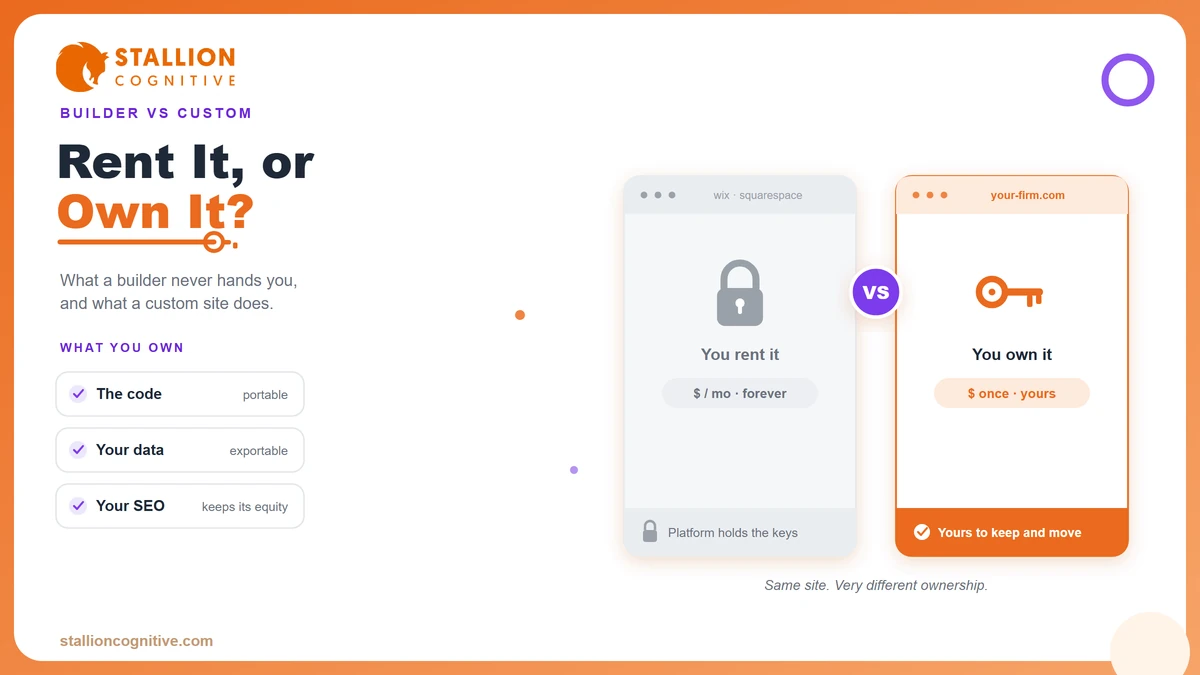
A custom website vs Wix/Squarespace choice looks like a budget question. It is really a control question. Wix and Squarespace hand you a site in a weekend for the price of a few coffees a month. A custom build costs more up front and gives you something the builders never do, which is full ownership of the thing your business runs on.
We build custom sites for a living, and we still tell some owners to stay on a builder. It depends entirely on where the business is headed.
So this walks through what the builders do well, where they start to cost you, the real three-year math, and how to tell which side of the line your business sits on. Let's get into it.
What Wix and Squarespace Actually Do Well
For a brand-new business with a small budget, a website builder is often the right first call. Wix and Squarespace let one person launch a real site in a few days, with no code and no agency invoice. That speed is worth a lot when you are testing whether an idea even has legs.
The builders earn their keep in a few clear ways.
- Speed to launch: You can go from signup to a live page in an afternoon, templates and hosting included.
- Low starting cost: Plans run roughly $16 to $49 a month, so the entry price feels like nothing.
- No technical skill needed: Drag-and-drop editing means you never touch a line of code.
- Everything in one bill: Hosting, security, and updates sit inside the subscription, so there is one thing to manage.
For a side project, a local shop, or a founder validating an idea, that package is hard to argue with. The website builder vs custom website question barely applies yet, because the business has not asked anything hard of the site.
The trouble starts later, once it does.
Where DIY Builders Quietly Cost a Growing Business
The bill you see on a builder is not the bill you actually pay. The real cost shows up in the things a template makes slow, awkward, or impossible once you have real traffic and real customers.
Take speed. A heavy template loaded with third-party widgets gets sluggish, and slow pages lose people fast. Google's research found that as a page's load time climbs from one second to ten, the probability of a mobile visitor bouncing rises 123%. On a builder you have limited control over what loads and when, so clean Core Web Vitals get harder to hit as you add features.
Then there are the walls you only find by hitting them.
- App fees stack up: That $23 base plan needs paid apps for booking, memberships, or serious forms, and each one adds a monthly line.
- Template limits box you in: You can restyle a theme, but the underlying structure resists the custom layout your best page needs.
- Design starts to look familiar: Thousands of sites share the same popular templates, so your brand blends into the crowd.
- Transaction cuts on sales: Some builder plans take a slice of each sale unless you upgrade, which grows with you.
None of this makes a builder bad. It makes a builder a starter home. The DIY website vs professional web design gap is small when the site is simple and widens every time the business asks for more.
That widening is exactly what the cost math below captures.
Custom Website vs Wix/Squarespace, Priced Over Three Years
Compare only the monthly fee and the builder wins every time. Compare the full three-year cost and the picture shifts, because a custom site is a one-time build with cheap upkeep, while a builder is a fee that never stops and grows as you add apps.
The table below lays out a realistic three-year view for a small business site. Your numbers will move with scope, and you can dig into what drives business website costs separately, but the shape holds.
| Cost over 3 years | Wix / Squarespace | Custom website |
|---|---|---|
| Build or setup | $0 to $500 (DIY time) | $5,000 to $15,000 one-time |
| Platform / hosting | $600 to $1,800 | $200 to $600 (hosting) |
| Apps and add-ons | $1,000 to $3,000+ | Built in or one-time |
| Redesign at year 3 | New template, $0 to $1,000 | Not needed, you own it |
| Rough 3-year total | $1,600 to $6,300+ | $5,400 to $16,200 |
The gap is real, so weigh it fairly. A custom site still costs more over three years for most small businesses. What the table cannot show is the other side of the ledger, which is the revenue a faster, better-converting, fully owned site brings in over those same three years.
That is where design pays for itself. McKinsey tracked 300 companies over five years and found the top design performers grew revenue 32 percentage points faster than their industry peers. A template caps how far you can push design and conversion. A custom build does not.
So the question is less about the cheapest site and more about which one earns more back.
Who Actually Owns Your Site and Your SEO?
On Wix or Squarespace, you rent. Stop paying and the site goes dark, because the platform owns the environment your pages live in. That is the part of the Wix vs custom website trade that surprises owners most, and it only bites when you try to leave.
Ownership shows up in three concrete ways.
- The code and design: On a builder, you cannot export a clean, portable copy of your site and host it elsewhere. On a custom build, the files are yours.
- The customer data: Your contacts, bookings, and history live inside the platform's system, which makes moving them a manual chore.
- The SEO you earn: The rankings, content, and link equity you build accrue on the platform's terms, and migrating them safely takes real care.
Vendor lock-in like this grows quietly. Every month on a builder adds pages, data, and ranking history that all have to come with you if you ever move. A custom site keeps that value in your hands from day one, which is why the on-page SEO work you invest in actually stays yours.
Does a builder rank at all? It can, for simple sites. The ceiling just sits lower once you need fine control over speed, structure, and technical SEO.
Why Compliance and Client Data Change the Math for Regulated Firms
For a financial advisor, an accountant, or any firm handling sensitive client information, the custom website vs Wix/Squarespace decision carries weight a coffee-shop site never will. The stakes are trust, data, and legal exposure, and a template gives you thin control over all three.
Trust gets judged in seconds. Stanford's web credibility research found that 46.1% of people weigh a site's visual design when deciding whether to trust the company behind it, and for finance sites that figure climbs to 54.6%, the highest of any category studied. A stock template that looks like ten competitors does not build the confidence a high-value client needs before they hand over their money.
Beyond looks, regulated firms carry requirements a builder handles poorly.
- Accessibility standards: Meeting accessibility compliance to a testable standard is far easier when you control the code than when a template dictates the markup.
- Data handling: Custom forms and client areas can be built to protect sensitive information the way your compliance team requires.
- Disclosures and records: You get room for the disclaimers, consent language, and audit trails a regulator expects.
On a builder you trust the platform's defaults. On a custom site, security and compliance are designed in from the first line.
For these firms, the safer, more defensible option is usually the custom one, and the reason has little to do with looks.
Can a Template Really Turn Visitors Into Leads?
A pretty site that generates no enquiries is an expensive brochure. This is where builders and custom sites split hardest, because conversion depends on control, and control is what a template limits.
Builders give you standard contact forms and basic pop-ups. That works for simple needs. Once you want a multi-step form, conditional questions, or a booking flow wired straight into your CRM, a builder pushes you toward paid apps that bolt on rather than build in. Each add-on is another subscription and another thing that can break.
A custom site treats lead capture as core plumbing built into the foundation.
- Forms that qualify: Ask the right questions in the right order so your inbox fills with real buyers instead of tire-kickers.
- Real CRM integration: Send every enquiry straight into your sales system with no copy-paste and no lag.
- Built for conversion: Page structure, speed, and calls to action shaped around how your buyer actually decides.
We have seen the difference across client work, where moving from a template to a high-converting business website turned steady traffic that never called into a booked calendar. The traffic was always there. The site was quietly leaking it.
If leads are the point of the site, the platform you pick decides the ceiling.
When You Outgrow a Template, and How the Move Works
Most businesses do not start with a custom site. They grow into one. The trigger is rarely a single dramatic moment and more often a pile of small frustrations that add up, which is why it helps to know the signs your website is outdated before they cost you customers.
You have likely outgrown a builder when a few of these feel true.
- You are paying for six apps to force the builder to do things a custom site does natively.
- The template fights your ideas every time you want a page that does not fit its mold.
- Speed has plateaued and you cannot fix it because you do not control what loads.
- You are ready to invest in the site as a real growth channel rather than a placeholder.
The good news is that moving from a builder to a custom site is a known, safe process. The part that protects your traffic is careful 301 redirects, which map every old URL to its new home so the rankings you earned carry over instead of vanishing on launch day.
A migration done well keeps your content, your rankings, and your history. Done carelessly, it drops all three, so this is the step to get right.
How to Decide Between a Builder and a Custom Build
The choice comes down to what you are asking the site to do. A builder is the smart call when the site is simple and the budget is tight. A custom build wins when the site is a growth engine you plan to run for years. Run your situation through the questions below.
| Ask yourself | Builder is fine | Go custom |
|---|---|---|
| How central is the site to revenue? | Nice to have | Main lead source |
| Do you handle sensitive client data? | No | Yes |
| Need custom features or integrations? | No | Yes |
| How fast must the site load under load? | Good enough | Mission-critical |
| Do you want to own and move it freely? | Not a concern | Yes |
| Budget shape | Low, monthly | Upfront, then cheap |
Count your answers. Lean left and a builder will serve you well for now, and there is no shame in starting there. Lean right and you are paying a builder to hold your business back.
Most growing firms sit in the middle for a while, then cross the line the moment the site becomes how they actually win customers. When it does, the should I hire a developer or build it myself question answers itself.
Ready to Build a Site You Own?
You now know what the builders do well, where they start to cost you, and the point where a custom site earns its price back. The decision is not about which tool is best in the abstract. It is about where your business is headed and what you need the site to carry.
If that site is central to how you win clients, a rented template will cap you sooner than you think. Our web design services build custom sites with the speed, SEO, and conversion structure that make the investment pay for itself rather than just look sharp.
So what is your current site keeping you from doing? Book a call and we will map the right build for where you are taking the business.
Frequently Asked Questions
Can I connect my own domain to Wix or Squarespace?
Both platforms let you connect a custom domain on their paid plans, and most include it free for the first year. You keep the domain if you leave. What stays behind is the site built around it, since the pages themselves are not portable.
How long does a custom website take to build?
A small custom site usually takes four to eight weeks from kickoff to launch. Larger sites with custom features and content migration run two to four months. The slowest part is rarely the code. It is content and internal approvals, so start those early.
Do I need a developer every time I want to edit a custom site?
Modern custom builds ship on a CMS like WordPress, so day-to-day edits like text, images, and blog posts are yours to make. You only call a developer for structural changes or new features, which is far less often than owners expect.
Is WordPress a custom website or a website builder?
WordPress sits in between. Self-hosted WordPress gives you a custom, fully owned foundation that a developer shapes to your needs, unlike a closed builder. It powers a large share of the web precisely because you control the code and can host it anywhere.
Which is cheaper for a business just starting out?
A website builder wins on early cost, full stop. For a founder testing an idea on a tight budget, $20 a month beats a five-figure build. The math flips later, once the site drives real revenue and the builder's limits start costing you leads.