
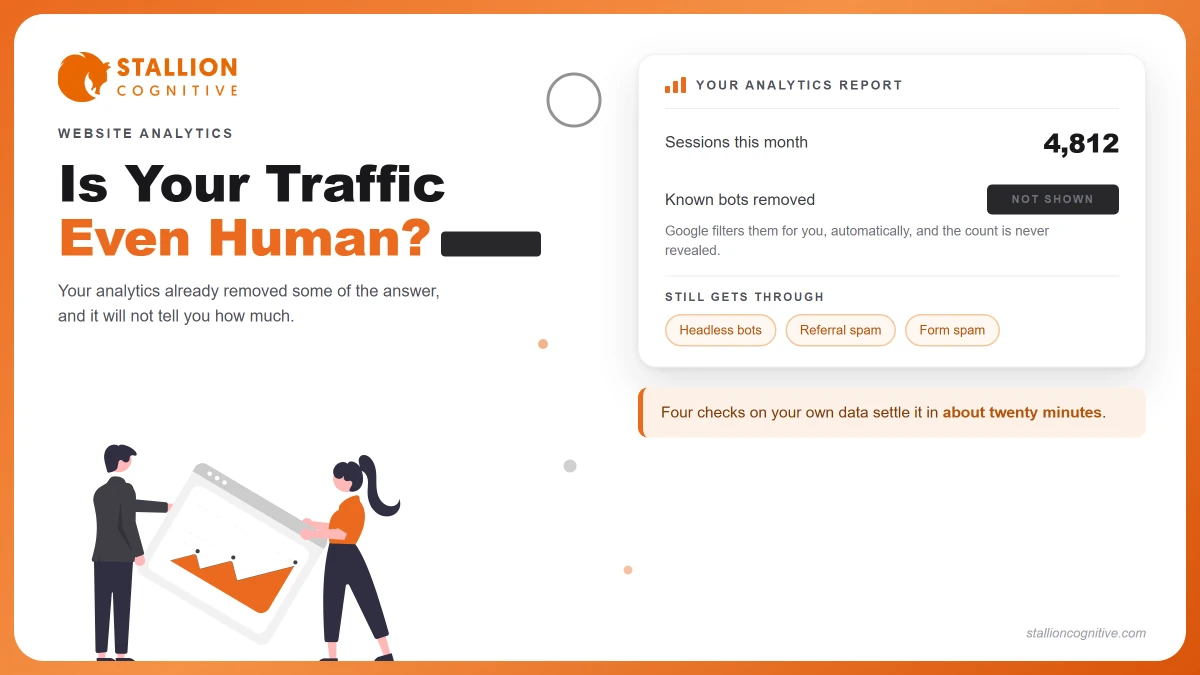
Your traffic report says visits are up forty percent. The phone rings exactly as often as it did last month. Before you blame the sales process, ask whether those extra visits were people at all.
The answer counts for more this year than last. Bot traffic overtook human traffic across the web during 2025, and plenty of business owners read that headline and quietly lost faith in every number they see.
That reaction is fair and mostly wrong. Let's walk through what the number means for your site, and the four checks that settle it.
How much of your website traffic is bots?
Across the whole web, more than half. Statista's bot traffic chart puts bots at 53% of global web traffic in 2025, with bad bots alone at 40% against humans at 47%.
The direction of travel is the striking part. Back in 2018, humans made up 62%.
On your own site the figure is almost certainly lower. Web-wide numbers count every request hitting every server, including login pages under attack and APIs being scraped around the clock. A small professional-services site is a far less interesting target than a bank.
So the honest answer has two halves.
- The web-wide share is real and worth knowing.
- Your site's share is a separate question only your own data answers.
Why that headline does not describe your report
Because your analytics has been quietly removing bots before you ever saw the number. Almost every article on this subject leaves the point out.
Google Analytics 4 excludes traffic from known bots on its own. You did not switch it on and you cannot switch it off. Google's guidance is blunt about what that means for you.
"At this time, you cannot disable known bot traffic exclusion or see how much known bot traffic was excluded."
Read that second half again. You cannot see how much was removed. So nothing lets you match your GA4 number against a web-wide figure, because one has been filtered and the other has not.
Which makes panic the wrong response. Your report is cleaner than the headline suggests. It is also not spotless.
What does Google already filter, and what gets through?
Known bots go. Unknown ones stay. Google identifies them using its own research plus the International Spiders and Bots List kept by the Interactive Advertising Bureau.
That list is good, and a list is still a list. Anything missing from it walks straight past.
| What GA4 handles | What still reaches your reports |
|---|---|
| Declared search crawlers | Bots running a headless browser that renders your page like a person would. |
| Listed commercial crawlers | New or renamed crawlers not yet added to the IAB list. |
| Common scrapers on the IAB list | Referral spam that never loads your site and fakes the data instead. |
| Most AI crawlers that identify themselves | Form spam bots, which skip your pages and hit the form endpoint directly. |
A second blind spot deserves naming. GA4 only sees what runs its tracking code, so a crawler that reads your HTML without running JavaScript never shows up at all. Your server log saw it. Analytics did not.
How do you check your own site?
Four checks, about twenty minutes, no tools you need to buy. Run them in order, because each one narrows what the next is looking for.
- Compare your hosting stats against GA4 for the same week.
- Read the geography against where your clients live.
- Sort for sessions with no engagement time.
- Look at which pages people supposedly landed on.
Check one, compare two sources
Open your server or hosting analytics next to GA4 for the same seven days. The two count different things.
| Source | What it counts |
|---|---|
| Hosting stats | Every raw request, bots included |
| GA4 | Tracked sessions, known bots already stripped |
A large gap between them is normal. A gap that suddenly widens in one week is the signal worth chasing.
Check two, read the geography
Look at sessions by country against the places you actually serve.
A New York accounting firm picking up heavy traffic from three countries it has never worked in is looking at automation, or at content scraped and republished somewhere else.
Judge this one against your client list, never against a general idea of which countries send bots.
Check three, sort by engagement
Filter for sessions with zero engagement time. Real visitors, even ones who bounce fast, register something.
Two things make this reading safer.
- Compare against your own past months rather than an outside benchmark.
- Check whether the zero-engagement sessions all share one landing page, which usually points at a script.
Check four, look at landing pages
Bots love pages humans rarely enter through.
- Your login or admin URL showing up as a landing page.
- A years-old post suddenly taking heavy traffic with no shares behind it.
- URLs with odd query strings you never created.
What does fake traffic look like in your reports?
Flat, fast and shapeless. Human traffic has a rhythm, and bots almost never copy that rhythm well.
These are the tells worth learning.
| Signal | What you see | What it usually means |
|---|---|---|
| Zero engagement time | Sessions ending instantly, in volume | Automated hit, or a page that failed to load |
| Perfectly flat hourly pattern | Same traffic at 3am as at 3pm | A script on a schedule |
| Single-page sessions only | No second page, ever, from one source | Crawler rather than reader |
| Direct traffic spike | A jump with no referrer at all | Often referral spam or a mislabelled bot |
That last row deserves a caution. Plenty of real traffic arrives as direct, including people who typed your name or clicked a link inside an email, so a direct spike alone proves nothing on its own. Judge it beside engagement time.
If your traffic fell rather than rose, the causes are different and mostly human, which is why a traffic drop needs its own diagnosis.
Are your form submissions real people?
Some of them, and the share surprises firms every time they look. This is where bot traffic stops being a reporting quirk and starts costing money.
Form bots behave nothing like crawlers. They ignore your pages and post straight to the endpoint your contact form uses, so they inflate your enquiry count while leaving traffic numbers untouched.
A four-partner advisory firm we worked with counted 61 enquiries in a quarter and celebrated. Nineteen were real. The rest were bot submissions carrying ordinary-looking names and working email formats, which is why nobody spotted them in the inbox, and because the firm had wired its form straight into a spreadsheet with no checks on it at all, every fake row fed the quarterly report the partners used to judge whether their marketing spend was working. They spent two months believing their close rate had doubled.
Three things make the difference.
- A honeypot field, hidden from people and tempting to bots.
- A timestamp check, since a form filled in under two seconds was not typed.
- A required field a script cannot guess, like a dropdown with no default.
One knock-on effect gets missed. Sending automated replies to fake addresses drives up your bounce rate with mailbox providers, one of the quieter reasons emails land in spam. Clean forms protect your sender reputation as well as your reporting.
Which bots do you actually want?
More than you would guess. Treating every bot as an attacker is the costliest mistake in this whole subject, and the statistics articles push you toward it.
Search crawlers are the obvious case. Block Googlebot and you leave the index.
The newer case is AI crawlers. If you want your firm quoted when someone asks ChatGPT or Perplexity for a recommendation, those crawlers have to reach your pages first, and AI citation depends on access you control. Blocking them for tidier analytics is a poor trade.
Sort them by what they do rather than what they are.
- Wanted, because they bring visibility. Search crawlers, AI answer engines, your own uptime monitor.
- Unwanted, because they take without returning. Scrapers copying content, credential stuffers, form spammers.
Worth knowing that a user agent is only a claim. Anything can call itself Googlebot, so Google publishes a way to verify crawlers by reverse DNS lookup rather than trusting the name.
Heavy crawler load also shows up as slower pages for real visitors, which ties into your Core Web Vitals more often than firms expect.
What this changes about judging your marketing
Less than you fear. The practical shift is which number you argue about in the monthly meeting.
Sessions were always a weak measure. Once you accept that a slice of them were never people, the case for judging marketing on enquiries gets easier to make, and lead source tracking becomes the number carrying the weight.
Two rules keep this sensible.
- Never judge a change on traffic alone: Pair every traffic movement with an enquiry count for the same period.
- Investigate spikes, ignore ripples: A 15% wobble is noise. A doubling overnight is a question.
We will not tell a client their traffic is fake without showing the sessions we based it on. Anyone who diagnoses bot traffic off a summary chart is guessing, and that guess usually arrives attached to a product they want to sell you.
If the real worry is that your numbers have never quite added up, that is a broader question than bots, and the six-number website scorecard is a better place to start than a bot audit.
Start with the twenty-minute version
Run the four checks before you buy anything. Most firms find their traffic is more real than the headlines led them to expect, and that their forms are the actual problem.
The firms that get burned are the ones who either trusted every number or panicked and stopped trusting any of them. Neither reaction survives contact with the data, and the data takes an afternoon to gather. If traffic looks healthy while enquiries stay flat, the leak sits further down, and traffic but no leads covers where to look next.
What would you do differently next quarter if you knew which half of your traffic was worth chasing? If you want someone to run these checks with you and say plainly what your numbers mean, talk to our team.
Frequently Asked Questions
Does bot traffic hurt Google rankings?
Not directly. Google judges your pages through its own crawl, so third-party automated visits carry no ranking signal. Heavy scraping can slow your server, and slow pages do affect rankings.
Do bots click paid ads as well?
Click fraud is a live problem in paid search. Ad platforms filter invalid clicks and credit them back, though the credit lands after the fact and rarely covers everything.
Is GA4 better at filtering bots than the older version?
Universal Analytics made bot filtering an optional setting many properties never switched on. GA4 applies it to everyone by default, which makes it stricter.
Can bot traffic increase hosting costs?
On metered or cloud hosting, heavy crawlers eat bandwidth and CPU you pay for. Firms on fixed shared hosting notice it as slowness rather than a bill.
How often should this be re-checked?
Quarterly suits most firms. Run it sooner if traffic moves sharply, if enquiry quality drops, or after any change to your forms.